
A boutique owner in Jaipur opens Instagram to find three new ads in one week, each promising an AI tool that will "handle her social media" end to end. One writes captions. One schedules posts. One claims to do everything. She closes the app with more tabs open than before and still no photo shot for tomorrow's post. That confusion is the real starting point for anyone searching AI for social media right now: not which single app to buy, but which job actually needs solving first.
Here's the honest version. AI for social media isn't one product, it's four separate jobs with different tools for each: writing captions, scheduling posts, creating the actual images and videos, and reading what's working. No app does all four well. Below is what's genuinely useful in each category, what it costs, and where the tradeoffs are, so you can pick one thing instead of five subscriptions.
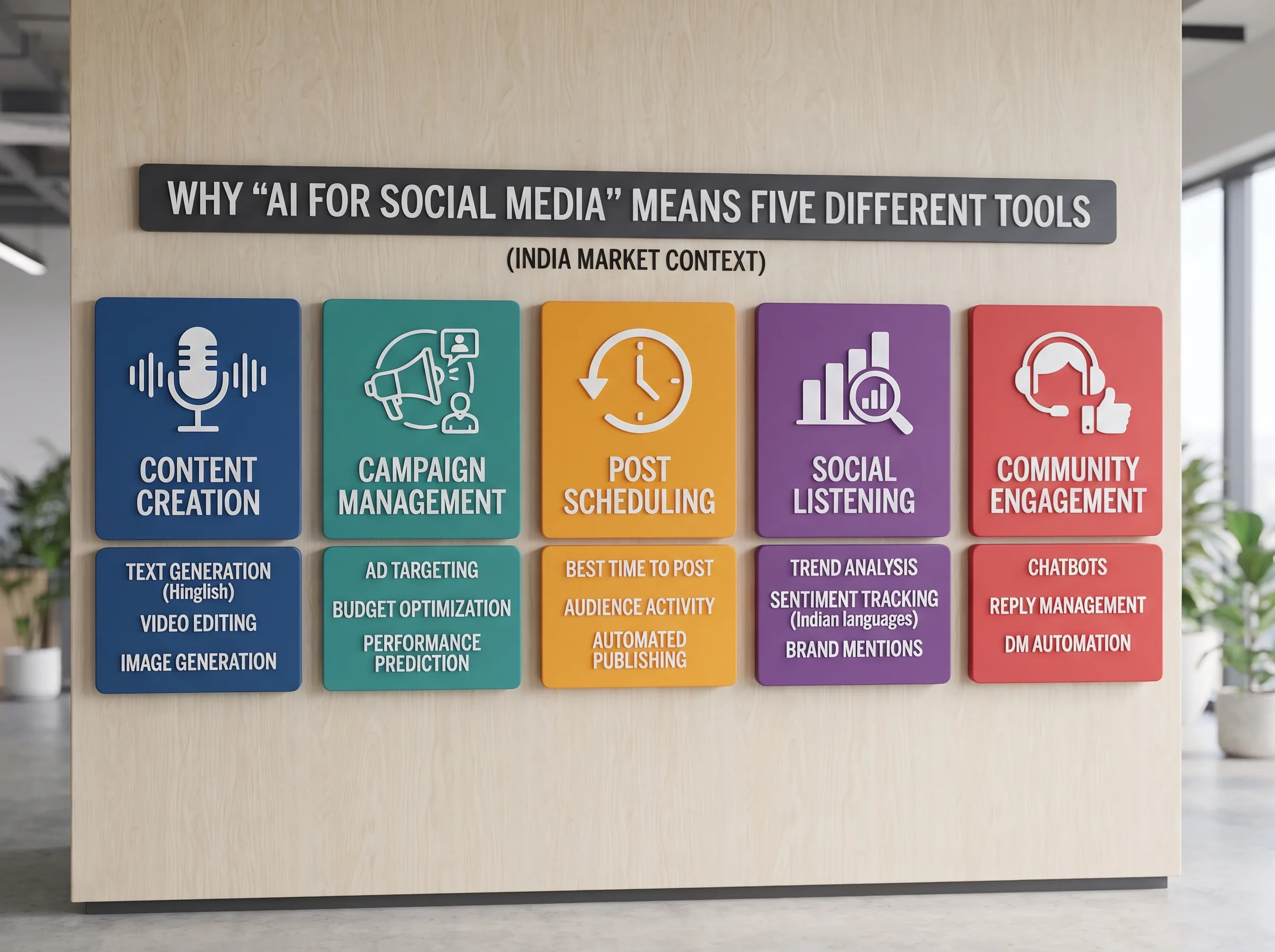
Why "AI for social media" means five different tools, not one
Key definition: AI for social media is an umbrella term for a set of distinct tools, caption and content generation, post scheduling, image and video creation, and performance analytics, each solving a separate part of running a business's social presence. No single tool does all four well.
The listicles rank "best AI tools" as one long table, which makes it look like a shootout between competitors. It isn't. A caption generator and a photo generator solve completely different problems, and treating them as interchangeable is how small businesses end up paying for three overlapping subscriptions that all do the same 20% of the job.
Key insight: The fastest way to waste money on AI for social media is buying a tool before naming your actual bottleneck, captions, scheduling, visuals, or insight, and picking the one tool that solves it.
The rest of this breaks the landscape down by what you're actually trying to get done, not by brand name.
AI for content and caption generation
If the blank caption box is your bottleneck, this is the category. ChatGPT and Claude are free-to-cheap and genuinely good at drafting a first pass, ten caption variations in the time it takes to type the prompt. Jasper runs about $69/month on its Pro plan and lets you train a brand voice so drafts sound less generic over repeated use. Copy.ai has a real free tier and tends to produce stronger LinkedIn-style, professional captions than casual Instagram ones. Rytr is the budget option, around $7.50/month on its annual Saver plan, bundling text generation with a small monthly image allowance.
The honest tradeoff: every one of these tools writes fast, generic drafts. None of them naturally write Hinglish or a specific shop's voice without heavy editing. A caption that says "Your new favorite festive look is here" reads exactly like every other AI caption on the platform, because thousands of businesses are running the same prompt through the same model.
There's also a real cost difference worth knowing before you commit. ChatGPT and Claude's free tiers cover most small-business caption needs on their own, since the actual output (a caption, a hashtag set, three headline variants) is short text, not a complex document. The paid tools earn their subscription mostly through saved brand-voice settings and batch generation, useful once you're writing daily, unnecessary if you're posting three times a week.
When a caption generator is worth it
Good for volume and brainstorming, ten hook ideas in thirty seconds instead of staring at a blank box. Bad as a final output. A salon in Bangalore posting a client before-and-after Reel still needs a caption that sounds like the actual stylist, not a generic AI voice calling it "a stunning result." Treat every AI caption draft as a rough cut you rewrite in your own voice, not a finished post.
AI for scheduling and posting
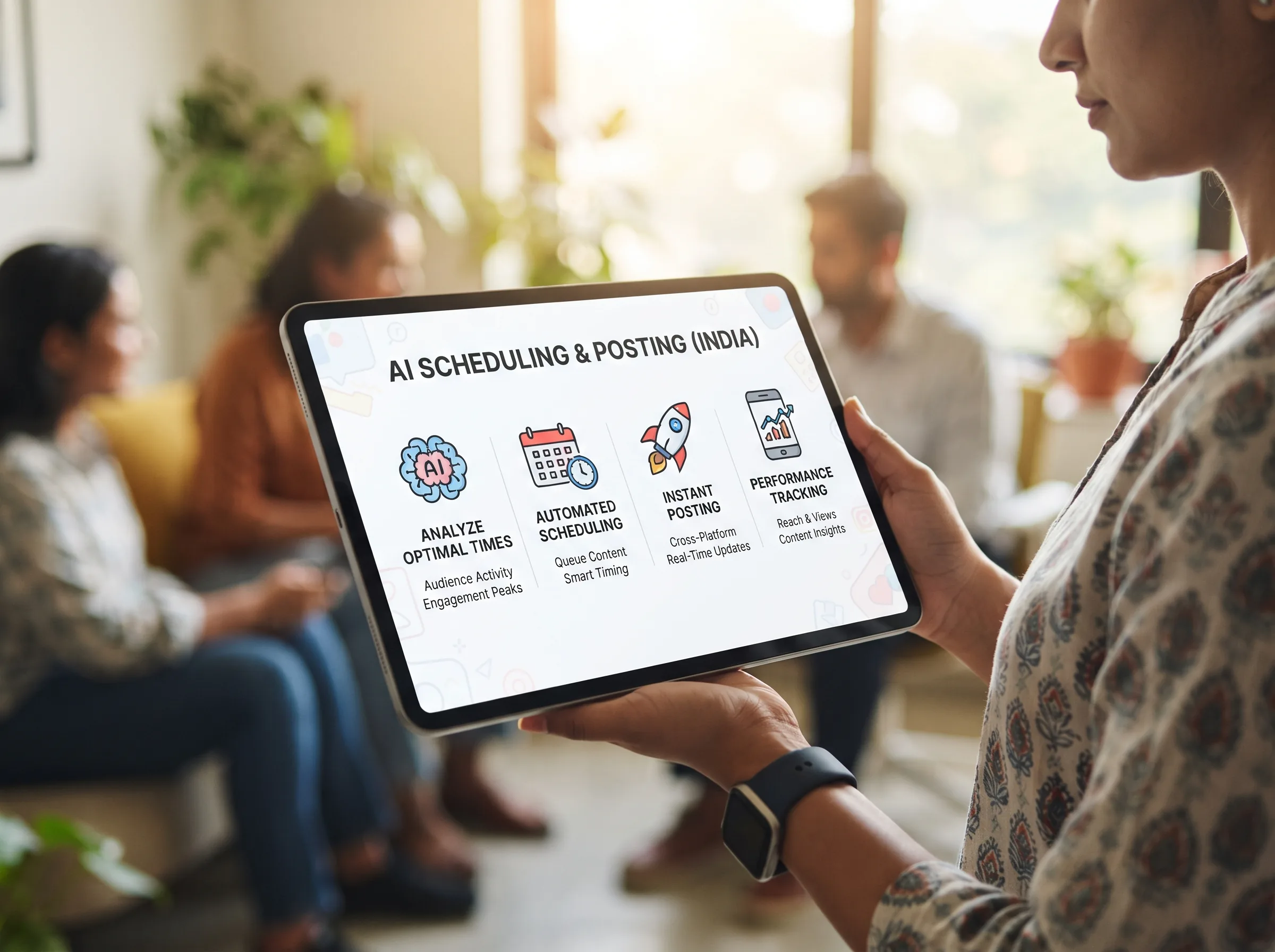
If your actual problem is remembering to post, or posting at 11pm because that's the only time you got to it, scheduling tools solve this. Buffer has a genuinely usable free tier and paid plans starting around $6/month per channel, adding AI-assisted caption drafting and hashtag suggestions on top of scheduling, the strongest value-for-price option for a solo owner or a two-person team. Later runs about $18.75/month billed annually and leans into a visual, drag-and-drop content calendar with Canva integration, a natural fit if your feed is Instagram-first. Hootsuite stopped offering a free plan in 2025 and now starts at $199/month, built for teams managing multiple brands or client accounts rather than a single small business.
The tradeoff to know before you pay for any of these: the "AI" in most scheduling tools is mostly optimal-posting-time detection and light caption assist, not content creation. You're paying for the calendar and the queue, not for the tool to invent what to post. Pick based on how many people touch your account and how visual your feed is, not on which one advertises the most AI features. If Hootsuite's pricing feels steep for a single shop, there's a full breakdown of lighter alternatives worth reading before committing.
AI for image and video creation
This is where most small businesses actually get stuck, not the caption, the photo. Canva runs about $12.99/month on Pro and pairs AI image generation with templates and a brand kit, a strong general-purpose design tool for anyone who needs one platform for posts, Stories, and print. Photoroom is trained specifically on e-commerce photography, with prebuilt product-staging and background templates built for sellers who need clean product shots fast, without a studio.
Scalio sits in this same category, specifically for the photo-to-content step. It takes one product photo and a brand brief and turns it into model-wearing photos and Reels, the step that usually means booking a studio, a model, and a photographer in Surat or Jaipur and waiting a week for the shoot. That's the specific job it solves: turning what a small business already has, a product and a phone, into content that would normally need a shoot. It doesn't replace a scheduling tool or a caption generator, and it doesn't claim to.
Where Scalio fits vs Canva and Photoroom
Canva is general design, presentations, posts, print, anything with a template. Photoroom is product-photo cleanup and staging, meant for a listing photo that already exists and needs a clean background or a marketplace-ready crop. Scalio is model-wearing photos and Reels generated from a single product shot, closer to replacing an actual photoshoot than editing an existing one. A boutique doing catalogue cleanup for Meesho or Flipkart reaches for Photoroom; a boutique that needs a model wearing the outfit for a Reel, without booking a model or a studio, reaches for Scalio. Plenty of sellers end up using more than one of these, since they overlap less than the category name "AI image tool" suggests.
AI for analytics and insights
Once you're posting consistently, the next question is whether any of it is working. Meta Business Suite's native insights are free and cover the basics, reach, engagement, best-performing posts, and are the right starting point before paying for anything dedicated. Sprout Social and Hootsuite both bundle AI-powered analytics into their higher-tier plans, surfacing engagement patterns and best-time-to-post recommendations automatically instead of you eyeballing a spreadsheet. If timing specifically is your question, the data on best posting times for Instagram is worth reading before paying for an analytics tool to tell you the same thing.
For most small businesses, the free native insights answer 80% of the real question, what's working, before a paid analytics layer is worth the extra spend.
How to actually pick, without buying five subscriptions
Name your actual bottleneck before opening a pricing page. If it's the blank caption box, start with ChatGPT's free tier before paying for Jasper. If it's forgetting to post, Buffer's free plan solves that today. If the real problem is that you don't have a product photo worth posting, no caption tool or scheduler fixes that, you need the image itself first.
A boutique owner in Jaipur running this stack in practice: one product photo turned into a week of Reels and model shots through Scalio, dropped into Buffer's free scheduler, no agency retainer, no studio booking. That's two tools solving two distinct jobs, not five overlapping subscriptions solving the same 20%.
AI for social media marketing small business use cases almost always trace back to this same pattern: identify the one bottleneck actually costing you time or sales, solve that with the cheapest tool that does it well, and only add a second tool once the first one is paying for itself.
A rough order of what's usually worth paying for first, in practice: if you have zero product photos worth posting, fix that before anything else, no caption or scheduling tool matters if there's nothing good to post. If you have photos but no consistent posting habit, a scheduler's free tier fixes that in one afternoon of setup. If you're posting consistently and still guessing whether it's working, that's when a dedicated analytics tool earns its subscription, not before.
Turn AI tools into a system instead of five tabs
The honest takeaway: there's no single AI for social media tool that replaces a photographer, a scheduler, and an analyst at once, and any tool claiming otherwise is either overselling one of those three or doing all three badly. Pick the category costing you the most time right now and start there.
Scalio turns a product photo and a brand brief into model-wearing photos and Reels in minutes, replacing the shoot, the studio, and the agency retainer, starting from ₹999/month for 100 credits against a ₹10,000+ monthly agency doing the same work. It solves the content-creation piece specifically, not scheduling or analytics. Pair the photos it generates with a running bank of content ideas so the visual and the caption both stop being the daily bottleneck. See how it works →
Frequently Asked Questions
Is AI for social media actually worth paying for as a small business?
Worth it for the single biggest bottleneck costing you time right now, captions, scheduling, or visuals, not worth stacking five paid AI subscriptions that overlap. Start with one free tier that matches your actual problem, then add a second paid tool only once that one is already paying for itself.
What's the best free AI tool for social media?
For scheduling, Buffer's free tier. For caption drafts, ChatGPT's free tier. For analytics, Meta Business Suite's native insights, no cost, covers reach and engagement basics. Together these three cover most of what a small business needs before any paid AI tool is worth considering.
Can AI actually create my social media photos and videos, not just captions?
Yes. Tools like Photoroom clean up and stage product photos, and Scalio generates model-wearing photos and Reels from a single product photo, both distinct from caption or scheduling AI, which only assists text and timing rather than producing the visual itself.
Do AI social media tools work for Hinglish or India-specific captions?
Most caption tools, ChatGPT, Jasper, Copy.ai, are trained mostly on English content and need a manual edit pass to sound like an actual Hinglish caption or reference something locally specific. Treat any AI caption draft as a rough first pass you rewrite in your own voice, not a finished post.