
India's quick commerce market is now the fastest-growing retail channel for FMCG and beverages, and the thumbnail image on a Blinkit or Amazon India listing is doing the commercial work a physical shelf display used to do. Britannia Industries reported that nearly 70% of its ecommerce business now comes through quick commerce platforms. That shift, from shelf browsing to screen scrolling, makes product image quality a direct revenue variable, at exactly the moment when the number of images a brand needs has multiplied across platforms, seasonal campaigns, and SKU variants. AI product photography closes that production gap.
TL;DR
- A single beverage brand can need 150 to 280 product images a year once you count SKUs, platforms, and festive refreshes.
- Traditional studio work runs ₹75,000 to ₹4,20,000 a year for that volume; AI photography does it for roughly ₹1,500 to ₹2,800.
- AI is production-ready for packaged beverages (cans, bottles, pouches, sachets) where the product is the packaging; it struggles with clear glass, pour shots, and liquid physics.
- This guide gives you 20+ copy-paste prompts grouped by use case: catalogue, ingredient, lifestyle, premium, festive, and quick-commerce thumbnails.
Key definition: Beverage product photography ideas using AI means starting from one real photo of your packaged drink, then using image-to-image AI to generate the background, lighting, props, and context around it, producing catalogue, lifestyle, and campaign images without a physical studio shoot.
Why beverage brands need more images than they can afford to produce
A beverage brand with 12 SKUs, three flavours across four formats (can, bottle, pouch, sachet), needs more product images than most marketing budgets comfortably support. Count the real inventory: a white-background listing image for every SKU on every marketplace, two or three lifestyle shots per SKU for social and ads, a festive refresh for each major season, and quick-commerce thumbnails calibrated for tiny grid displays. It adds up to 150 to 280 images a year, fast.
Traditional photography for that volume, at standard Indian studio rates of ₹500 to ₹1,500 an image, costs ₹75,000 to ₹4,20,000 per year, before seasonal refreshes. AI photography at roughly ₹10 an image costs ₹1,500 to ₹2,800 for the same volume. The delta compounds every year with every new flavour launch. For a full breakdown of where the savings come from, see our AI prompts for product photography guide.
What AI photography does well for beverages, and where to be careful
Before investing in an AI photography workflow, understand exactly where AI is production-ready and where it is not. Getting this wrong wastes credits on poor outputs, or worse, publishes images that misrepresent your product.
AI handles packaged beverages extremely well. When the product is the packaging (a printed can, a labelled PET bottle, a foil pouch, a sachet), AI can generate the scene, background, props, and lighting around your real photographed product with catalogue-grade quality. Opaque surfaces, printed labels, and clearly defined edges are exactly what image-to-image AI is best at preserving.
Where you need to be careful:
- Clear glass and transparent packaging. Transparent glass physically shows what is behind it, so a generated dark background can bleed through and muddy the liquid or the bottle edges.
- Pour shots and liquid in motion. Splashes, streams, and pouring liquid involve physics that AI approximates rather than renders accurately. Results are inconsistent.
- Condensation. AI does not add condensation automatically; you have to prompt it explicitly, and it reads best against a cold contextual scene.
This assessment aligns with independent technical guides on food and beverage AI photography, which consistently flag glass and liquid physics as the two hardest cases. The practical takeaway: lean on AI for everything from cans to pouches to opaque bottles, and reserve a real studio shoot for hero pour shots and clear-glass premium lines.
20+ beverage product photography ideas with AI: copy-paste prompts
All prompts below are for image-to-image AI: upload your product photo to Scalio and use the prompt to generate the scene around it. These are tuned for beverage packaging. Customise the surface material, ingredient props, and colour palette to match your brand. Add "this exact product, unchanged label and shape" to every prompt so the AI keeps your real packaging instead of inventing a new one. Use a fictional label if you are just testing; never generate a real competitor's brand.
Group A: clean catalogue and listing images
Platform-ready listing images. Amazon India main image (pure white), Blinkit thumbnail-optimised, Flipkart clean standard.
1. Pure white marketplace packshot (Amazon India main image)
"This exact beverage product on a pure white seamless background (RGB 255,255,255), even shadowless studio lighting, centred and filling about 85% of the frame, sharp focus, true-to-life colours, label fully legible, high resolution, square 1:1."
2. Soft-shadow catalogue shot (Flipkart, Meesho secondary)
"This exact beverage can on a clean off-white studio backdrop, one soft natural shadow beneath it for depth, gentle diffused overhead light, centred composition, true-to-life colours, high resolution, 4:5 vertical."
3. Angled hero packshot
"This exact beverage bottle photographed from a 30-degree elevated angle on a seamless light-grey background, soft studio light from the top left, sharp focus on the label texture, ecommerce hero-image style, 4:5 vertical."
Group B: ingredient-themed scenes (communicate flavour instantly)
Place the product in its flavour context. Buyers use these images to understand what a drink tastes or smells like before they buy.
4. Fruit-flavour burst
"This exact juice bottle surrounded by fresh whole and sliced fruit matching its flavour (oranges, halved and whole), a light splash of juice, bright airy studio light, clean white surface, appetising FMCG catalogue style, 1:1 square."
5. Coffee context
"This exact cold-brew coffee bottle on a dark slate surface, scattered roasted coffee beans, warm amber directional light, subtle steam mood, premium specialty-coffee look, 4:5 vertical."
6. Herbal tea and botanicals
"This exact herbal tea pouch on a clean off-white surface, surrounded by dried herbs, loose tea leaves, and whole spices, soft natural top light, wellness-brand aesthetic, top-down 1:1 square."
7. Spiced or masala flavour
"This exact beverage sachet on a warm wooden board with whole spices (cardamom, cinnamon, star anise), soft golden light, cosy Indian kitchen mood, 4:5 vertical."
Group C: lifestyle and context scenes (social and ad content)
Show the product where it belongs. Buyers want to see their own life reflected back around the product.
8. Sunny cafe table
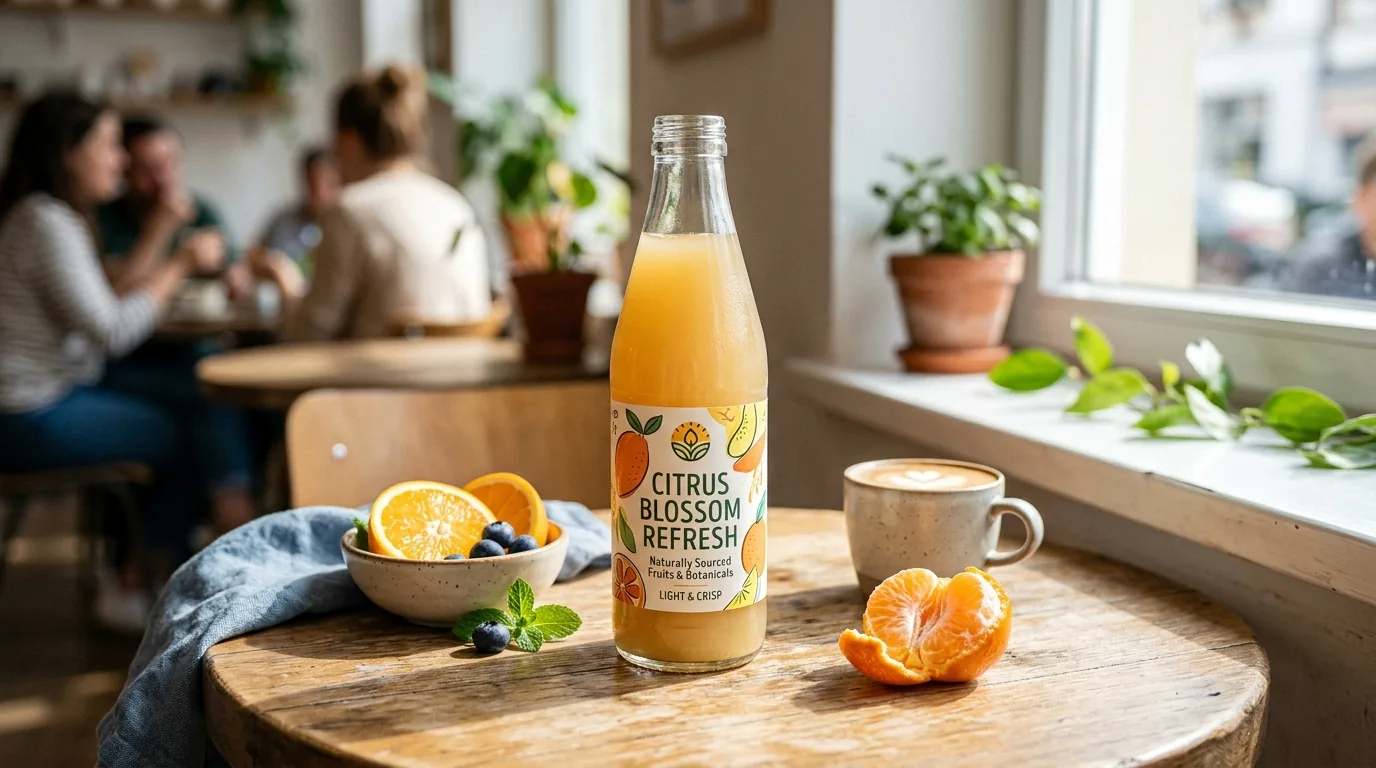
"This exact glass juice bottle on a sunny cafe table with a small plate of fresh fruit, soft natural window light, shallow depth of field, editorial FMCG lifestyle style, 4:5 vertical."
9. Outdoor refreshment
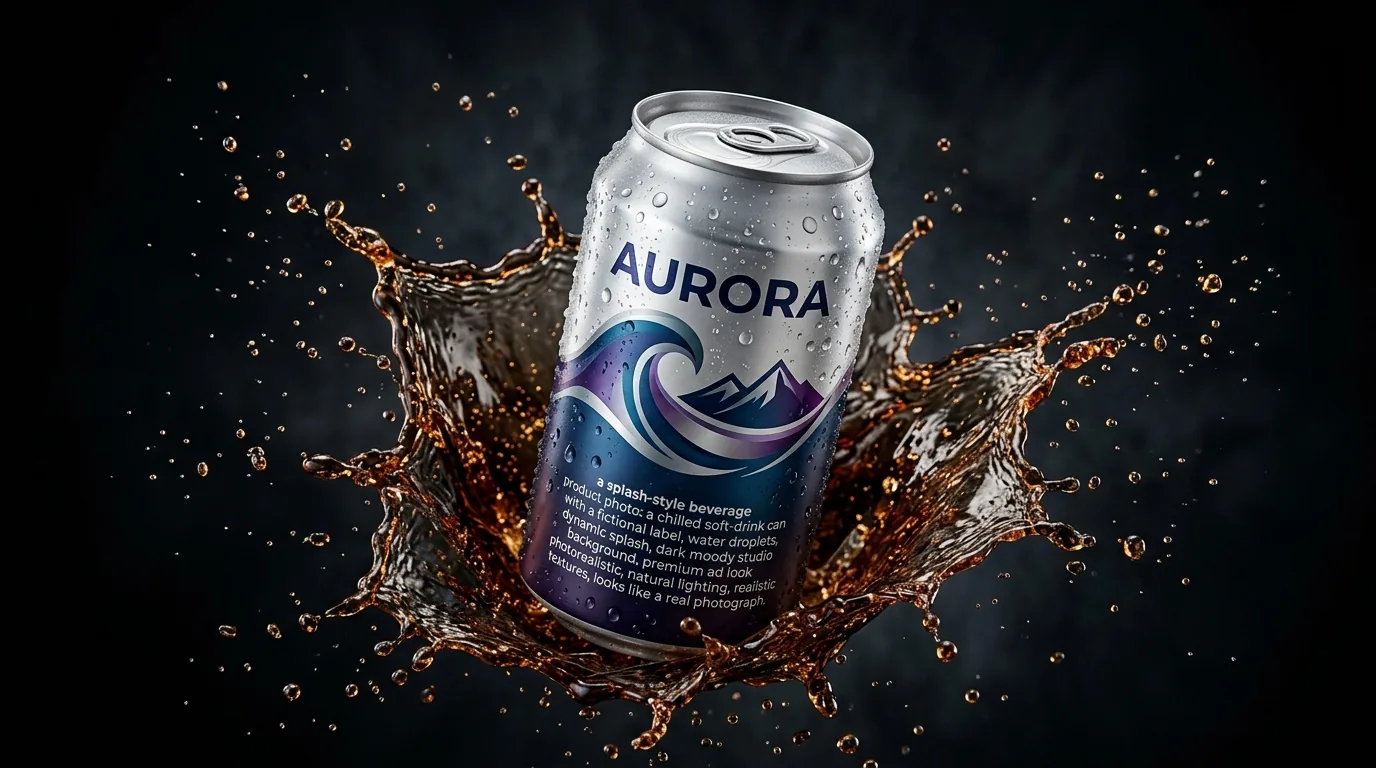
"This exact energy drink can on an outdoor granite rock surface, condensation droplets on the can surface, cold fog effect at the base of the product, bright natural daylight, active outdoor mood, 4:5 vertical."
10. Desk and work-from-home
"This exact beverage can beside a laptop and notebook on a light wooden desk, soft morning light from a window, calm productive setting, lifestyle ecommerce style, 4:5 vertical."
11. Fitness and post-workout
"This exact protein or energy drink bottle on a gym bench beside a rolled towel and dumbbell, cool directional light, energetic sporty mood, 4:5 vertical."
12. Picnic and outdoor gathering
"This exact beverage bottle on a picnic blanket with a wicker basket and greenery in soft background blur, warm afternoon sunlight, relaxed social mood, 4:5 vertical."
Group D: premium and luxury presentation
Dark backgrounds, dramatic lighting, editorial quality. For premium spirits, specialty coffee, high-end teas, and luxury gifting.
13. Dark moody hero
"This exact beverage bottle on a black reflective surface, single dramatic side light, deep shadows, subtle rim light on the bottle edge, luxury editorial product photography, 4:5 vertical."
14. Spotlight on stone
"This exact premium beverage can on a dark textured stone slab, one focused spotlight from above, moody low-key lighting, high-contrast premium look, 4:5 vertical."
15. Backlit glass (for clear bottles)
"This exact clear glass beverage bottle with a defined backlight behind it so the edges glow and the liquid stays bright, pale neutral background, soft studio fill from the front, premium clean look, 4:5 vertical."
16. Elegant gifting still life
"This exact beverage bottle styled as a gift with a folded linen ribbon and a single sprig of greenery on a marble surface, soft diffused light, refined premium still-life composition, 1:1 square."
Group E: Indian festive campaign images
Critical for Indian FMCG brands. Amazon India and Blinkit see major traffic spikes in every festive window, and festive thumbnails outperform standard listings during those periods for gifting categories.
17. Diwali warm-glow
"This exact beverage bottle on a warm terracotta surface with small brass diyas, scattered marigold petals, and soft golden bokeh, festive Diwali gifting mood, warm golden-hour light, 4:5 vertical."
18. Holi vibrant
"This exact beverage can on a light surface with soft colourful powder accents in the background, bright cheerful daylight, playful Holi festive mood, 1:1 square."
19. Raksha Bandhan and gifting
"This exact beverage pouch styled with a rakhi thread and a small sweets bowl on a pastel cloth, soft warm light, family gifting mood, 4:5 vertical."
Reminder: Your Amazon India main image must always stay pure white. Festive backgrounds belong in secondary image slots, social and ad content, and Blinkit promotional banners, not in the compliance-checked primary listing image.
Group F: quick commerce thumbnail optimisation
Blinkit, Zepto, and Swiggy Instamart show product thumbnails at very small sizes in their listing grids. These prompts are calibrated for readability at both full resolution and 80x80px thumbnail size.
20. High-legibility grid thumbnail
"This exact beverage can centred on a clean solid pale-blue background, flat even lighting, no props, product filling 80% of the frame, label bold and legible, optimised for small thumbnail display, 1:1 square."
21. Contrast pop thumbnail
"This exact beverage bottle on a solid contrasting colour background that makes the label pop, minimal shadow, product large and centred, high clarity at small sizes, 1:1 square."
22. Promo banner style
"This exact beverage can on a bright gradient background with generous empty space on one side for a price or offer badge, clean flat lighting, quick-commerce promotional banner style, 16:9 wide."
The beverage brand AI photography workflow: how to produce a full catalog
You do not shoot these one by one. You shoot once and generate in batches:
- Photograph each SKU cleanly once. A sharp, well-lit, straight-on photo of the real product on a plain surface is your master source. Get the label crisp and readable.
- Upload to Scalio and pick a prompt group. Start with Group A for your listing images, since those are required everywhere.
- Batch by use case, not by SKU. Generate all your white packshots, then all your lifestyle scenes, then your festive set. Reusing the same prompt across SKUs keeps a consistent brand look.
- Check the label at 100% zoom. Before you export anything, confirm the label text, brand name, and any nutritional or statutory text are accurate. This is the single most important quality gate for food and beverage.
- Export at high resolution and resize-test thumbnails. Shrink your quick-commerce images to 80x80px and confirm the product and label are still identifiable in the grid.
That turns a full-catalog refresh from a multi-week studio project into an afternoon. See how the studio handles this end to end on the AI product photoshoot feature.
Quick reference: best AI photography approach by packaging type
| Packaging type | AI readiness | Best approach |
|---|---|---|
| Aluminium can | Excellent | Any prompt group; add condensation with a cold scene for refreshment cues. |
| PET or opaque plastic bottle | Excellent | Listing, lifestyle, and festive prompts all work reliably. |
| Foil pouch or sachet | Excellent | Ingredient and festive scenes; great for masala, tea, and instant mixes. |
| Labelled opaque glass | Good | Works well; keep backgrounds soft rather than dark and saturated. |
| Clear glass bottle | Careful | Use backlit prompts and pale backgrounds; avoid dark saturated scenes. |
| Pour or splash hero shot | Limited | Prefer a real studio shot; AI liquid physics is inconsistent. |
For lighting choices that make each of these read as premium, our product photoshoot lighting guide breaks down direction and quality of light in plain terms.
Frequently asked questions
Can AI photography be used for food and beverage product listings on Amazon India?
Yes, for packaged beverage products where the product is the packaging, AI product photography is listing-ready for Amazon India. The workflow: photograph your real product and use AI to generate the scene and background around it. Amazon India permits AI-edited product photos (background removal, background generation) provided the final image accurately represents the actual product. Purely AI-generated images that misrepresent the product are prohibited. For food and beverage packaging specifically, always verify that the label text, nutritional information, and brand identity are accurately represented in the AI output. Check the label at 100% zoom before upload, because Amazon India's compliance review is automated and flag-based, and an image that does not match the ASIN's registered product will be flagged.
How do I get realistic condensation on my beverage can in AI photography?
Specify condensation explicitly in your prompt, because AI does not add it automatically. Effective prompt language is "condensation droplets on the can surface, cold fog effect at base of product." The effect is most convincing when it is combined with a contextually cold scene: ice, an outdoor rock surface, frosted glass, or a cold interior. A can with condensation but a warm lifestyle scene creates a visual inconsistency that weakens the cold, refreshing message. Always specify both the condensation on the product and a cold contextual setting in the same prompt.
Why does my glass bottle look wrong after AI background generation?
Glass is the hardest material for AI background generation because transparent glass physically shows what is behind it. When you photograph a glass bottle on white and then AI-generate a dark background, the glass can appear to absorb the dark colour, making the liquid look darker or the bottle look murky. Two fixes: first, photograph glass bottles with a backlit studio setup so light comes from behind the product, giving defined edges that override background bleed-through; second, use backgrounds that are not strongly coloured, like pale grey, a pale natural surface, or a soft botanical scene, rather than dark or saturated backgrounds that interact dramatically with the glass.
Should I use AI photography for product launches or only for existing catalog?
Both, and launches are where AI pays off most. When you launch a new flavour or SKU you need a full image set (listing, lifestyle, festive, thumbnails) with no lead time and no sunk studio cost, which is exactly what a one-photo-to-many-scenes AI workflow gives you. You can even generate campaign images before final packaging arrives, as long as you regenerate from the real product photo before anything goes live.
How many AI product images do I need per SKU for a Blinkit or Zepto listing?
Quick commerce platforms like Blinkit and Zepto typically display 1 to 5 product images per listing, with the primary image doing most of the commercial work since it appears in the grid before the buyer clicks. For a standard beverage SKU on Blinkit: minimum one primary listing image (white or neutral background, product clearly legible at thumbnail size), recommended three to five total (primary plus two to four lifestyle or ingredient images). The key quick-commerce requirement is that your primary image stays legible at very small sizes. Generate at high resolution (Scalio exports HD suitable for all platforms) and test by resizing to 80x80px to confirm the product and label are still clearly identifiable in the grid.
Fill every slot from one photo
You already have the hard part: a real product worth photographing. The rest, every listing image, every festive refresh, every thumbnail that has to pop in a Blinkit grid, is a prompt away. Upload one clean shot of your can, bottle, or pouch, pick a prompt from the library above, and let Scalio generate the scene around it. Start your first beverage shoot at web.scalio.app and turn a single photo into a full catalog this afternoon.