
A kurti seller in Jaipur uploads her product photo to an AI tool, types "make it look professional," and gets back a picture of a kurti that isn't hers. Wrong neckline, invented print, a logo that never existed. She tries again. Same mess. After ten attempts she goes back to booking a ₹8,000 studio shoot she can't really afford.
Key definition: An AI photoshoot prompt is a written instruction that tells an AI image tool exactly how to render a product photo — covering the subject, setting, lighting, composition, and style — so the output looks like a real studio shoot instead of a generic AI guess.
The problem was never the tool. It was the prompt. Good ai prompts for product photography are the difference between a shot you can put on a Myntra listing and a shot you delete in frustration. And the good news for beginners: writing them is a skill you can learn in one sitting, not an art you're born with.
And spending more doesn't fix it either. Sellers regularly share stories of dropping serious money on studio shoots and getting nothing back for it. One DTC founder on Reddit spent $12,000 on a professional photoshoot and watched conversions get worse, while another replaced an $800-per-shoot habit with a single AI prompt for pre-launch mockups. The lever that actually moves the result is not the budget. It's how precisely you tell the AI what you want.
Most guides just hand you a wall of prompts to copy. That works until a copied prompt fails on your specific product, and then you're stuck. This guide gives you both: the formula so you can write your own prompt for any saree, bottle, or bangle you sell, and a ready-to-use ai photoshoot prompt library below that you can copy-paste right now.
What Makes an AI Photoshoot Prompt Actually Work
An AI image tool does exactly what you tell it, and nothing you leave out. When people say the AI "doesn't understand" their product, what actually happened is the prompt was vague. "Nice photo of my product on white" gives the AI a hundred ways to be wrong.
A prompt that works answers five questions before the AI has to guess: what is the product, where is it, how is it lit, how is it framed, and what style are you going for. Miss any of these and the AI fills the gap with an average of everything it has seen, which is rarely what you want.
There is also one choice that matters more than any word in your prompt: text-to-image versus image-to-image.
- Text-to-image builds a picture from your words alone. Great for backgrounds and concepts, terrible for real SKUs, because it invents a product that looks roughly like what you described.
- Image-to-image starts from your actual photo and changes only what you ask. This is what sellers need. Your real kurti stays your real kurti, and only the background, lighting, and setting change.
If you sell real products, upload your real photo almost every time. Learning to write good product photography prompts matters, but pairing them with your own image is what keeps the result honest.
The 6-Part Prompt Formula (With a Worked Example)
Here is the formula that turns a vague request into a usable shot. Six parts, always in this order:
- Subject: what the product is, described plainly
- Setting: the background or scene
- Lighting: the mood and light direction
- Composition: angle, framing, and how much space the product fills
- Style: the overall look you're copying
- Technical: resolution, aspect ratio, and any format rule
Watch a weak prompt become a strong one.
Weak: "kurti on a nice background"
Strong: "A mustard-yellow cotton kurti with block-print detail (subject), on a clean off-white studio backdrop (setting), soft diffused daylight from the left (lighting), front-facing shot with the kurti filling most of the frame (composition), minimal premium e-commerce look (style), high resolution, 1:1 square (technical)."
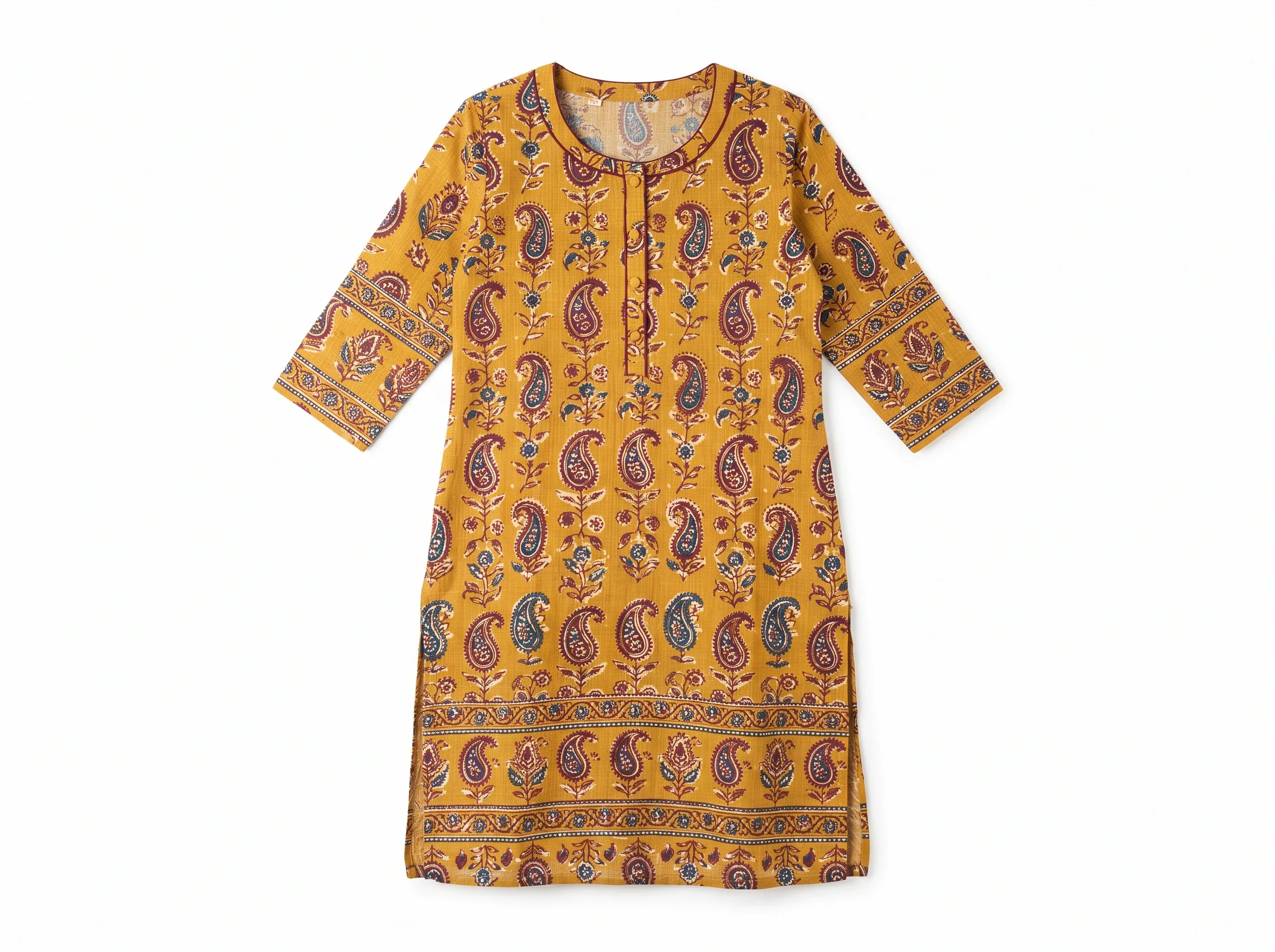
The second prompt leaves the AI almost nothing to guess. That is the entire game. This same structure is how people write reliable midjourney product photography prompts and chatgpt prompts for product photography alike. The tool changes; the formula does not.
Key insight: A prompt that names all six parts — subject, setting, lighting, composition, style, technical — leaves an AI image tool nothing to guess. Vague prompts fail not because the tool is bad, but because the gap gets filled with an average guess instead of your actual intent.
Learning how to write ai prompts this way also makes fixing a bad result easy. If the light looks flat, you know exactly which part to edit instead of rewriting the whole thing.
15 Copy-Paste AI Photoshoot Prompts for Product Photography
This is the part most sellers actually came for: a ready ai photoshoot prompt library you can copy right now, organized by product category and use case. Each one follows the six-part formula above, so you can see it working and adapt it. Pair every prompt with your uploaded photo using image-to-image — add "this exact product" and your tool will keep your real item instead of inventing a new one.
Marketplace packshots (white background)
1. Pure white marketplace packshot (Amazon & Flipkart)
"This exact product on a pure white seamless background (RGB 255,255,255), even shadowless studio lighting, centred and filling about 85% of the frame, sharp focus, true-to-life colours, high resolution, square 1:1."
2. Soft-shadow packshot (Meesho, Myntra secondary images)
"This exact product on a clean off-white studio backdrop, a single soft natural shadow beneath it for depth, gentle diffused overhead lighting, centred composition, true-to-life colours, high resolution, square 1:1."
3. Angled hero packshot
"This exact product photographed from a 30-degree elevated angle on a seamless light-grey background, soft studio lighting from the top left, sharp focus on texture and detail, e-commerce hero-image style, 4:5 vertical."
Lifestyle and flat-lay shots
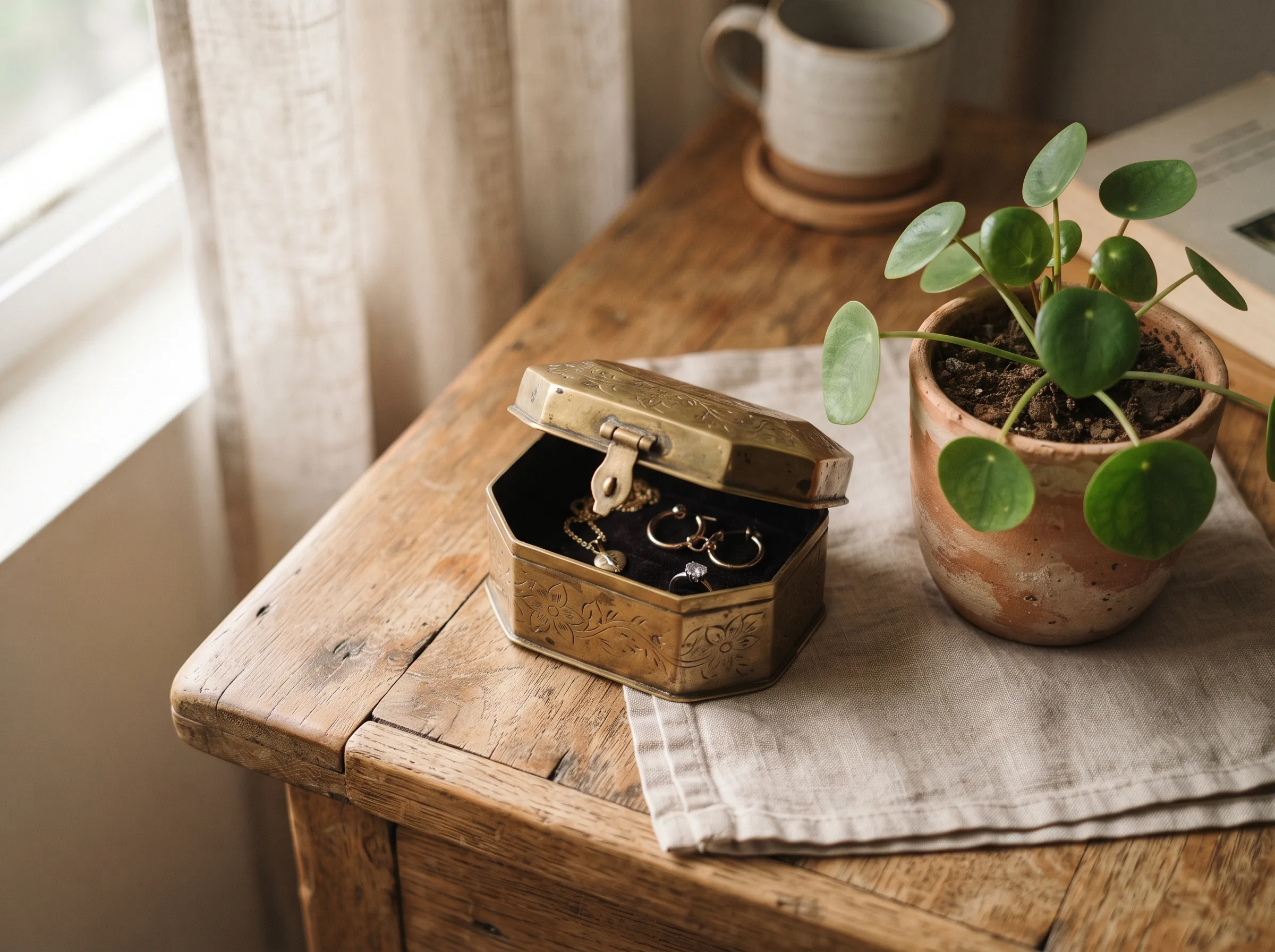
4. Lifestyle shot for Meesho and Instagram
"This exact product placed on a warm wooden surface beside a small potted plant, soft natural morning light, slight top-down angle, cosy home setting, lifestyle e-commerce style, 4:5 vertical."
5. Flat-lay with props
"This exact product arranged in a flat-lay top-down shot on a neutral linen background, styled with one or two complementary props (a candle, a small plant, a folded fabric swatch), soft even natural light, minimalist Instagram-ready composition, 1:1 square."
6. Festive gifting flat-lay
"This exact product flat-laid on a warm terracotta backdrop with scattered marigold petals and a small brass diya, soft warm golden-hour light, festive gifting theme, top-down angle, 1:1 square."
Model-wearing shots (apparel & jewellery)
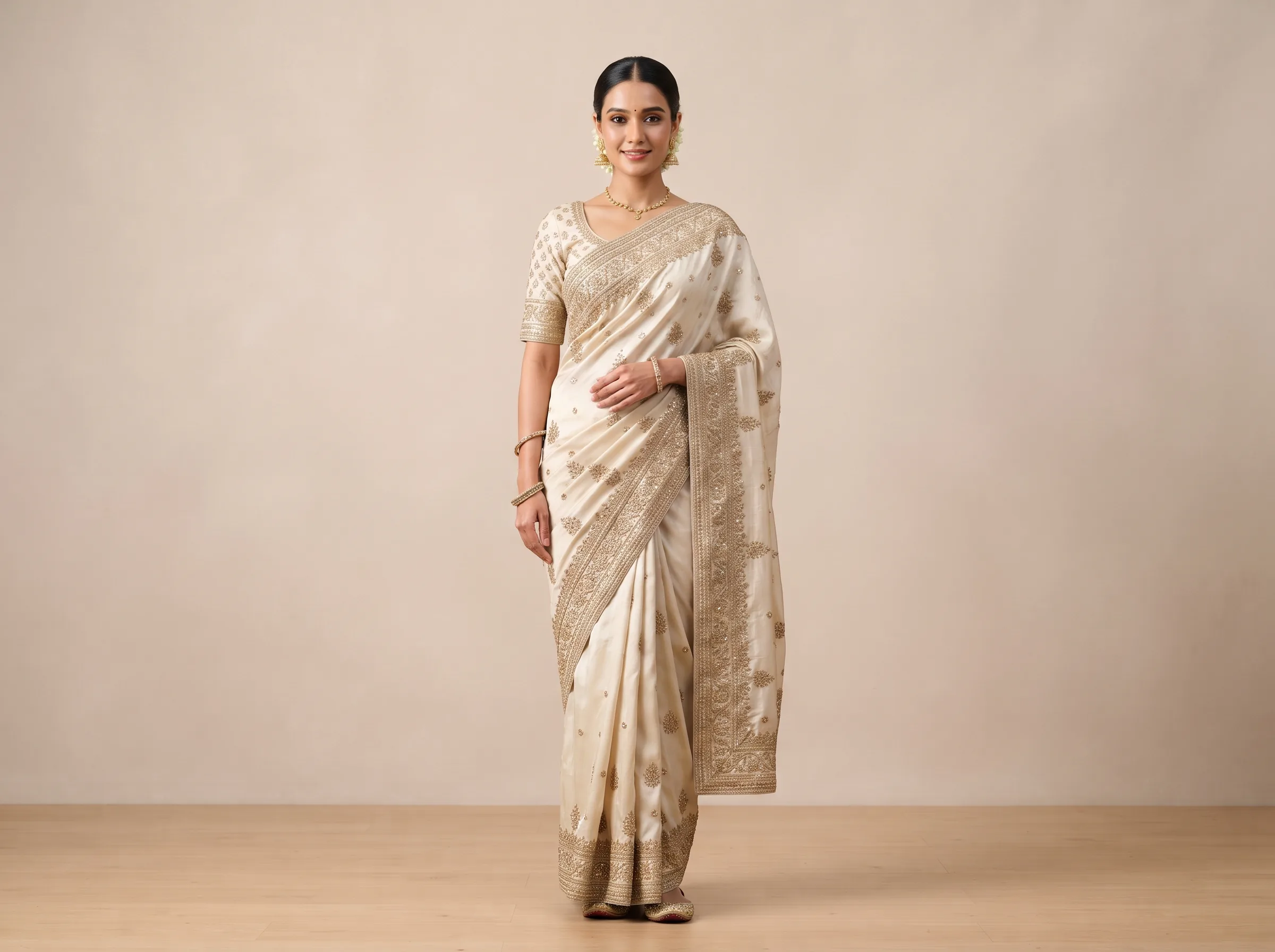
7. Model-wearing shot for ethnic wear (sarees, kurtis, lehengas)
"This exact saree draped on a female model in a relaxed standing pose, plain beige studio background, soft flattering light, full-length front shot, elegant editorial fashion look, natural skin tones, 4:5 vertical."
8. Three-quarter turn apparel shot
"This exact kurta worn by a model in a three-quarter turn pose, soft neutral studio background, warm even lighting, waist-up framing to show fabric drape and neckline detail, natural skin tones, 4:5 vertical."
9. Jewellery worn on model
"This exact necklace shown worn on a model's neck and collarbone, soft studio lighting that highlights the metal shine and stone clarity, close crop from chin to shoulders, neutral background, natural skin tones, 1:1 square."
10. Festival and wedding campaign
"This exact kurta set on a model, subtle Diwali-themed background with warm bokeh lights and marigold accents, golden-hour lighting, three-quarter pose, festive premium campaign style, 4:5 vertical."
Macro and detail shots
11. Jewellery macro detail
"This exact gold necklace on a soft grey suede display, warm focused light showing metal shine and stone clarity, extreme close-up macro shot, luxury jewellery catalogue style, ultra sharp, 1:1 square."
12. Fabric texture macro
"This exact fabric's weave and print shown in an extreme close-up macro shot, raking side light to bring out texture and thread detail, true-to-life colour, shallow depth of field, 1:1 square."
13. Footwear detail shot
"This exact pair of shoes photographed at a low three-quarter angle on a matte grey podium, soft directional studio light highlighting the material and stitching, shallow depth of field on the sole, e-commerce catalogue style, 4:5 vertical."
Category-specific
14. Bottle and packaging product shot
"This exact bottle centred on a reflective dark surface with a soft mirror reflection beneath it, single dramatic side light, deep shadow background, premium cosmetic or FMCG campaign style, high resolution, 4:5 vertical."
15. Handbag hero shot
"This exact handbag placed upright on a neutral podium, soft studio lighting from the front-left, slight angle to show depth and hardware detail, clean minimal background, luxury accessory catalogue style, 1:1 square."
Notice the phrase "this exact product" in every one. That single instruction, plus your uploaded image, is what stops the AI from redesigning your item. If you sell a category not listed above — watches, sunglasses, kids' clothing, handbags — the Scalio AI prompt library has dedicated, tested prompt sets you can browse by product type instead of adapting one of these by hand.
Negative Prompts: Telling the AI What to Avoid
Most beginners only describe what they want. The prompts that consistently look clean also describe what they do not want. This is the negative prompt, and it is where a lot of AI product photography quietly goes wrong.
Common negatives worth adding to almost any product shot:
"no extra text, no watermark, no distorted product shape, no changed logo, no extra hands or fingers, no cluttered background, no harsh reflections, no plastic-looking skin (for model shots)."
Some tools have a separate negative-prompt box; others want it in the same prompt. Either way, listing what to avoid removes the small errors that make an image look AI-made instead of shot in a studio.
Keeping Your Actual Product Accurate
This is the failure nobody warns beginners about, and the reason our Jaipur seller nearly gave up. The AI makes a beautiful image of the wrong product. For a marketplace listing, an inaccurate photo is worse than a plain phone photo, because it leads to returns and bad reviews.
Four habits keep your product true to life:
- Always start from your real photo. Image-to-image with a clear, well-lit source is the single biggest factor in accuracy.
- Give it more than one angle. Product tutorials that get consistent results almost always upload two or three photos of the same item from different angles. It lets the AI understand the real shape of your saree fold or bottle curve instead of guessing the back from the front.
- Use a low change strength. Most tools let you control how much they alter the original. Keep it low so the background and lighting change while the product stays fixed. Push it high only when you want a dramatic new scene.
- Name the parts that must not change. Add "keep the exact print, colour, and label unchanged" to the prompt, and put "changed logo, altered print" in the negatives.
If your label or logo still shifts, it usually means the source photo was blurry or too small. A sharper input photo fixes more problems than any clever wording.
Marketplace Rules Your Prompts Must Respect
A gorgeous lifestyle image is useless as your Amazon main image if it breaks the platform's rules. Build the requirement into your prompt from the start.
- Amazon India requires the main image to have a pure white background (RGB 255,255,255) with the product filling roughly 85% of the frame and no text, logos, or props. Their product image requirements spell this out. Use prompt #1 above for this slot, then use lifestyle prompts for the secondary images. For a full walkthrough of every Amazon image slot, see our Amazon product photography requirements guide.
- Flipkart also wants a clean, clutter-free main image; prompt #1 or #2 above covers it.
- Meesho and Myntra reward lifestyle and on-model shots that show fit and context, so this is where prompts #4, #7, and #10 earn their keep. Our Meesho seller photography guide has the platform-specific sizing rules to pair with these.
Beyond marketplace rules, clear and accurate images help you everywhere your products show up. Google's own image best practices note that high-quality, sharp product images are more likely to surface in search, which is one more reason to get the prompt right the first time.
A simple system: one white-background prompt for the main image, three or four lifestyle and model prompts for the gallery. That covers most Indian marketplace listings from a single product photo.
When a Prompt Gives You a Bad Result
Bad outputs are normal, especially at first. The trick is to change one thing at a time instead of rewriting everything. Here's a quick guide.
| Problem | Fix |
|---|---|
| Product looks changed or wrong | Lower the change strength, use a sharper source photo, add "this exact product, unchanged shape and print." |
| Background is cluttered or busy | Simplify the setting line, add clutter terms to the negative prompt. |
| Lighting looks flat or grey | Specify direction and quality, like "soft directional light from the left." |
| Colours are off | Add "true-to-life colours" and name the exact colour of your product. |
| Wrong shape or proportions | Check your source photo isn't stretched, and add "correct proportions" to the prompt. |
| Looks fake or over-processed | Add realism cues like "natural shadows, realistic materials" and remove over-the-top style words. |
Two or three rounds of small edits usually gets you there. That is still minutes of work versus days of waiting on a studio.
Frequently Asked Questions
What is an AI photoshoot prompt?
An AI photoshoot prompt is a written instruction — covering subject, setting, lighting, composition, and style — that tells an AI image tool how to render a product photo. A well-written prompt paired with your own uploaded photo (image-to-image) produces a studio-style shot of your actual product, instead of a generic AI guess.
How do I write an AI prompt that keeps my product's label and logo correct?
Start from your real photo with image-to-image, keep the change strength low, and name the label directly: "keep the exact logo and label unchanged." Add "changed logo, distorted text" to your negative prompt. If it still drifts, use a higher-quality source image.
Do I need to upload a photo, or can I generate a product shot from text alone?
For a real product you sell, always upload your photo. Text-only prompts invent a product that merely resembles yours, which is fine for mood boards but wrong for listings where accuracy affects returns.
What's the best prompt for a pure white background on Amazon?
Use prompt #1 above and include the "pure white background (RGB 255,255,255)" instruction, since Amazon requires a true white main image with the product filling most of the frame.
Can I use these prompts for jewellery and sarees?
Yes, and they're the biggest categories for Indian sellers. Use the macro prompt (#11) for jewellery to show shine and detail, and the model-wearing prompts (#7, #9) for sarees and jewellery to show drape, fit, and how it looks worn. For a deeper, category-specific prompt set, see our saree photography prompts and jewelry photography prompts.
Which AI tool should a beginner start with?
In 2026 most product-photo tutorials run on Google's Gemini image model (often called Nano Banana) or ChatGPT, and both handle image-to-image well. But general tools still leave accuracy and marketplace sizing up to you. If you'd rather not manage any of that, start with a tool built specifically for products, which is exactly what Scalio is designed to do.
From One Phone Photo to a Full Listing
You now have the formula, 15 ready copy-paste prompts, and a way to fix bad results. Write your next prompt with the six parts in order, pair it with your real photo, and add negatives to clean up the edges. That alone puts you ahead of most sellers still typing "make it professional."
If you'd rather skip the prompting altogether, Scalio does it for you. Upload a single phone photo of your saree, kurti, or jewellery, and get studio-quality model shots and clean marketplace packshots in minutes, formatted for Amazon, Flipkart, Meesho, and Myntra. It replaces a ₹10,000 to ₹50,000 per month agency for ₹999 a month. Try your first product photo free on Scalio and see the result before you commit.
Looking for more prompts by category or by AI tool? Browse the full Scalio AI prompt library — including dedicated pages for Amazon product photography prompts and Midjourney-style product photography — or read our saree product photography guide for a complete seller walkthrough.