
TL;DR
- An AI video generator is an umbrella term for three different technologies: text-to-video, image-to-video, and avatar/UGC video. They solve different problems and aren't interchangeable.
- Under the hood, most run on diffusion models trained to reverse noise added to real footage, learning temporal consistency so motion looks steady frame to frame.
- 2026 models are genuinely good at short, controlled clips and still inconsistent on physics, clothing, and multi-shot continuity, per a live same-prompt comparison across five current models.
- If you already have real product or model photos, image-to-video is usually the faster, more faithful path than generating a scene from scratch.
- Scalio uses the image-to-video approach specifically to turn product photos into Reel-ready video for fashion and D2C brands.
A founder in Ahmedabad types "model walking through a market in a mirror-work lehenga, golden hour" into a box, hits generate, and thirty seconds later there's a video. That's the pitch behind every AI video generator right now. An AI video generator isn't one tool doing one thing, it's three genuinely different technologies wearing the same marketing label, and picking the wrong one means paying for capability you don't need while missing the one you do.
If you run an Instagram-first fashion label or sell on Meesho, Flipkart, or Amazon.in, you've probably seen all three get called "AI video generator" in the same breath: a tool that builds a scene from a text prompt, a tool that animates a photo you already own, and a tool that makes an avatar read a script. This guide breaks down how the tech actually works, what each category is good at, where it still falls apart in 2026, and which one fits a brand that already has product photos sitting in a folder.
What an AI video generator actually is
Key definition: An AI video generator is software that produces moving video from a text prompt, a still image, or a script, using a trained model instead of a camera and a film crew. The three working methods, text-to-video, image-to-video, and avatar-based, solve different problems and shouldn't be judged as one category.
Listicles rank "best AI video generator" as one long table, as if Kling and HeyGen compete for the same job. They don't. A tool that imagines a scene from words and a tool that adds motion to a photo you already shot solve different problems, built on different assumptions about what you're starting with.
The rest of this guide breaks the category down by what each type actually does, not by brand name, so you can match the tool to the job instead of the other way round.
How AI video generators actually work, in plain English
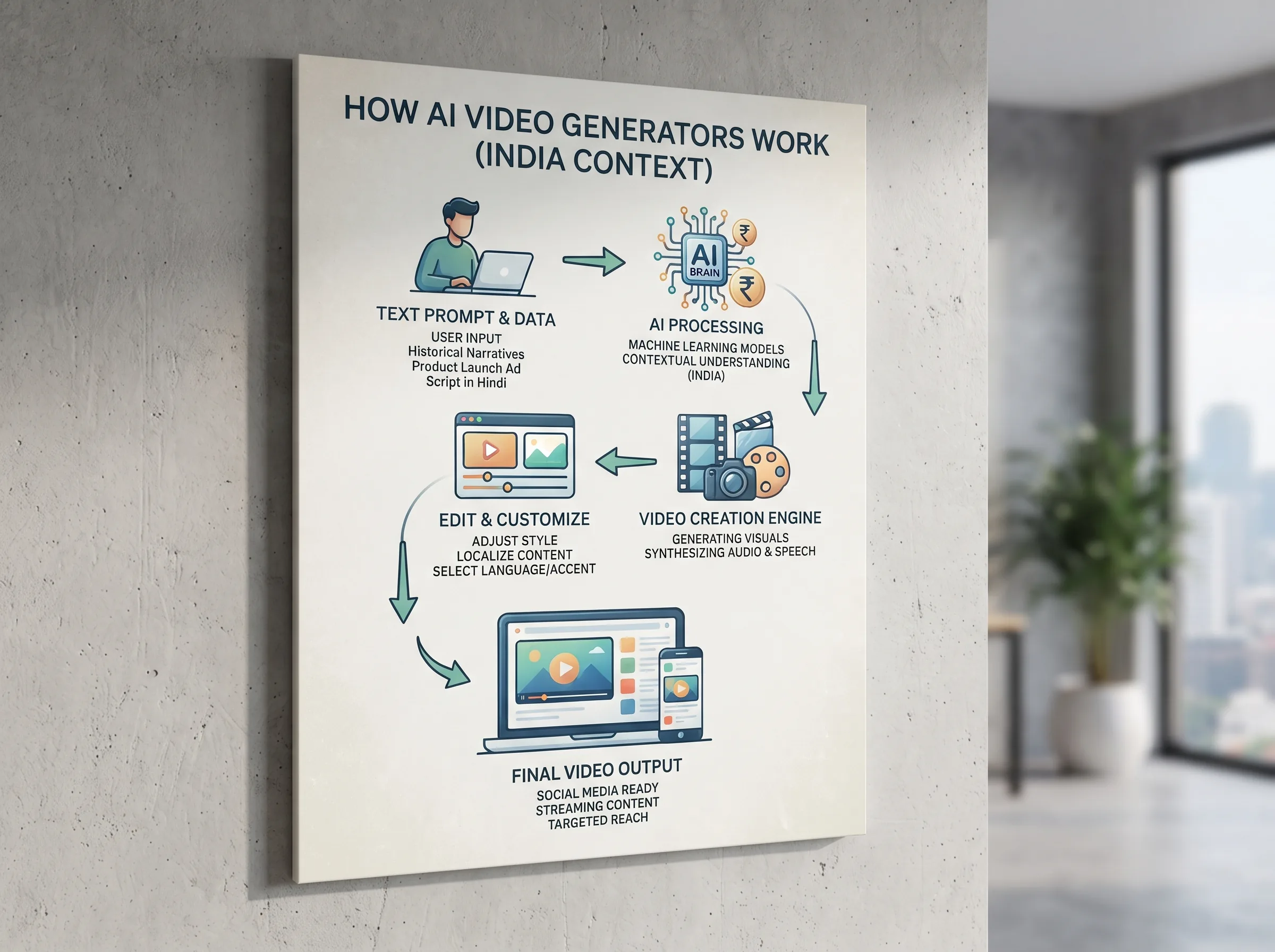
Most AI video generators today, whether they start from a text prompt or an existing image, run on diffusion models. The training process sounds backwards at first: take a real video, add random noise to it frame by frame until it's pure static, then train a model to reverse that process, predicting the noise and stripping it away until something close to the original footage comes back. Do that across millions of clips and the model learns what realistic motion looks like well enough to generate new motion from scratch or from a starting image.
Video adds a problem image generators never had to deal with: time. Early text-to-video systems generated frames one at a time, and it showed, a pattern would shift between frame 40 and frame 41, a face would subtly reshape itself mid-clip. Newer models generate blocks of frames together and are trained specifically for temporal consistency, why current output looks steadier than what the same category produced even a year or two ago.
That one technique, diffusion plus temporal consistency, gets applied three different ways, and the difference is the whole story for a brand deciding what to actually use.
The three types of AI video generator, and what each is actually for
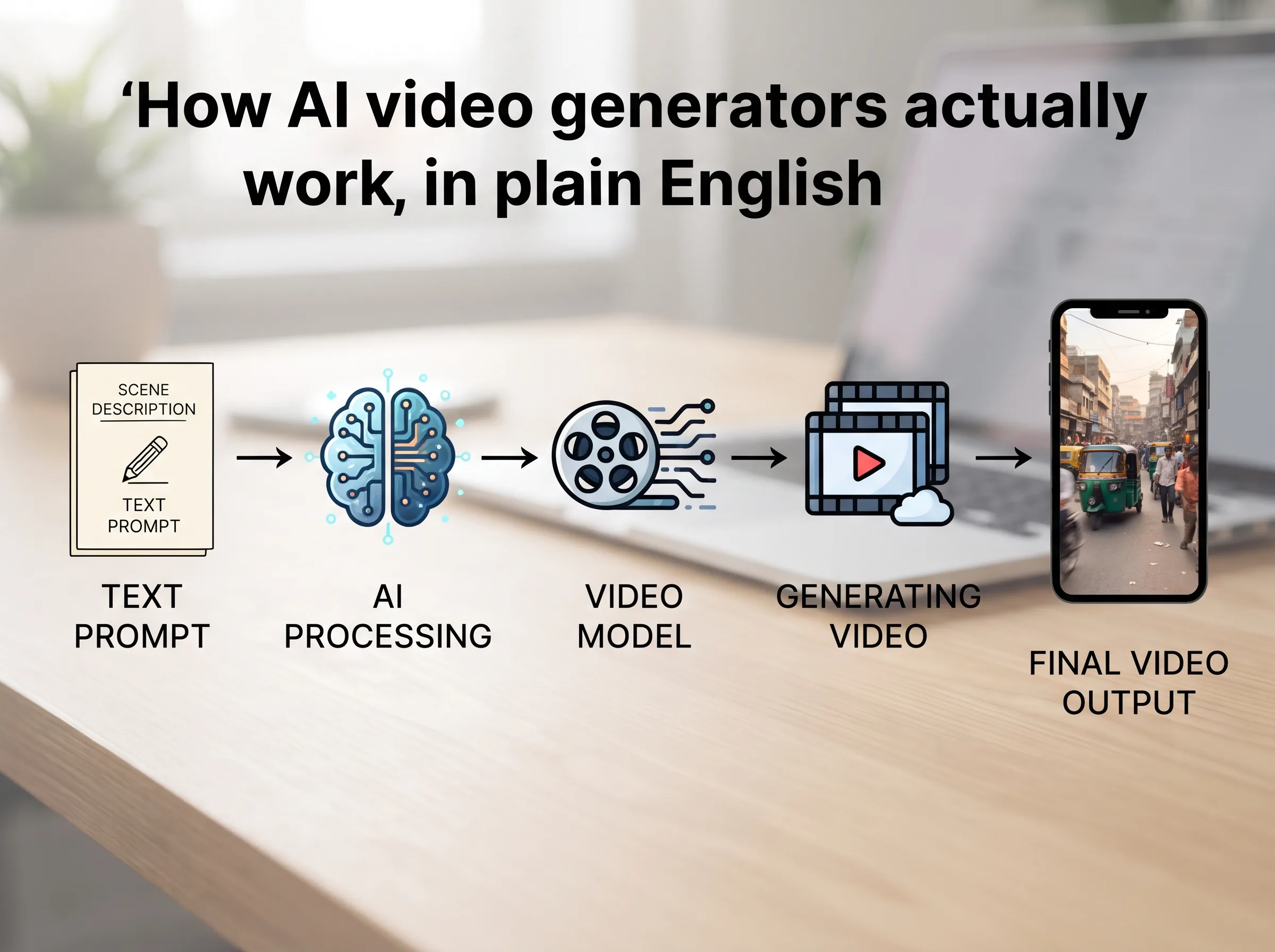
Every AI video generator fits one of three buckets. Knowing which bucket you need before opening a pricing page saves you from paying for the wrong capability.
Text-to-video: building a scene from words
This is the category most people picture first. You write a prompt, the model imagines the entire scene, lighting, camera movement, subject, background, and renders it from nothing. This is the best ai video generator category for concept ads, imagined environments, and B-roll you can't shoot practically.
The honest limitation for a product brand: text-to-video generates an imagined model wearing an imagined version of your product, not your actual SKU, unless you feed it a reference image, and even then matching an exact print reliably is hit-or-miss. Right tool when nothing you're showing exists yet. Wrong tool when you need your actual product on screen.
Image-to-video: animating a photo you already have
This is a different starting point entirely. Instead of imagining a scene from a prompt, image-to-video ai tools take a real photograph, a product shot or a model photo you already paid for, and predict plausible motion for what's already there: fabric catching movement, hair shifting, a slow push-in on the frame. The model is still built on diffusion, but it's anchored to your actual pixels instead of inventing them.
This is the category that matters most if your brand already runs product photoshoots. You're extending an asset you already own, not starting from zero. It's also the mechanic behind Scalio's Reel-maker: instead of generating an imagined scene from a prompt, it takes a product or model-wearing photo you already have and turns it into Reel-ready motion. If the photo exists, on a model, a mannequin, even a flat-lay, that photo is the starting point, not a description of what you hope the model imagines.
Avatar and UGC-style video: a presenter reading a script
The third category solves a different problem: talking-head content without a camera or a person on call. These tools map a face from a photo or short clip, synthesize or clone a voice, and lip-sync generated speech to that face frame by frame. Genuinely useful for UGC-style ad scripts, testimonials, or explainer content where someone needs to talk directly to camera.
Not built for showing how a garment drapes or moves, that's not what the model is optimized for. Founder-style video talking about a new drop, avatar tools fit. Showing how a kurta actually moves on a body, they don't, and no amount of prompting fixes that mismatch.
| AI video generator type | Starting point | Best for | Weak point |
|---|---|---|---|
| Text-to-video | A written prompt, nothing else | Concept ads, imagined scenes, B-roll | Doesn't know your actual product or model unless fed a reference, and even then exact-match accuracy is unreliable |
| Image-to-video | A real photo you already have | Animating existing product or model photos, Reel-style content | Motion is limited to what's plausible from a single still, not a full new scene |
| Avatar / UGC video | A photo or clip of a face, plus a script | Talking-head ads, testimonials, explainers | Not built to show how a garment drapes or moves |
What AI video generators are actually good at in 2026, and where they still fall apart
The honest version: current models are strong at short, controlled clips and inconsistent once physics or continuity gets complicated.
One recent side-by-side comparison ran the exact same prompt and reference image through five of 2026's most-used models on the same platform, SeeDance 2.0, Kling 3.0, Google Veo 3.1, Grok Imagine, and Wan 2.7, specifically to test physics: a man removing a shirt and diving into water (Best AI Video Generators Right Now, YouTube). Results varied for supposedly comparable models. SeeDance 2.0 nailed the water entry with a clean, natural splash. Kling 3.0 added a nice slow-motion touch but the shirt removal looked shrugged off rather than pulled. Veo 3.1 looked cinematic but the character appeared to float slightly before impact. Wan 2.7, the newest model tested, scored lowest: the shirt disappeared instead of tearing away, and the water entry looked more like a cut than a splash.
Key insight: The failure modes that show up most in 2026 AI video, clothing that morphs instead of moving naturally, unnatural body transitions, motion that reads as a cut rather than continuous physics, can't be fixed in post-production. If it's baked into the generated frames, the only fix is regenerating the clip and hoping the next pass gets it right.
No single model gets everything right. If fabric physics matters to your brand, test it on your own product before trusting a demo reel.
Free tools are real but limited. A roundup testing five free AI video generator options found the outputs usable for short clips and simple restyling, but capped by watermarks, resolution limits, or a fixed number of monthly generations before a paywall (I Found 5 Free Ai Video Generator, YouTube). Fine for testing motion handling. Not built for a brand posting daily.
Choosing the right AI video generator for your brand
Match the category to what you already have. Starting from nothing, just an idea, text-to-video is the only fit. Need someone talking to camera, avatar tools solve that gap. Already have real product or model photography in a folder, image-to-video is almost always faster, cheaper, and more faithful, because you skip the part where the model has to guess what your product looks like.
Think about how a typical Surat or Jaipur apparel brand works today. The photoshoot already happened, a model in the outfit, forty or sixty images from a single session. Those photos get used for the website and static Instagram posts, then sit unused. Turning a handful into moving Reels doesn't require re-imagining the shoot from a prompt, just a tool that takes the photo as the starting point and adds motion around it.
If you're comparing tools under the text to video ai umbrella specifically, check which category each one actually falls into before judging it on video quality alone. A tool excellent at imagining cinematic scenes from scratch may be mediocre at faithfully animating your specific product. A tool built for image-to-video will usually get your actual product on screen faster, because it isn't reinventing the product first.
Turn your product photos into AI video with Scalio
The short version: "AI video generator" covers three genuinely different technologies, and the right one depends on whether you're starting from nothing, from a photo, or from a script. If you're a fashion or D2C brand with product or model photos sitting idle, you don't need to solve the hardest version of this problem, full scene generation from text. You need your existing photos moving.
That's the specific job Scalio does. It turns a product photo and brand context into model-wearing photos and Reels in minutes, replacing the shoot, the studio, and the agency retainer, from ₹999/month for 100 credits against a typical ₹10,000-50,000/month agency retainer for the same output. Pair the Reels it generates with a running bank of content ideas, and see where AI actually helps vs where it doesn't across the rest of your social stack. See how it works →
Frequently Asked Questions
Is a free AI video generator good enough for social media content?
Free tiers are real but capped, watermarks, resolution limits, and a fixed number of monthly generations before you hit a paywall. Fine for testing how a tool handles motion, not for a brand posting on a consistent schedule tied to an actual product catalogue.
What's the difference between text-to-video and image-to-video AI?
Text-to-video builds an entire scene from a written prompt, imagining the subject, background, and motion. Image-to-video ai starts from a real photo you upload and predicts motion around what's already there. If matching your actual product matters, image-to-video keeps you closer to reality.
Can an AI video generator animate a product photo accurately?
Image-to-video tools are specifically built for this, anchoring generation to your uploaded photo rather than imagining a product from text. Accuracy depends on photo quality and the specific model, but it's a meaningfully more reliable process than describing a product in words and hoping the render matches.
Do I need filming equipment to use an AI video generator?
No. Image-to-video tools need only a photo, not footage. Text-to-video tools need no source material at all, just a prompt. That's the main reason smaller brands without in-house video capability have adopted these tools for Reels and ads.
Is an AI video generator the same as an AI Reel maker?
Not exactly. AI video generator is the broad category covering text-to-video, image-to-video, and avatar tools. An AI Reel maker is typically built on the image-to-video approach specifically, optimized for short vertical social formats. See /reel-maker for how that narrower tool works.