

TL;DR Product image SEO is a distinct channel — Google Images, Google Lens, and product image packs in regular SERPs all drive traffic to ecommerce pages independently of standard web search rankings. Google cannot 'see' images the way humans do. It reads metadata — file names, alt text, surrounding page content, structured data — to understand what an image shows. Getting these right is the foundation of image SEO. Six technical pillars: (1) descriptive file names, (2) accurate alt text, (3) modern image format (WebP/JPEG), (4) page speed via image compression, (5) Product structured data markup, (6) image sitemap submission. Google Lens processes over 20 billion visual searches per month (Google's own data, cited by Backlinko) — clean, high-resolution product images on white or neutral backgrounds are the correct technical input for Lens matching. AI-generated product images are a direct SEO advantage: you can produce every required variant (white background, multiple angles, correct resolution) without booking photoshoots — and optimise each with correct metadata. The most overlooked step: submitting an image sitemap to Google Search Console so your entire product catalog is discoverable, not just the pages Googlebot finds by crawling.
Your product images are doing two jobs at once. First, they sell — high-quality visuals help buyers decide to purchase. Second, they rank — or they should. Google Images, Google Lens, and the image packs that appear in regular search results are all distinct traffic channels that most ecommerce sellers leave almost entirely unoptimised. The rules are not complicated, but they require deliberate implementation. This guide covers everything: file names, alt text, image formats and compression, Product structured data, image sitemaps, and how AI-generated product photography fits into an image SEO strategy.
How Google Understands Product Images
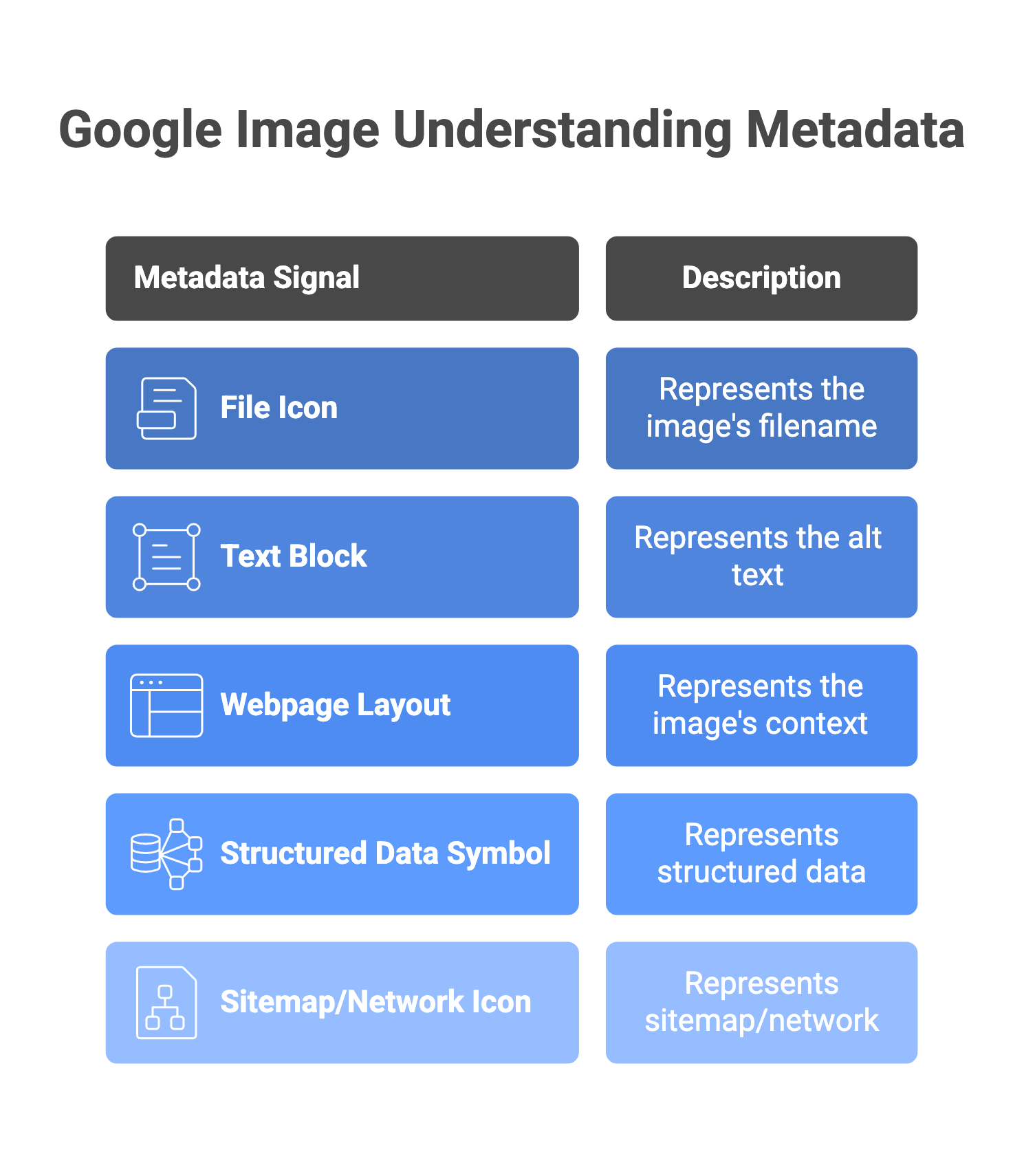
Google's image understanding starts with a fundamental limitation: it cannot 'see' images the way a human does. It uses a combination of computer vision, contextual text signals, and structured metadata to infer what an image contains and when it should appear in search results. For ecommerce sellers, this means every image is interpreted through the signals you provide alongside it:
| Signal | What Google Reads | SEO Implication |
|---|---|---|
| File name | The text of the image filename before it is uploaded | A descriptive filename provides what Google Search Central calls 'very light clues about the subject matter' — better than nothing, but not a primary ranking driver on its own. |
| Alt attribute | The alt= text in the HTML <img> tag | Google states this is 'the most important attribute' for providing image metadata. Used by computer vision algorithms alongside the image itself to understand content. |
| Surrounding page content | Headings, body text, and captions near the image | Images placed near relevant text benefit from that context. An image of a gold necklace on a page titled 'Gold Necklace Collection' is understood better than the same image on an unrelated page. |
| Structured data (schema markup) | JSON-LD or Microdata on the page specifying Product schema | Required for eligibility for rich results in Google Images — including price badges, availability status, and product carousels. |
| Page title and URL | The title tag and URL structure of the hosting page | These contribute to how Google classifies the page and, by extension, the images on it. |
| Image sitemap | An XML file submitted to Google Search Console listing all image URLs | Directly tells Googlebot which images exist — especially useful for large catalogs where crawling alone may miss deep pages. |
The 6 Technical Pillars of Product Image SEO
1. Use <img> HTML Elements — Not CSS Background Images
Google Search Central's official documentation is explicit: use HTML <img> elements with src and alt attributes. Avoid embedding product images as CSS background images. Googlebot does not reliably crawl or index CSS images, which means any product image set as a CSS background will be invisible to Google Image Search.
<img
  src="gold-kundan-necklace-jaipur.jpg"
  alt="Gold Kundan necklace with red stone pendant"
  width="800"
  height="1000"
  loading="lazy"
>
- Always set explicit
widthandheightattributes — this prevents layout shift (a Core Web Vitals metric) as the page loads. - Use lazy loading (
loading="lazy") for images below the fold to improve initial page speed. Do not use lazy loading on your above-the-fold hero product image — that will delay your Largest Contentful Paint (LCP) score.
2. Write Descriptive, Specific File Names
Rename image files before uploading — once a URL is indexed by Google, changing it requires a redirect and re-indexing. Google Search Central notes that filenames provide light context clues; the value is in being specific without being verbose:
| Bad Filename | Good Filename | What Changed |
|---|---|---|
IMG_0047.jpg | silver-oxidised-hoop-earrings.jpg | Describes the product type, material, and style |
product-123.jpg | rose-gold-ring-floral-design-size-7.jpg | Adds material, design style, and size context |
photo.jpg | blue-cotton-kurta-women-front-view.jpg | Colour, material, category, gender, and image angle |
new-arrival-1.jpg | matte-black-ceramic-coffee-mug-350ml.jpg | Material, finish, category, and capacity |
- Use hyphens between words — not underscores. Google treats underscores as word joiners, not separators.
- Keep filenames under 60 characters — long filenames are truncated in some contexts.
- Never keyword-stuff filenames:
gold-necklace-gold-jewellery-buy-gold-necklace.jpgis worse than a clean descriptive name.
3. Write Alt Text That Describes the Image Accurately
Alt text is simultaneously an accessibility requirement (read aloud by screen readers for visually impaired users) and the primary text signal Google uses to understand image content. Google Search Central states explicitly that keyword-stuffing alt attributes 'results in a negative user experience and may cause your site to be seen as spam.'
| Image Type | Bad Alt Text | Good Alt Text |
|---|---|---|
| Primary product shot | necklace gold buy jewellery india | Gold Kundan necklace with red meenakari pendant, front view |
| Lifestyle / on-model shot | jewellery model necklace | Gold Kundan necklace worn by model, close-up showing pendant at collarbone |
| Detail / close-up shot | close up detail jewellery | Close-up of Kundan stonework and red enamel meenakari detail on gold pendant |
| Packaging shot | box packaging gift | Gold Kundan necklace in red velvet gift box with tissue wrap |
| Multiple-angle shot | product different angle | Gold Kundan necklace, three-quarter side view showing clasp and chain length |
- Write alt text as a natural description — pretend you are describing the image to someone who cannot see it.
- Include the product name, key materials, colour, and image angle where relevant.
- Do not repeat the same alt text across multiple product images on the same page — each image shows something different, so each alt text should be different.
- Decorative images (dividers, background textures) that carry no product information should use empty alt text:
alt="".
4. Use WebP Format and Compress for Speed
Page speed is a confirmed Google ranking signal — for desktop since 2010, and for mobile since July 2018. Images are typically the largest contributors to page weight on ecommerce product pages. Google's own WebP documentation states that WebP lossy images are 25–34% smaller than comparable JPEGs at equivalent quality, and WebP lossless images are 26% smaller than PNG. All major browsers support WebP.
| Format | Best Use Case | Notes |
|---|---|---|
| WebP (lossy) | Main product photos, lifestyle images | 25–34% smaller than JPEG per Google's WebP documentation. Recommended default for product photography on modern sites. |
| JPEG | Product photos where WebP is not supported or tooling is limited | Universal support; good quality at 80–85% compression. Widely used fallback. |
| PNG | Images requiring transparency (isolated product on transparent background) | Larger file size; use when transparency is needed for compositing. |
| SVG | Logos, icons, badges | Resolution-independent; ideal for UI elements, not product photos. |
| AVIF | Emerging format; smaller than WebP at same quality | Good browser support as of 2025; not yet universal — use with <picture> fallback. |
- Use the HTML
<picture>element to serve WebP with a JPEG fallback for older browsers. - Aim for product image file sizes under 200KB where possible without quality loss — use Google PageSpeed Insights to check.
- Set explicit
widthandheightattributes on all<img>tags to prevent layout shift (CLS — a Core Web Vitals metric).
5. Add Product Structured Data (schema.org/Product)
Product structured data is what makes a product image eligible for rich results in Google Images — including price badges, availability indicators, and product review stars displayed directly on the image thumbnail. Google Search Central states that for structured data types, 'the image attribute is a required field to be eligible for a badge and rich result in Google Images.'
Minimum required fields for Product schema (JSON-LD):
{
  "@context": "https://schema.org/",
  "@type": "Product",
  "name": "Gold Kundan Necklace with Red Meenakari Pendant",
  "image": "https://yoursite.com/images/gold-kundan-necklace-red-pendant.jpg",
  "description": "Handcrafted Kundan necklace with red meenakari enamel pendant",
  "sku": "JW-KD-001",
  "offers": {
    "@type": "Offer",
    "price": "1499",
    "priceCurrency": "INR",
    "availability": "https://schema.org/InStock"
  }
}
- Implement via JSON-LD in the
<head>of your product page — Google's preferred format. - The image URL in structured data must be crawlable and indexable — verify with the URL Inspection tool in Google Search Console.
- Include price and availability — these are what trigger the price badge in Google Images results, giving your image a direct commercial advantage in search.
- Shopify, WooCommerce, and most major ecommerce platforms support Product schema plugins or native structured data — check your platform's documentation.
6. Submit an Image Sitemap
An image sitemap is an XML file that tells Google about all the images on your site, including images that Googlebot might not find through regular crawling — for example, images loaded via JavaScript, or images on pages with few inbound links. For ecommerce stores with hundreds or thousands of product images, this is the most reliable way to ensure your entire catalog is indexed.
Example image sitemap entry:
<url>
  <loc>https://yoursite.com/products/gold-kundan-necklace</loc>
  <image:image>
    <image:loc>https://yoursite.com/images/gold-kundan-necklace-front.jpg</image:loc>
    <image:title>Gold Kundan Necklace with Red Meenakari Pendant</image:title>
    <image:caption>Handcrafted Kundan necklace, front view showing pendant detail</image:caption>
  </image:image>
</url>
- Submit the sitemap through Google Search Console → Sitemaps → enter sitemap URL → Submit.
- Most major ecommerce platforms (Shopify, WooCommerce, Magento) can generate image sitemaps automatically via plugins or built-in tools.
- After submitting, monitor the Coverage report in Search Console for errors — common issues include 404 responses on image URLs, or images blocked by robots.txt.
- Update the sitemap whenever you add or remove product images — keep it current to avoid Googlebot crawling deleted image URLs.
Optimising for Google Lens and Visual Search
Google Lens processes over 20 billion visual searches per month, according to Google's own data (cited by Backlinko). A user who photographs a product they see on the street, in a store, or in someone's social media post and searches for it via Lens is expressing strong purchase intent. Making your product images findable through Lens requires a different optimisation layer from standard image SEO:
| Optimisation | Why It Matters for Lens | Practical Action |
|---|---|---|
| Clean white or neutral background on primary product image | Lens uses visual matching — a cluttered background makes it harder for the model to isolate and identify your product. | Ensure your primary product image has a clean, uncluttered background. AI background removal tools can achieve this from any source photo. |
| High resolution — minimum 1,200px on longest dimension | Lens needs pixel detail to accurately match product features, textures, and design elements. | Produce product images at 1,500px minimum for primary shots; 2,000px+ for fine jewelry and apparel. |
| Multiple angles per product | Lens matches against multiple perspectives. More angles give Googlebot more visual data points for accurate matching. | Cover front, side, back, and close-up detail views for each SKU. |
| Product clearly occupies the majority of the frame | Lens identifies the main subject — if your product occupies less than half the frame, identification accuracy drops. | Frame product to fill 60–80% of the image area in your primary shot. |
| Accurate Product structured data paired with the image | Lens results link back to pages; correct schema ensures the right product page is surfaced. | Implement Product schema with correct name, price, and image URL on every product page. |
| Consistent image style across your catalog | Consistent lighting, backgrounds, and framing train visual recognition models to associate a visual style with your brand. | Use AI-generated images with consistent background settings across your catalog to achieve uniform style at scale. |
How AI Product Photography Directly Supports Image SEO
Every image SEO requirement has a practical production implication. If you need clean white-background primary images, multiple angles, and consistent high resolution across 200 SKUs — that used to mean multiple photoshoots. The connection between AI photography and image SEO is direct:
| Image SEO Requirement | Production Challenge | AI Photography Solution |
|---|---|---|
| Clean white background required for primary image (marketplace compliance + Lens matching) | Traditional shoot on white requires controlled studio setup; hard to replicate consistently across a large catalog. | AI background removal and replacement produces a clean white background from any source photo, consistent across your full catalog. |
| Multiple angles per product needed for Lens matching | Each additional angle traditionally requires additional shots in the same session — time and cost multiply with catalog size. | AI image generation can produce front, side, and detail views from a single source photo for many product types. |
| Correct resolution (1,500px+ on longest side) for Lens accuracy | High-res photography requires professional equipment; smartphone shots often fall short. | An AI image upscaler enhances lower-resolution source images while preserving sharpness for ecommerce use. |
| Consistent visual style across catalog for brand recognition | Inconsistent photographers, lighting, and sessions across seasons create visual drift. | AI-generated images with consistent background settings and lighting style produce a uniform catalog. |
| Lifestyle variants for secondary images (context, scale) | Lifestyle shoots require models, locations, props — expensive and slow. | AI lifestyle background generation from a single clean product photo produces contextual variants in minutes. |
| Seasonal / festive variants (Diwali, Eid, Holi) for timely relevance | Traditional seasonal shoots require advance planning and reshoots. | AI background variants for seasonal contexts can be generated from existing product photos on demand. |
The practical upshot: if you have correctly produced AI-generated images (correct resolution, clean backgrounds, multiple angles), the image SEO layer — adding the right metadata, alt text, structured data, and sitemap entries — can be applied systematically to your entire catalog. One does not work without the other. Great images without metadata are invisible to Google. Correct metadata on poor-quality or inconsistent images will not surface you in Lens or image packs.
How to Measure Product Image SEO Performance
Image SEO performance is measurable through Google Search Console and Google Analytics 4. The key is separating image search traffic from standard organic traffic, which most sellers never do:
| Metric | Where to Find It | What It Tells You |
|---|---|---|
| Image search impressions and clicks | Google Search Console → Search results → Filter by 'Google Images' search type | How many times your product images appear in Google Images results, and how many clicks they generate. |
| Image indexing coverage | Google Search Console → Indexing → Pages (filter by image-related issues) | Whether Googlebot is successfully discovering and indexing your product images; surfaces errors like broken image URLs or blocked resources. |
| Largest Contentful Paint (LCP) | Google Search Console → Core Web Vitals; also Google PageSpeed Insights | Whether your primary product image — typically the LCP element on product pages — is loading fast enough to pass Google's threshold. |
| Cumulative Layout Shift (CLS) | Google PageSpeed Insights; Google Search Console → Core Web Vitals | Whether images without explicit dimensions are causing layout shifts as the page loads — a direct Core Web Vitals ranking signal. |
| Organic traffic from Google Images | GA4 → Acquisition → Session source/medium → filter 'google / organic'; check landing pages from image referrals | Whether image SEO efforts are driving measurable traffic to product pages. |
Product Image SEO Checklist
Run through this for every product page and image upload:
🔴 Critical
- Rename all product image files with descriptive, keyword-relevant names before uploading.
- Add accurate alt text to every product image — specific to what each image actually shows.
- Implement Product structured data (JSON-LD) on every product page.
- Verify images are in HTML
<img>tags, not CSS background images. - Submit image sitemap to Google Search Console.
🟡 Important
- Convert product images to WebP format (25–34% smaller than JPEG per Google's documentation).
- Set explicit
widthandheighton all<img>tags (prevents layout shift / CLS). - Add
loading="lazy"to below-the-fold images; do NOT add to hero image. - Ensure primary product image has clean white or neutral background (Lens matching).
- Include minimum 3–4 images per product: hero, detail close-up, scale/context, lifestyle.
🟢 Best Practice
- Check Core Web Vitals (LCP, CLS) in Google PageSpeed Insights for all product page templates.
- Monitor image indexing coverage monthly in Google Search Console.
- Include image captions where they add useful context (captions are often the most-read text on a page).
- Use consistent image resolution and aspect ratio across your catalog for a uniform brand appearance.
Frequently Asked Questions
What is product image SEO and why does it matter?
Product image SEO is the process of optimising your product images so Google can discover, understand, and rank them in Google Images, Google Lens results, and image packs that appear within regular search results. It matters because these are distinct traffic channels that operate independently of your product page's standard text-based ranking. A well-optimised product image can appear in search results even when your product page does not rank in the top positions for the same query.
What is the best alt text for product images?
Google Search Central's guidance is clear: alt text should be 'useful, information-rich content that uses keywords appropriately and is in context of the content of the page.' For product images, this means a natural description of what the image shows — product type, material, colour, and image angle — without keyword stuffing. A good example: 'Silver oxidised hoop earrings with filigree pattern, front view.' Each image on a page should have different alt text reflecting what that specific image shows.
Does image format affect SEO?
Yes — indirectly but significantly. Image format affects file size, which affects page load speed, which is a confirmed Google ranking signal (desktop since 2010, mobile since July 2018). Switching from JPEG to WebP can reduce image file sizes by 25–34% at equivalent quality according to Google's WebP documentation, directly improving your page speed scores. All major browsers support WebP, making it the practical default for ecommerce product photography today. Google also supports JPEG, PNG, GIF, SVG, BMP, and AVIF formats for indexing.
What is Product structured data and do I need it?
Product structured data is code (usually JSON-LD) added to your product page that explicitly tells Google what the page is about — including the product name, price, availability, and image. For Google Images, it is required to be eligible for rich result badges: price badges, availability status, and product carousels that appear directly on your image thumbnails in search results. Without it, your images appear in Google Images as plain thumbnails with no product information. Implementing Product schema is one of the highest-leverage image SEO actions for ecommerce sellers because it directly upgrades how your products appear in search results.
How do I check whether my product images are indexed by Google?
Use Google Search Console (free tool at search.google.com/search-console). Go to Search results and filter by the 'Google Images' search type to see impressions and clicks from image search. Go to Indexing to check for crawl errors affecting image pages. Use the URL Inspection tool to check whether a specific image URL is indexed. If images are not appearing, common causes include: images blocked in robots.txt, images served via JavaScript without proper rendering, images too small or low quality for Google's standards, or missing from the image sitemap.
Can AI-generated product images rank in Google Images?
Yes — Google does not differentiate between AI-generated and traditionally photographed images for ranking purposes. What matters is image quality, correct metadata, and proper technical implementation.
Generate SEO-Ready Product Images with Scalio → Correct resolution · Clean backgrounds · Multiple angles · try for free before choosing a plan