
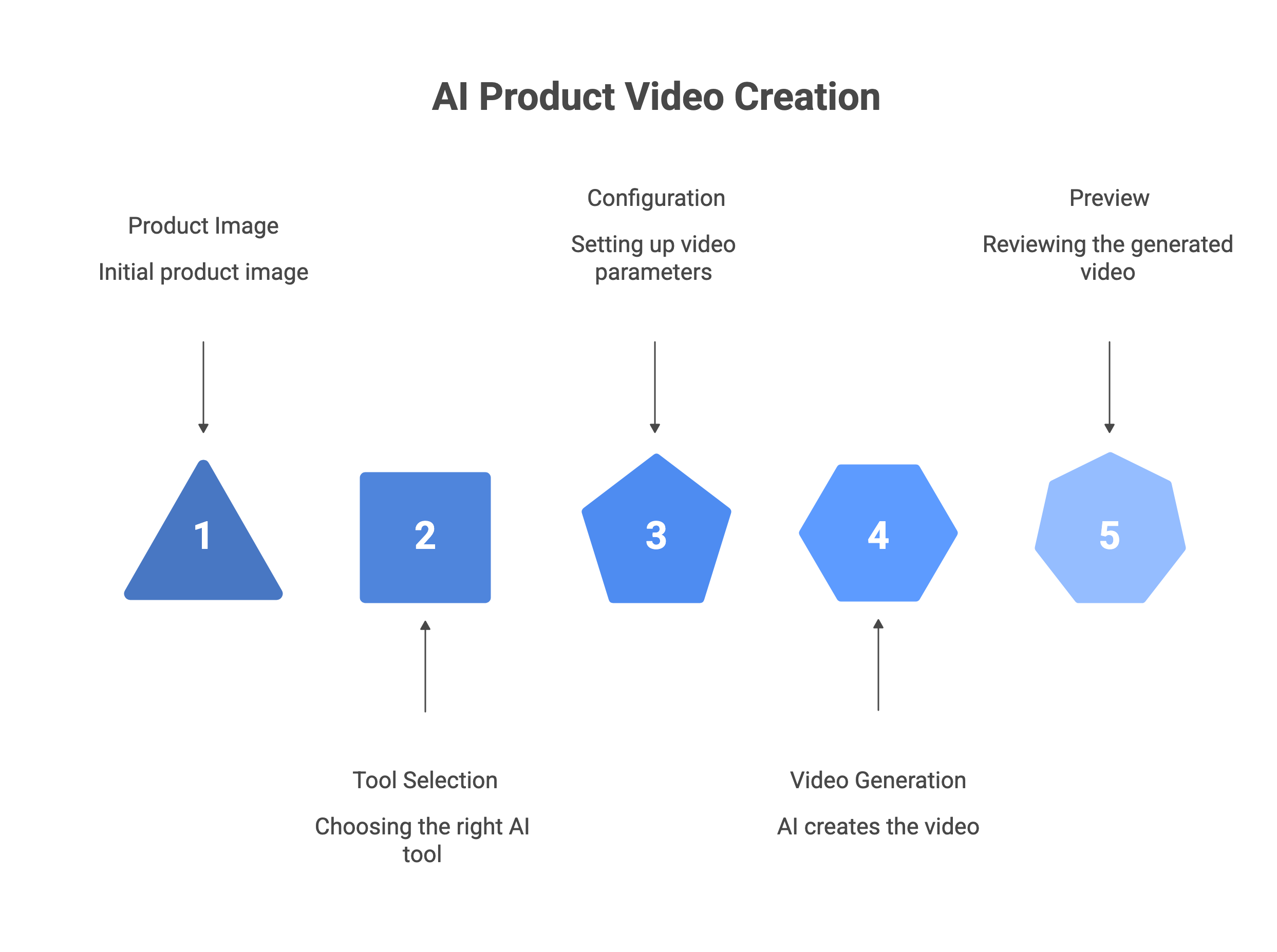
TL;DR You can create a finished AI product video in under 5 minutes — from a product photo to a platform-ready ad with voiceover, AI actor, and script — without a camera, editor, or production team. The fastest path for Indian ecommerce sellers: use Scalio's UGC Video Ads feature. Upload a product image, pick a video format (UGC selfie, product demo, testimonial, before/after, hook reel), and export a 9:16 video ready for Instagram Reels, TikTok, Meta Ads, or YouTube Shorts. For cinematic image-to-video animation: Runway ML animates product photos with AI-generated motion. Source image quality determines video quality ceiling. A blurry or cluttered product photo produces a blurry or cluttered video. Start with a clean, high-resolution product image. The 6-step workflow: (1) prepare source image, (2) choose video type and platform, (3) upload and configure, (4) generate and preview, (5) review for accuracy, (6) export and publish.
Product videos used to require a camera, a script, a shoot day, and a video editor. Today, AI tools generate finished, platform-ready product videos from a single product photo — complete with AI actors, voiceover, script, B-roll, captions, and exports in the right aspect ratio for your chosen platform. This guide shows you exactly how to do it: the 6-step workflow, the tools for each job, the quality checks that matter, and what to do differently for Indian marketplace formats. Start to publish in under 5 minutes.
Step 0: Choose Your Video Type Before You Start
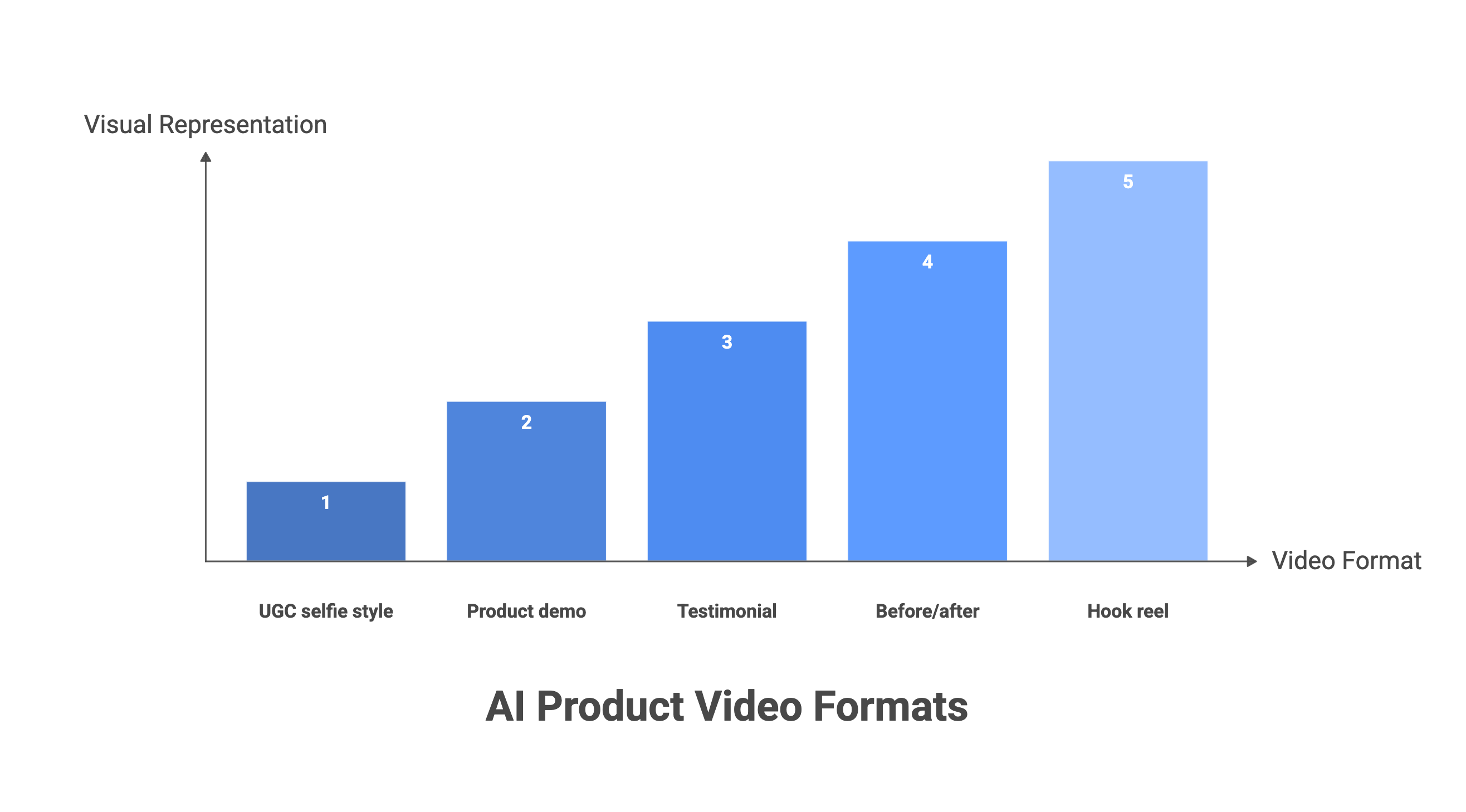
AI product video tools are optimised for specific formats. Choosing the right type before you start determines which tool to use and what your source material needs to look like. The five most useful formats for Indian ecommerce sellers:
| Video Type | What It Is | Best For | Platform |
|---|---|---|---|
| UGC selfie ad | An AI actor holds or reviews your product in a handheld, creator-style vertical video. | Fashion, beauty, D2C — any category where authentic social proof drives purchase. | Instagram Reels, TikTok, Meta Ads |
| Product demo | Product shown in use, with voiceover explaining features and benefits. | Electronics, home goods, packaged goods — any product with a use-case story. | All platforms; Amazon video slot |
| Testimonial video | An AI actor delivers a first-person product review or endorsement. | High-consideration products — skincare, supplements, apparel. | Meta Ads, Instagram Stories |
| Before/After | Visual transformation showing product result vs. starting point. | Beauty, skincare, cleaning products, health and fitness. | Reels, TikTok, Meta Ads |
| Hook testing reel | Multiple 3–5 second opening hooks for the same product, each with a different angle or claim. | Performance marketers running A/B tests to find the highest-CTR opening. | Meta Ads, TikTok Ads |
How to Create an AI Product Video: 6 Steps
Step 1: Prepare Your Source Product Image
Shoot or select a clean, high-resolution product photo. The quality of your source image sets the ceiling on your video quality. AI video tools animate, reframe, or composite your product — they cannot recover detail that was never captured.
Requirements:
- Clean background (white or neutral grey)
- Sharp focus across the full product
- Even diffused lighting with no harsh shadows or mixed colour temperatures
- Minimum 1,000px on the longest side (2,000px+ recommended)
Avoid green screen — green causes colour spill at product edges that carries into video frames. For UGC selfie-style videos, a plain white-background packshot works well. For lifestyle-format videos, a lifestyle product image already in context works better. If you do not have a clean product image yet, use Scalio's Product Studio to generate one before creating your video.
Pro tip: Prepare 2–3 image variants at different angles or contexts before starting. Tools that pull from a product URL will automatically select the best available images from your listing — but manual upload of a pre-selected hero image usually produces better output.
Step 2: Choose Your Tool and Video Format
Match the tool to your video type and platform. Three distinct AI video workflows exist, each serving a different use case:
Image-to-video with AI actor (UGC ads)
Upload a product image and the AI generates a script, assigns an actor, records a voiceover, adds B-roll, edits, and outputs a finished vertical video.
URL-to-video (auto-extraction)
Paste your product page URL and the AI scrapes product images, title, and description to auto-generate multiple video ad variants. Best for fast bulk creation from existing listings.
Image animation / cinematic video
Upload a product photo and the AI adds realistic motion — product rotating, floating, liquid splash. No actor, no script. This is the classic image-to-video AI workflow, and it's best for premium product showcase and social media B-roll.
Pro tip: If you are creating for Indian marketplaces and D2C — Instagram Reels, Meta Ads, Myntra, Flipkart video slots — choose image-to-video with AI actor. It produces the most versatile output format and requires the least additional editing before publishing.
Step 3: Upload Your Product and Configure
Set the format, actor, voice, and brand parameters. Configuration for Scalio's UGC Video Ads:
- Upload your clean product image from Step 1, or pull from your Scalio Product Studio if you have already generated images there.
- Select a video format: UGC Selfie Ad, Product Demo, Testimonial, Before/After, Hook Testing Reel, or Founder Talk.
- Choose an AI actor from the available library — Scalio provides actors suited to Indian and global product marketing contexts.
- Set your brand voice and tone — Scalio uses this to generate the script automatically. You can also customise the script before generation.
- Confirm platform — 9:16 vertical format is standard for Reels, TikTok, Shorts, and Meta Ads. For Instagram in particular, our Reel maker exports the right spec by default. For Amazon product video slots, confirm the required format before generating.
- Add any required brand elements — logo, end card text, CTA.
Pro tip: For hook testing, configure at least 3–5 variants in a single session with different opening hooks — for example: a question hook, a problem hook, and a result/outcome hook on the same product. Testing hooks is the highest-leverage optimisation in short-form video ads, and doing it in one batch costs the same time as doing one.
Step 4: Generate and Preview
Run the generation and review the first output at full resolution.
Generation time:
- Scalio delivers videos in under 5 minutes.
- Creatify URL-to-video typically completes in 2–10 minutes depending on server load.
- Runway ML image animation usually renders within 1–3 minutes per clip.
When your output is ready, watch it at full resolution before doing anything else. Specific things to check in preview:
- Does the AI actor's voiceover correctly describe your product, including the product name and key features?
- Is the script accurate — no hallucinated claims, wrong prices, or features your product does not have?
- Is the product itself visible and recognisable in the video?
- Does the visual pacing match the format — UGC-style should feel natural; the demo should be clear and informative?
- Is the aspect ratio correct for your intended platform (9:16 for Reels/TikTok/Shorts)?
If anything is inaccurate or off-brand, adjust the script or configuration and regenerate. Most tools allow script editing before final render.
Pro tip: For Scalio: generate 3 variations in a single session — same product, different video formats (for example, a UGC selfie, a product demo, and a hook reel).
Step 5: Human Review and Edit
Check for accuracy and brand alignment before export. AI-generated video scripts can contain inaccuracies. The most common errors to check:
- Fabricated product claims — the AI writes compelling ad copy but invents features your product does not have. Always read the script against your actual product description.
- Incorrect product name or brand name — the AI may default to a generic or similar product name if the source image or URL text was ambiguous.
- Exaggerated results — phrases like 'eliminates all' or 'guaranteed results' may appear in scripts for health, beauty, or supplement products. These can violate advertising platform policies.
- Actor or voiceover tone mismatch — a comedy-tone script may be generated for a premium product that requires a serious tone.
Most tools allow direct script editing before final render. Edit in the tool rather than adding text overlays manually — a regenerated video with a corrected script is cleaner than a rendered video with an overlay correction.
Pro tip: Build a short brand brief template that you paste into every video creation session: product name, 3 key features, target audience, tone (e.g. 'warm and conversational for Indian women aged 25–40'), and one thing the script must never say (e.g. 'clinically proven' for unregistered claims). This single input dramatically reduces script inaccuracies.
Step 6: Export, Caption, and Publish
Export in the correct format and add captions before uploading.
Export settings by platform:
- Instagram Reels / TikTok / YouTube Shorts: 9:16 vertical, 1080x1920px, MP4. Most AI video tools export to this spec automatically when you select 'Reels' or 'TikTok' format.
- Meta Ads (Facebook/Instagram feed video): 9:16, 4:5, or 1:1 aspect ratios accepted. 9:16 performs best on mobile.
- Amazon product video slot: MP4, 1920x1080 (16:9) or 3840x2160 (4K). Different spec from social — generate a separate version for Amazon rather than re-using your Reels export.
Caption every video before publishing. Most viewers watch videos without sound on mobile feeds. Scalio generates subtitles automatically. If your tool does not include auto-captioning, add captions in CapCut (free, accurate, 35+ languages) or natively in the platform — Instagram, TikTok, and YouTube all offer auto-captions on upload.
Pro tip: Publish new product videos as soon as they are ready rather than batching for a weekly schedule. Early performance data from your first video tells you which format and hook style to prioritise for the rest of your catalog. Start with one UGC selfie ad and one product demo for your highest-priority SKU, read the first 48-hour performance data, then produce more of what worked.
Platform Export Specs Reference
Note: Platform specifications change. Verify current requirements at each platform's official ads help centre before running paid campaigns. The figures below are correct as of April 2026 but are subject to platform updates.
| Platform | Aspect Ratio | Resolution | Max Duration | Notes |
|---|---|---|---|---|
| Instagram Reels | 9:16 | 1080x1920px | 90 seconds | 15–30 seconds recommended for paid promotion; 60 seconds or less for ads. |
| TikTok | 9:16 | 1080x1920px | 60 seconds (ads); 10 minutes (organic) | 15–30 seconds recommended for top-of-funnel ads. |
| YouTube Shorts | 9:16 | 1080x1920px | 60 seconds | Shorts under 60 seconds; longer videos go to regular feed. |
| Meta Ads (mobile feed) | 9:16 or 4:5 | 1080x1920 or 1080x1350px | 31 days maximum | 15 seconds recommended for video reach objective; 60 seconds allowed. |
| Amazon product listing | 16:9 | 1920x1080 or 3840x2160 | Min 6 sec; max 9 min 59 sec | Best practice 30–60 seconds; MP4 or MOV format. |
| WhatsApp Status / Catalogue | 9:16 | 720x1280px minimum | 30 seconds | Useful for D2C brands with WhatsApp commerce or broadcast lists. |
Which AI Product Video Tool Is Right for You?
Each tool covers a different part of the product video workflow. None does everything. Match the tool to your specific use case — and for a wider survey of the category, see our guide to the best AI video generators:
| Tool | Best For | What It Does NOT Do |
|---|---|---|
| Scalio | Indian ecommerce UGC video ads from product images — end-to-end in one step. | Not a URL scraper; not a cinematic B-roll generator; not a long-form video editor. |
| Creatify | Bulk URL-to-video for ecommerce at scale; A/B testing multiple video variants. | Not designed for Indian marketplace-specific formats; credits can run out quickly on lower plans. |
| Runway ML | Animating still product images into cinematic motion video; B-roll creation. | Not a UGC/actor platform; requires creative skill to use well; not for bulk catalog production. |
| Pictory | Script-to-video; turning blog posts or written content into product explainer videos. | No AI actors; not for UGC-style content; not optimised for short-form social ads. |
| HeyGen | AI avatar presenter videos; multilingual product explainers; personalised video. | Not for Indian-market-specific UGC; overkill for simple product showcase ads. |
| CapCut | AI-assisted editing of existing footage; auto-captions; social format adaptation. | Does not generate video from product images; requires source footage to edit. |
Why the Source Image Determines Video Quality
Every AI product video tool uses your product image as its foundation. The AI generates the script, actor, voiceover, and motion — but it cannot manufacture detail that was not in the source image. A blurry or cluttered product photo produces an equally blurry or cluttered video. A clean, high-resolution, properly lit product image produces video output that looks like professional production.
| Source Image Quality | Video Output Quality | What Breaks |
|---|---|---|
| Blurry phone photo, no background control | Low quality — artefacts, distorted product details in close-up frames, colour inconsistency. | Any frame where the product is featured prominently reveals source quality limitations. |
| Clean phone photo, cluttered background | Moderate — background removal may leave edge artefacts visible in motion; colour spill in bright-colour products. | Background scenes and lifestyle context frames look unconvincing. |
| Clean, neutral background, decent resolution | Good — video output is usable for most formats; lifestyle scene compositing works adequately. | High-motion sequences and close-up detail may show limitations. |
| Professional quality: white/neutral background, sharp focus, 2,000px+, diffused lighting | Excellent — AI video tools can produce output indistinguishable from filmed content at this input quality. | Very few limitations at this quality level; mainly constrained by tool capabilities. |
Scalio's product photography pipeline and UGC Video Ads are designed to work as a single workflow: generate your marketplace-ready product images in Product Studio, then feed those same images directly into UGC Video Ads. You do not need to shoot twice or maintain two separate image libraries.
Product Videos for Indian Marketplaces: What's Different
Most AI video tools are built for Meta and TikTok with Western market aesthetics. Creating product videos for Indian marketplaces requires attention to a few platform-specific details:
| Platform | Video Requirement | Approach |
|---|---|---|
| Amazon India | The product video slot supports 16:9 format, up to 9:59 duration. The main listing video is shown on the product detail page. AI-generated videos are permitted provided the product is accurately represented. | Generate a 9:16 UGC video for social; separately generate or reformat for the 16:9 Amazon listing slot. Scalio exports in both formats. |
| Myntra | Fashion video is a key trust signal — on-model video showing garment movement and fit is preferred. Static image video is less effective for apparel. | Use Scalio's on-model fashion photography as source frames, then generate video from those. The AI actor holding or wearing the product is consistent with Myntra's content expectations. |
| Flipkart | Video slot available on product listing. No strict format requirement beyond quality and accuracy. | Standard UGC video or product demo format works. 9:16 vertical can be repurposed across Flipkart video and Instagram/Meta. |
| Instagram / Meta India | 9:16 Reels and Stories. Indian creators and audiences respond well to authentic UGC-style content and festival/seasonal themes. | Scalio's Festival Ads Pack produces platform-native seasonal content. UGC selfie format with Indian-context actors performs well for D2C brands. |
| WhatsApp Commerce | Product video shared via WhatsApp catalogue or broadcast lists. 30-second format. High engagement in tier-2 and tier-3 cities. | Export 9:16 vertical from Scalio and share directly in WhatsApp catalogue. No additional editing required. |
Frequently Asked Questions
How long does it take to create an AI product video?
With a tool like Scalio, from uploading your product image to downloading a finished 9:16 vertical video ad — including script, AI actor, voiceover, B-roll, and captions — takes under 5 minutes. Creatify's URL-to-video typically completes in 2–10 minutes. Runway ML image animation renders in 1–3 minutes per clip. The step that takes the longest is usually human review — which is not something to skip. A 2-minute review that catches a script inaccuracy before publishing saves you a retraction, a listing issue, or a compliance problem with an ad platform.
Do I need a camera or video editing skills?
No to both. AI product video tools generate the entire video — script, actor, voiceover, B-roll, transitions, captions, and final edit — from your product image. You need: a product image (a clean phone photo on a white background works), a description of your product (or your product URL), and your platform target. No filming, no green screen, no editing software. CapCut is useful for adding extra captions or minor trim edits after export if needed — it is free and requires no technical knowledge — but it is not required as part of the core workflow.
Can I use AI product videos for Amazon listings?
Yes. Amazon permits product videos in listing image slots on the product detail page. AI-generated video is treated the same as any other video content — the requirement is that the video accurately represents the product being sold and does not misrepresent features, results, or claims. Amazon's prohibition on 'solely AI-generated' images applies specifically to the main product image (the packshot thumbnail), not to supplementary video content. As with all listing content, the video must not contain prohibited claims, competitor comparisons, or off-Amazon pricing references.
How many video variations should I create from one product?
For a new product launch, create a minimum of three variations: one UGC selfie-style, one product demo, and three to five hook variants for the same format. The hook variants (different opening 3 seconds, same body) are the most valuable test because opening hooks have the highest leverage on completion rate and ad spend efficiency. At Scalio's $2.90/video starting price, creating five variations costs under $15 and gives you a week's worth of testable content. Read 48-hour performance data before producing the next batch — create more of what gets higher completion rates, not more of everything.
What makes a good AI product video script?
Three elements consistently make scripts work:
- A specific hook in the first 3 seconds that names a problem, a result, or an audience — 'If you're tired of...' / 'This is how I...' / 'For anyone who...' The algorithm judges completion rate from the first 3 seconds; if the hook fails, the rest is irrelevant.
- One clear product claim that is true and verifiable — not a list of features, one specific benefit the viewer will experience.
- A direct call to action in the final 5 seconds.
AI tools generate scripts automatically but they default to generic structures. The best results come from providing the tool with a specific hook template and a specific primary claim before generation, not relying entirely on AI to determine the messaging angle.
Create Your First AI Product Video with Scalio → — try for free · Under 5 minutes · UGC ads, demos, testimonials, hook reels · Indian marketplace-ready