
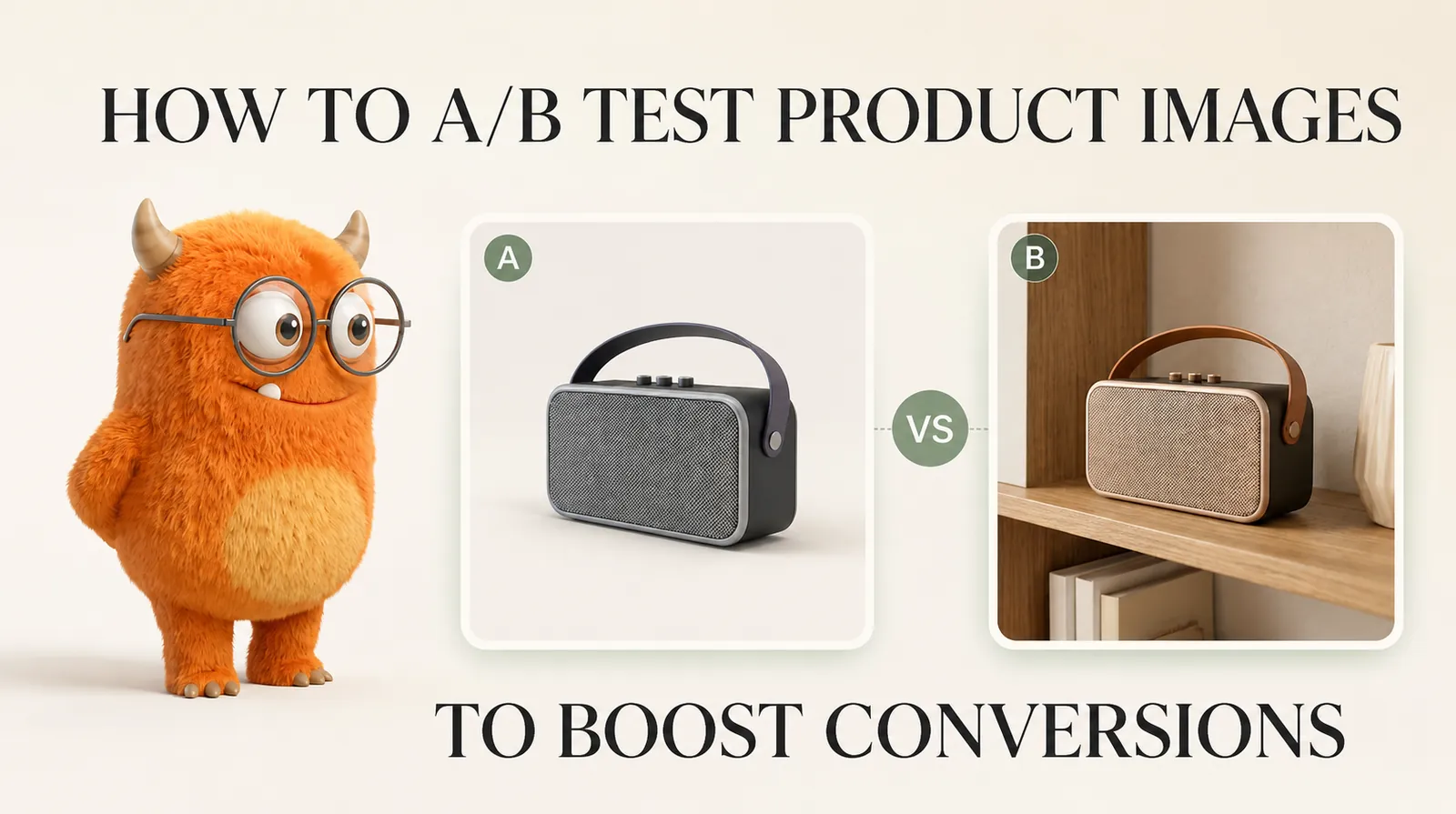
TL;DR A/B testing product images means splitting your real traffic between two image variants and measuring which version drives more conversions — not polling opinions or guessing. Start with the highest-impact variable first: the primary product image background and context (white/studio vs. lifestyle) tends to produce larger conversion differences than angle, number, or order of images. A valid test requires: one variable changed at a time; 95% confidence before declaring a winner; minimum 2 weeks of runtime; enough conversions per variant to be statistically reliable. AI-generated product images are the single best thing to happen to image A/B testing — you can generate multiple variants of the same product in minutes and test them, rather than booking separate photoshoots over multiple weeks. What you learn from testing one product generalises to similar products in the same category — build a testing playbook, not just test results. Results are audience-specific — what wins on your store may not win on a competitor's. The only reliable answer is your own test data.
Every guide tells you to 'test your images.' Almost none of them explain how to do it properly — how to avoid declaring a winner too early, how to know if you have enough traffic to trust the result, and which image variables actually move conversion rather than just look different. This guide covers all of that: the methodology, the variables worth testing in order of expected impact, how AI changes the economics of image testing, and what to do with your results once you have them.
What A/B Testing Product Images Actually Means
A/B testing (also called split testing) is not a poll, a preference survey, or a gut-feel comparison. It is a controlled experiment that exposes different segments of your real, live traffic to different versions of a page element and measures which version produces more of the outcome you want.
| What It Is | What It Is Not |
|---|---|
| Showing Version A to exactly half your real visitors and Version B to the other half, simultaneously | Asking colleagues which image looks better |
| Measuring actual purchase behaviour — add-to-cart rate, conversion rate, revenue per visitor | Measuring clicks or views without tracking whether anyone bought |
| Running until statistical significance is reached at 95% confidence | Checking results after 3 days and picking the one that looks ahead |
| Changing one image variable at a time so you know what caused any difference | Changing the image, the price, and the CTA colour at the same time |
| Using real visitor traffic to get externally valid results | Using focus groups, lab testing, or preference surveys as a substitute |
The reason this distinction matters: most sellers who think they are A/B testing product images are actually looking at analytics after making a change and attributing any difference to that change. That is not a controlled experiment. Seasonality, ad spend changes, traffic source shifts, or pure chance can explain the same difference. Only a properly controlled simultaneous split test gives you reliable causal data.
What to Test — in Order of Expected Impact
Not all image variables are equally worth testing. CRO practitioners who analyse large numbers of product image tests consistently report the same hierarchy of impact. Start here and work down — the further down the list, the more tests you need to run before you can detect a meaningful difference:
| Priority | Variable | What to Test | Why It Tends to Matter |
|---|---|---|---|
| 1 — Start here | Primary image context | White/studio background vs. lifestyle scene vs. product-in-use | The primary image is your search result thumbnail — it determines the click before anyone reaches your page. Background and context affect whether visitors feel this product fits their life. |
| 2 | Hero image choice | Which image leads the gallery (front view vs. 3/4 angle vs. styled scene vs. in-use shot) | The first image in the gallery sets the emotional tone. Different product categories respond differently — technical products may benefit from a clarity-first front view; fashion/lifestyle from a worn or contextual first image. |
| 3 | Number of images | 4 images vs. 6 images vs. 8 images per listing | More images give buyers more information but can also delay decisions. The right number depends on product complexity and buyer behaviour in your specific category. |
| 4 | On-model vs. flat-lay vs. ghost mannequin | For fashion/apparel: which presentation style leads | Buyers of fashion and accessories need to see fit, drape, and scale. The format that best answers 'how will this look on me?' tends to win — but this varies by category and target audience. |
| 5 | Image order | White background first vs. lifestyle first vs. detail shot first | Image order affects what question gets answered first. 'What does it look like?' vs. 'How would I use this?' create different purchase journeys. |
| 6 | Close-up / detail shot inclusion | With vs. without a dedicated macro detail image | For high-consideration or high-cost products, a close-up that shows material quality or craftsmanship can reduce purchase hesitation. For commodity products, it may add little. |
| 7 | Scale reference | With vs. without an image showing product size in context | Products where buyers consistently misjudge size (jewellery, small electronics, children's items) benefit most from a scale reference image. |
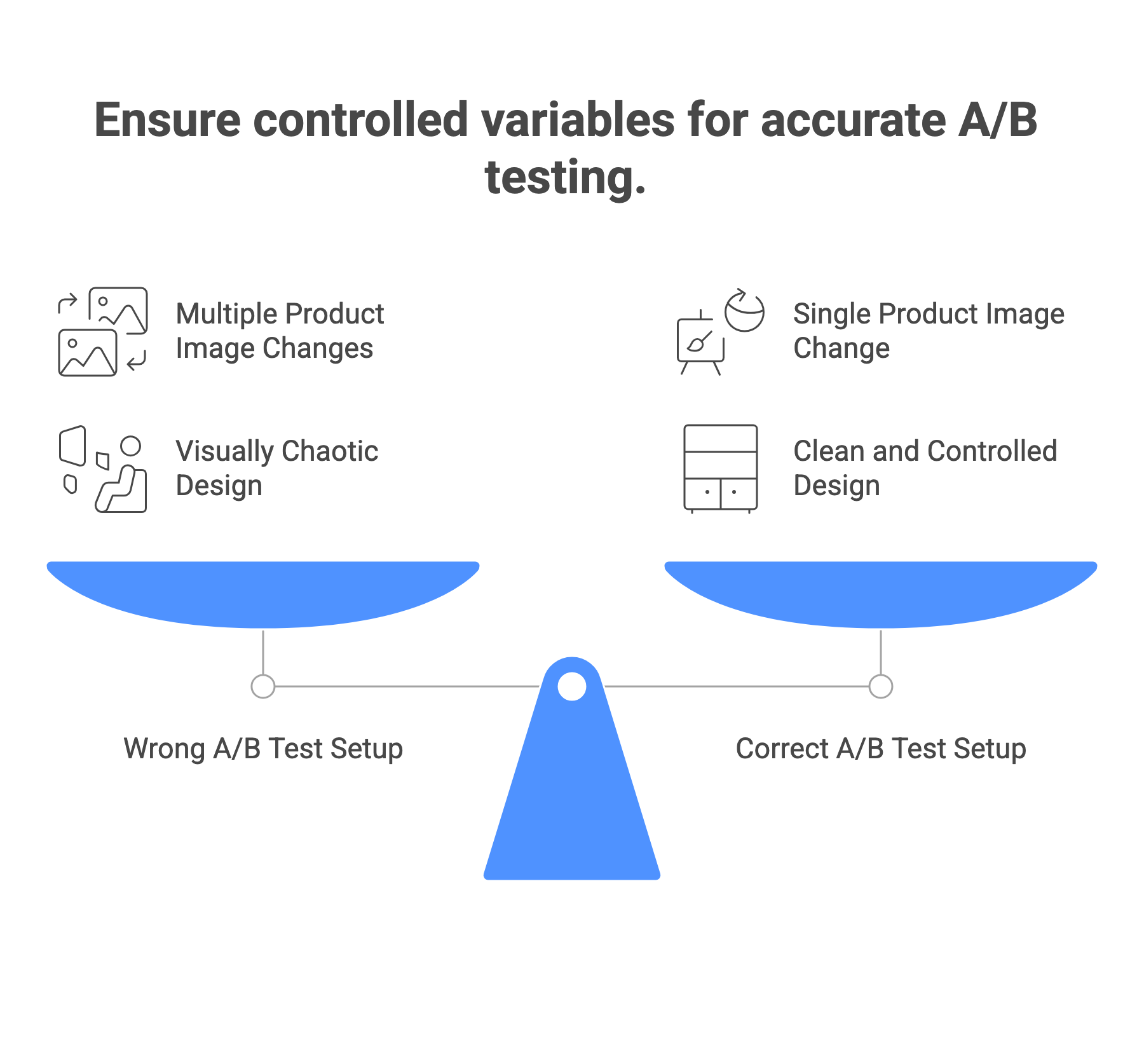
⚠️ The Single Most Common Image Testing Mistake Testing multiple variables at once. If you simultaneously change the background, add two more images, and switch from flat-lay to model, you will not know which change caused any difference you observe. Change one thing per test, always.
Flat Lay vs On-Model — Which Converts More →
Why AI Photography Changes the Economics of Image A/B Testing
The traditional bottleneck in product image testing was not analysis — it was production. Running a test requires two or more genuinely different image variants for the same product. Historically, that meant booking multiple photoshoots, waiting weeks for edited images, and spending significantly per test before the test even started. The result: most sellers only ever test one or two things on their best-selling products and leave the rest of the catalog unchanged.
| Task | Traditional Photography | AI Photography |
|---|---|---|
| Generate a white-background variant | 1 studio shoot — days to weeks | Upload product photo → background removal → white background: minutes |
| Generate a lifestyle background variant | Separate lifestyle shoot — different day, location, stylist | Same product photo → AI lifestyle background generation: minutes |
| Generate 3–5 test variants of the same primary image | 3–5 separate shoots | 3–5 AI background or scene variations: 30–60 minutes |
| Generate variants across your full catalog (50 products) | 50 individual shoots — months of work and significant budget | Batch processing: one upload session |
| Iterate after seeing test results | Re-shoot with new direction — weeks | Generate new variants based on what your data showed, same day |
| Test a seasonal variation | Book and execute a seasonal shoot | Generate seasonal background from source photo: hours |
The practical implication: AI photography lets you generate all the variants you need for a full A/B test program across your catalog — before a single test starts — for a fraction of the cost of one traditional photoshoot. The constraint moves from production to analysis. You no longer have to choose which two or three products to test. You can test systematically across your entire catalog.
AI vs Traditional Photography — Full Cost Comparison →
How to Run an Image A/B Test: Step by Step
Step 1 — Form a specific, falsifiable hypothesis
A hypothesis is not 'let's see which image looks better.' It is a specific prediction with reasoning: 'Showing a lifestyle image as the primary photo will increase add-to-cart rate because our target audience responds to seeing the product in their home environment, not just isolated on white.' This specificity matters because it tells you what to measure and why the result makes sense — which helps you generalise learnings to other products.
Step 2 — Generate your image variants
Both variants must be high-quality — testing a poor-quality photo against a professional one is not a fair test of the variable you care about. Both should differ only in the one element you are testing. AI photography is ideal here: generate a white-background version and a lifestyle version from the same source photo — the product, angle, and lighting in the source photo remain constant, isolating the background and context as the only variable.
Step 3 — Set up your test in a split-testing tool
Note: Google Optimize was sunset in September 2023. For Shopify stores, recommended alternatives include Shoplift, Intelligems, and VWO. These tools handle traffic splitting automatically and track the right metrics. Ensure you are measuring conversion rate or add-to-cart rate — not just page views or clicks. Set traffic allocation to 50/50 for a basic A/B test.
Step 4 — Run until you have reliable data
Two requirements must be met before stopping a test:
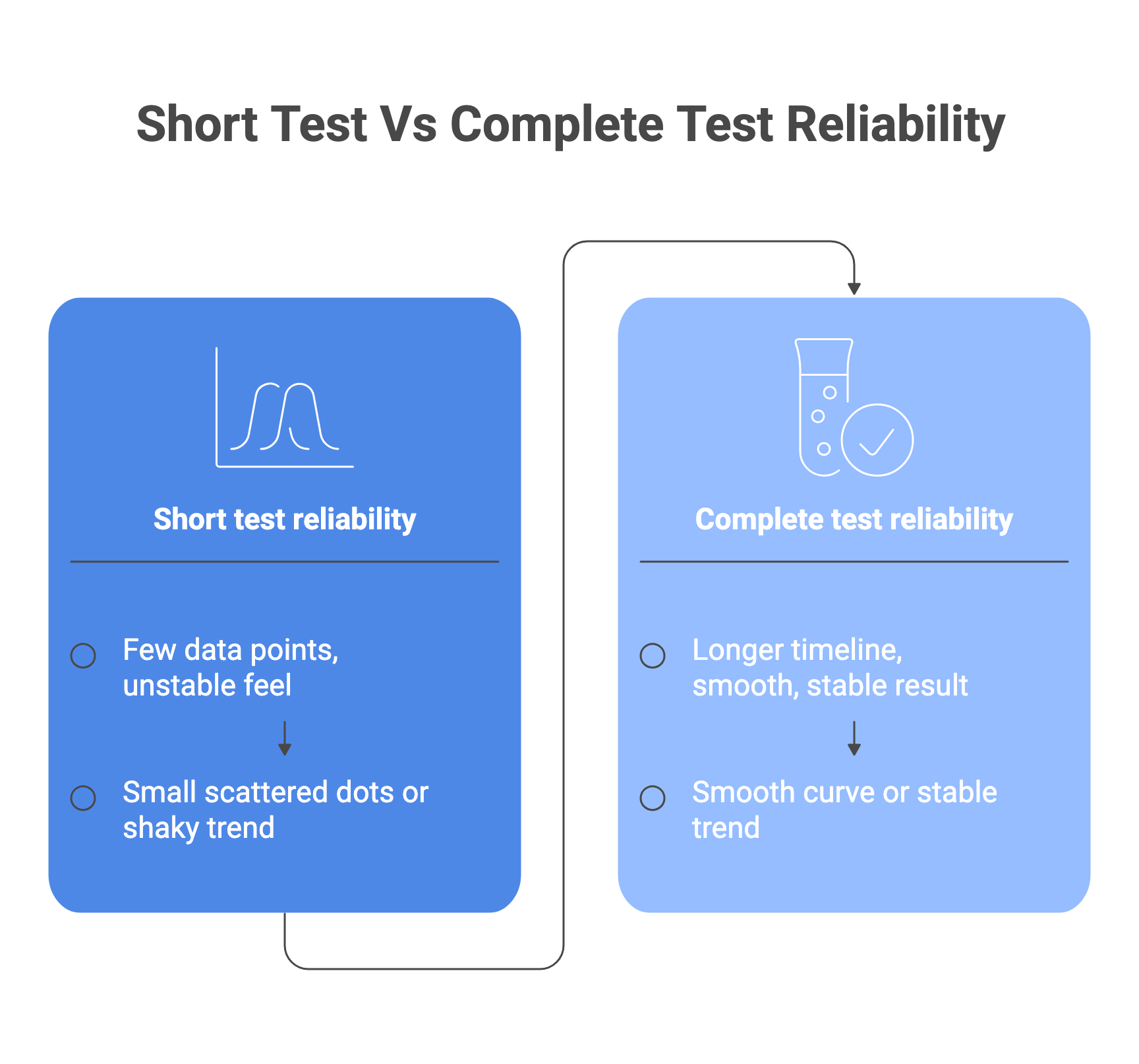
- Time: Run for at least 2 weeks — ideally 1–2 full business cycles. Day-of-week effects are significant for most ecommerce stores. A test that runs Monday to Wednesday will not capture weekend buyer behaviour. Always end tests at the same time of week you started.
- Conversions: You need enough conversions — not just visitors — per variant for results to be reliable.
Step 5 — Check for statistical significance before deciding
Statistical significance at 95% confidence is the common accepted industry standard. This means there is a 5% or lower probability that the observed difference between your variants happened by chance. Do not declare a winner because one variant 'looks like it's winning' partway through the test. Most testing tools calculate this automatically and show you when significance is reached. If your testing tool does not show confidence levels, use a standalone A/B test significance calculator.
Step 6 — Implement the winner and record learnings
Implement the winning variant as your new default. More importantly: document why you think this variant won — what was the buyer psychology that explains the result? These learnings become the foundation of your testing playbook. If lifestyle images outperform white-background in your fashion category, you can apply that hypothesis to new products before testing, use it to prioritise which variants to generate first, and build on it in future tests.
The Traffic Question: When Can You Trust Your Results?
The most common reason A/B test results are unreliable is insufficient traffic — not insufficient time.
**Traffic Reality Check — How Much Do You Need?**There is no single minimum visitor number that works for all tests. The required sample size depends on your baseline conversion rate, how large a difference you are trying to detect (the 'minimum detectable effect'), and your chosen confidence level. The lower your baseline conversion rate, the more visitors you need. A page converting at 1% needs far more visitors than a page converting at 5% to detect the same absolute improvement.Under approximately 10,000 monthly visitors to the specific page being tested: A/B testing becomes unreliable for detecting small improvements. You would need a very large effect size (a major change) to be confident in results. This is practitioner consensus across Convertize, GuessTheTest, and similar CRO resources.For low-traffic sellers: focus on large, high-confidence changes (white background to lifestyle, flat product to on-model) rather than subtle variations (slightly different angle, marginally different background colour). Large changes produce large enough effects to detect with smaller samples.Use a sample size calculator before starting — not after. Input your current conversion rate and the minimum improvement you would act on. The calculator tells you how many visitors per variant you need. If you cannot reach that number in a reasonable time, reconsider the test.
Testing in the Right Context — Not All Channels Are the Same
The same product image can behave very differently across different channels. An image that wins on your product page may not win in a paid social ad. An image that performs in a category grid may not perform as a primary listing image. Always test the image in the context where it will be used:
| Context | What Image Variable Tends to Matter Most | Testing Mechanism |
|---|---|---|
| Ecommerce product page (primary listing image) | Background and context — lifestyle vs. studio | A/B testing tool on your site (Shoplift, Intelligems, VWO) |
| Marketplace listing thumbnail (Amazon, Flipkart, Myntra) | Clarity of product, visual distinctiveness against other results in the same category | Manually rotate primary images over equal time periods; compare CTR from analytics; or use platform native A/B tools where available |
| Paid social ads (Meta, Instagram, Pinterest) | Emotional appeal and thumb-stopping quality of the primary visual — lifestyle typically performs differently here than on a clean product page | Facebook Ads Manager or Meta A/B test function with identical targeting |
| Email marketing | Single hero image impact — whether product is shown in use or isolated | Email platform native A/B test on the same send |
| Category / collection page grid | Thumbnail distinctiveness — how the image looks at small size next to competitors | A/B testing tool or manual rotation with analytics monitoring |
From Test Results to a Testing Playbook
Individual test results are valuable. A testing playbook built from accumulated results is far more valuable. After running several image tests, patterns will emerge — results that hold across multiple products in the same category. These patterns become your default image strategy, reducing the tests you need to run as you scale:
- Document every test: what you tested, the hypothesis, the result, the confidence level, the traffic volume, the date range, and your interpretation of why the winner won.
- Group learnings by category: 'In our fashion accessories category, lifestyle images as the primary shot consistently outperform white background in direct sales. White background still wins in marketplace CTR.' These category-level learnings guide future production decisions.
- Use learnings to inform AI generation: if your data shows that a particular background style wins for your products, generate all new product images in that style by default — then test deviations rather than starting from scratch each time.
- Revisit winners periodically: audience preferences and platform algorithms change. A winning image variant from 18 months ago may no longer be the best performer. Build periodic retesting into your calendar for high-traffic products.
AI Background Change — Generate Variants →
Common A/B Testing Mistakes That Invalidate Results
| Mistake | Why It Invalidates the Test | Fix |
|---|---|---|
| Stopping the test early because one variant is leading | Early leads frequently reverse. Short tests produce false positives at high rates. | Set a minimum of 2 weeks and a minimum conversion target before starting. Do not look at results until both are met. |
| Testing during an unusual traffic period | Sale events, seasonal spikes, or major promotions change buyer behaviour. Results won't represent normal conditions. | Avoid starting tests during sales periods. If one runs through a sale, extend the test to capture equal 'normal' traffic on both sides. |
| Changing multiple elements simultaneously | You cannot attribute the result to any specific change. | One variable per test, always. |
| Using page views instead of conversions as your metric | Visitors can view a page without buying. Page views do not measure what you care about. | Track conversion rate (completed purchases) or add-to-cart rate as your primary metric. |
| Applying results from one product to a different category | A lifestyle image winning for a homeware product does not mean it wins for electronics. | Build category-specific learnings. Do not extrapolate across dissimilar product types. |
| Not accounting for mobile vs. desktop behaviour | The same image can perform differently on mobile vs. desktop. Aggregated results can mislead. | Segment your results by device. If mobile and desktop show opposite winners, treat them as separate tests. |
| Declaring significance based on tool estimates without checking conversions | Some tools show significance on very low conversion volumes, which can be misleading. | Always check absolute conversion numbers per variant, not just the significance percentage. |
Frequently Asked Questions
How long should an image A/B test run?
At minimum, 2 weeks — and always in complete week increments. The reason is day-of-week variation: buyer behaviour on weekdays differs from weekends. A test that ends mid-week may overrepresent one type of behaviour. More important than time is conversion volume: use a sample size calculator with your specific conversion rate to determine how many conversions per variant you need before results are reliable. Both the time and conversion thresholds should be met before you declare a winner.
What confidence level should I target?
95% confidence is the widely accepted common industry standard — it means you accept a 5% probability that the observed difference happened by chance. Most A/B testing tools calculate and display this automatically. For low-stakes tests or high-traffic stores making many rapid decisions, some practitioners use 90%. For high-investment decisions on critical product pages, some prefer 99%. The key is deciding your threshold before the test begins, not after seeing results.
Can I A/B test images on a low-traffic store?
Yes, but with limitations. Low-traffic stores should focus on testing large, high-confidence changes rather than subtle refinements. A switch from a low-quality phone photo to a professional image, or from no lifestyle image to a strong lifestyle primary, is more likely to produce a detectable effect than testing the angle of an already-good image. The practical alternative for low-traffic stores is to use consumer preference testing tools to get directional input before committing to a live test, understanding that preference surveys are not the same as conversion data, but they can help prioritise which variants are worth testing.
Does Shopify have a native A/B testing tool for product images?
Shopify does not have a fully featured native A/B testing system for product page elements like images. Third-party apps are the standard approach for Shopify stores. Options include Shoplift, Intelligems, and VWO. The Shopify App Store also lists several lighter-weight options for smaller stores.
What product image variable should I test first?
Start with primary image background and context — the choice between a clean white/studio image and a lifestyle or in-use image. CRO practitioners who analyse image-specific A/B tests consistently report this as the highest-impact variable, producing larger and more detectable differences than angle, count, or sequence. The reasons are intuitive: the primary image determines whether a visitor clicks from a search results grid; it also sets the emotional tone of the product page. Test this first before moving to finer-grained variables like angle or image count.
How does AI photography help with image A/B testing?
AI photography removes the production bottleneck that historically limited how many image tests most sellers could run. Instead of booking and executing separate photoshoots for each variant — which takes weeks and a significant budget — you can generate multiple high-quality variants from a single source photo in minutes.
Generate Your A/B Test Image Variants with Scalio — Try Free → — try for free · White background · Lifestyle scenes · Multiple variants from one upload