

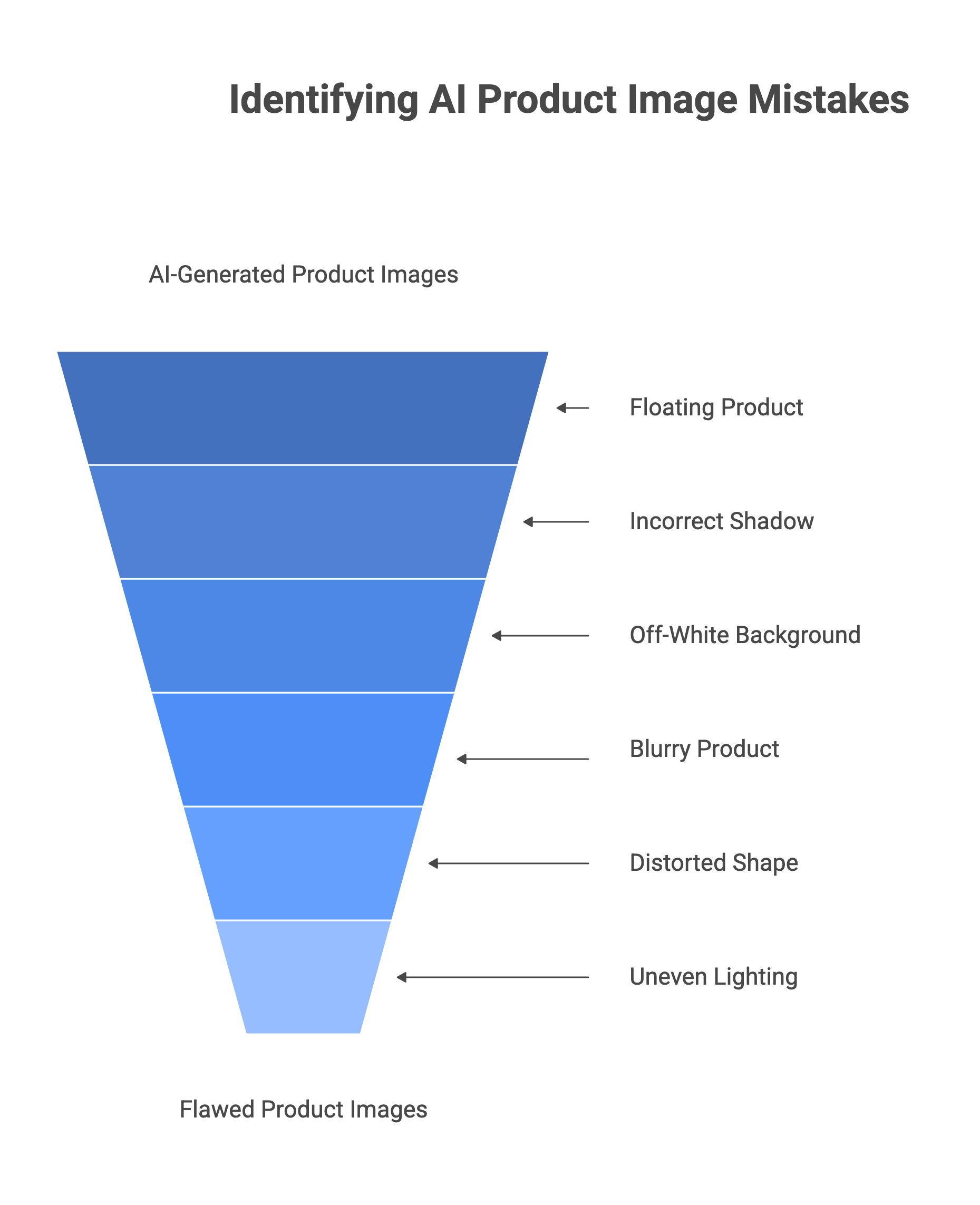
TL;DR Most AI product photography failures are not caused by the AI being bad. They are caused by bad inputs — a low-quality source photo, the wrong tool for the job, and no quality review before the image goes live. Mistake 1: Using text-to-image AI (Midjourney, DALL-E) for product listings — generates a fictional product, not yours. Use image-to-image AI only. Mistake 2: Feeding the AI a poor source photo — blurry, mixed-lit, or cluttered inputs produce proportionally poor outputs. Garbage in, garbage out. Mistake 3: Visual drift across your catalog — same prompt, different session = different lighting, shadows, and angles. Your catalog looks like it came from ten photographers. Mistake 4: Floating products and shadow mismatches — when the AI-generated scene light source does not match the lighting direction on your product photo, the product looks pasted in. Mistake 5: Over-processing and misrepresentation — excessive smoothing, boosted colours, or unrealistic textures create an expectation gap. The product arrives and does not match the image. Returns follow. Mistake 6: Marketplace non-compliance — particularly Amazon's pure white background (RGB 255,255,255), 85% frame fill, and minimum resolution rules. Mistake 7: Skipping human review — AI output requires a final human check before it goes live, especially at zoom level.
AI product photography tools have made professional-quality ecommerce images accessible to almost any seller. But accessible does not mean automatic. The sellers who get the worst results from AI photography are not using the wrong tools — they are making the same predictable workflow mistakes that any tool would struggle with. This guide covers the 10 most common mistakes in detail: what they look like, why they happen, and how to avoid them. Every fix is practical and actionable, not theoretical.
Why Most AI Photography Mistakes Are Actually Workflow Mistakes
AI product photography tools are image-processing pipelines. They transform inputs into outputs. The quality of the output is directly constrained by the quality of the input — a blurry, poorly-lit source photo fed into even the best AI tool produces a blurry, poorly-lit result. Most mistakes happen in one of three places:
| Where It Goes Wrong | Examples | The Pattern |
|---|---|---|
| Input quality failure | Blurry source photo; green screen background that bleeds into product edges; mixed-colour lighting in the source; source photo at incorrect angle. | The AI is working correctly — but your inputs are flawed. No AI tool compensates for a fundamentally poor source image. |
| Wrong tool for the job | Using text-to-image AI (Midjourney, DALL-E) to generate product photos; using a generic image editor for marketplace-compliant output. | The tool was not designed for ecommerce product accuracy. Different tools have fundamentally different capabilities and failure modes. |
| Workflow and review failure | Skipping human QA before upload; generating images one at a time without consistency controls; uploading without checking against marketplace specs. | The AI produces output but it is not reviewed, validated against platform requirements, or checked for consistency with the rest of the catalog. |
The 10 Most Common AI Product Photography Mistakes
Mistake 1: Using Text-to-Image AI for Product Listings
Critical — generates a fictional product, not yours
What happens: The AI creates a product that looks like your product but is not your product. Prong counts change on rings. Label text is garbled or invented. Stitching details are wrong. The customer receives the real item and it does not match the image. Returns, disputes, and account suspensions follow.
Why it happens: Tools like Midjourney and DALL-E are trained to generate visually compelling images from descriptions. They are not trained to faithfully reproduce your specific product. They have no knowledge of what you are actually selling — they interpret your prompt and create a plausible-looking version.
The fix: Use image-to-image AI only for any product used in a commercial listing. Image-to-image AI uses your actual product photograph as input and changes only the background, environment, or context. The product itself is preserved as photographed. Text-to-image tools are useful for mood boards, design inspiration, and creative concepts — never for listing images. The American Gem Society tested Midjourney on jewellery product photography and found it produced variations that only loosely resembled the original piece and lacked the faithful reproduction needed for product marketing.
Mistake 2: Feeding the AI a Poor Source Photo
Critical — output quality is capped by input quality
What happens: Output images are blurry at zoom level. Colours are inconsistent between products. Background removal leaves ragged edges or colour spill into the product. The AI cannot reconstruct detail that was never captured.
Why it happens: The single most common misunderstanding about AI photography is that it improves bad photos. It does not. AI background removal, upscaling, and scene generation all work by analysing the source image. If the source is blurry, low-resolution, or mixed-light, the AI has nothing reliable to work from. It either propagates the flaws or introduces artefacts trying to compensate.
The fix: The source photo standard for AI photography:
- Shoot on a white or neutral grey background — not green screen. Green causes colour spill at product edges that bleeds into the product itself.
- Use diffused, even lighting from a single consistent direction.
- Shoot at the highest resolution your camera supports.
- Ensure sharp focus on the product.
- Clean the product before shooting — dust, fingerprints, and small defects invisible to the naked eye are clearly visible in the source and even more visible after AI processing.
You cannot recover detail the source never captured.
Mistake 3: Visual Drift Across Your Catalog
High impact — catalog looks unprofessional even when individual images look fine
What happens: Individual product images look acceptable. Side by side on a category page or collection grid, the catalog looks like it was assembled from ten different photoshoots. Lighting angles vary. Shadow directions conflict. Background whites drift from warm to cool between batches. Buyers sense something is wrong even if they cannot articulate it.
Why it happens: Visual drift is a specific, well-documented failure mode of prompt-based AI tools. Every generation is independent — the model has no memory of previous outputs. Run the same prompt in two sessions two weeks apart, and you get two different interpretations of lighting, shadow, depth of field, and colour temperature. Teams iterate on prompts over time, adding words, removing others. Six months later, old and new products do not share visual DNA.
The fix: Three fixes work together:
- Use a tool with style-locking built in — tools designed for ecommerce catalogs lock lighting direction, shadow angle, background colour, and composition across every generation regardless of when it runs.
- Batch-generate rather than one-at-a-time — process all products in a category in one session with locked parameters.
- Build and maintain a visual reference library — rather than describing style in text prompts, reference a specific approved image as the style standard.
After each batch, perform a side-by-side audit of lighting direction, shadow angle, and background colour temperature before uploading.
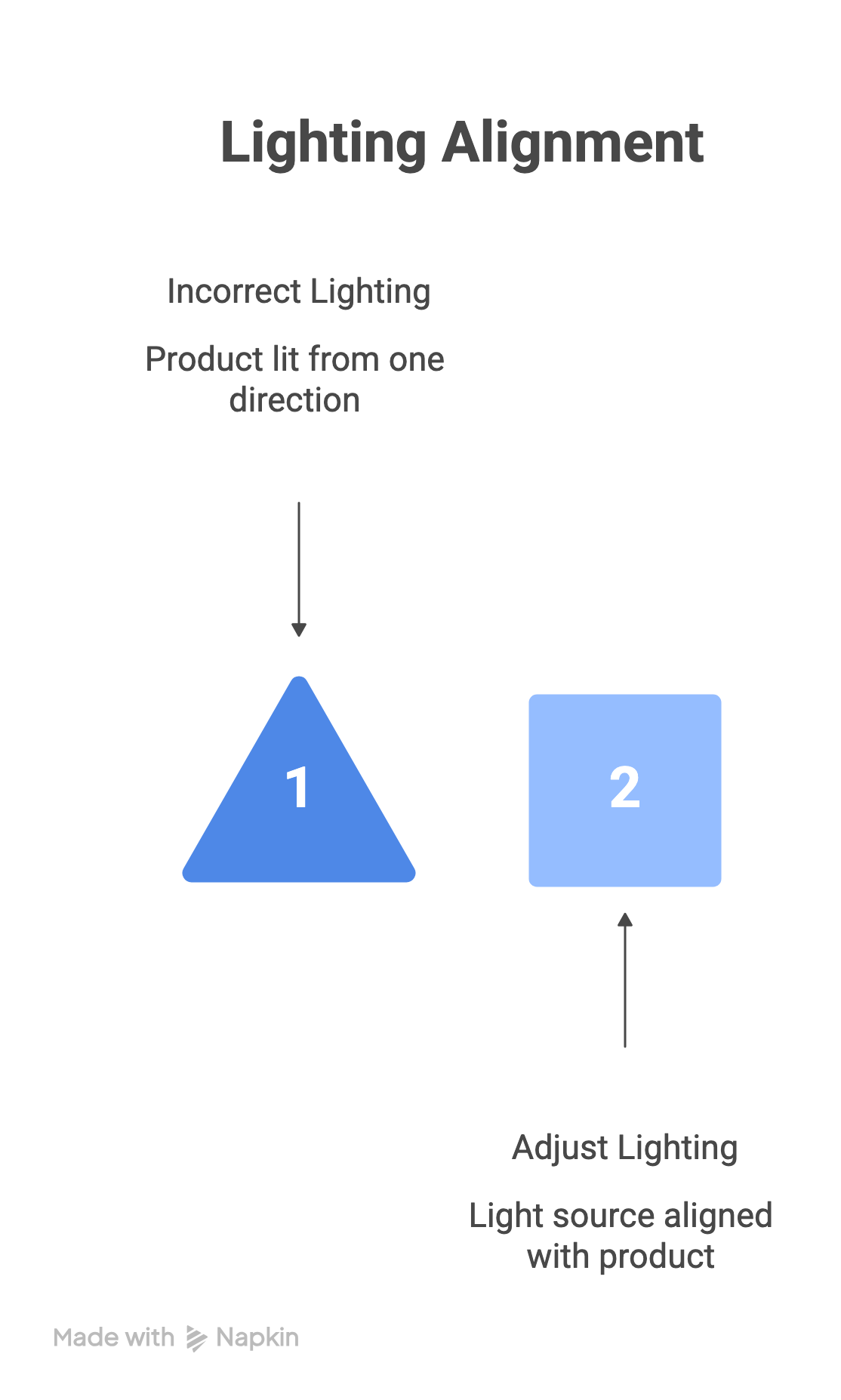
Mistake 4: Floating Products and Shadow Mismatches
Trust-breaking — product looks obviously pasted in
What happens: The product appears to hover above the surface rather than rest on it. Or a shadow falls in the wrong direction, creating a physically impossible scene — light appears to come from the right on the product but from the left on the background. Buyers immediately recognise the image as digitally manipulated, even if they cannot explain why.
Why it happens: Shadow direction and lighting angle are the most important visual cues for physical plausibility. When your source product photo was lit from the upper-left, but the AI generates a scene lit from the right, the product's natural shadows contradict the scene. The result is the 'pasted in' look. Shadows that do not match the product's base contact point create the floating effect.
The fix: Before generating a scene, observe the lighting direction in your source product photo — note which side is brighter, where the shadows fall. When prompting or configuring the scene, specify lighting that matches: 'lit from upper left, matching product lighting.' Review every generated scene image by checking: Does the shadow on the product agree with the shadow the product would cast on the surface? Does the product appear physically grounded — is there contact between the product's base and the surface? If not, regenerate or adjust before uploading.
Mistake 5: Mismatched Whites — Off-White Backgrounds
Marketplace-critical — causes Amazon listing suppression
What happens: Amazon listing is suppressed without warning. Sales stop until the image is corrected and resubmitted. On Flipkart and Myntra, inconsistent background tones create a mismatched, unprofessional catalog appearance. On your own Shopify store, background whites that vary between warm and cool tones across products look amateurish.
Why it happens: AI background generation frequently produces backgrounds that are close to white but not pure white — they may be slightly warm (cream-tinted), slightly cool (blue-tinted), or slightly grey. All of these fail Amazon's main image requirement, which specifies the background must be exactly RGB 255,255,255. Even minor deviations now trigger Amazon's automated image compliance detection.
The fix: After AI background generation, verify white purity before upload. In any image editor or tool, sample the background colour with an eyedropper — if the RGB values are not 255,255,255, the background is not pure white and will cause suppression. Most dedicated ecommerce AI tools offer a 'pure white background' or 'Amazon compliant white' mode — use this setting rather than a generic white. If using a general tool, verify the background is pure white (hex FFFFFF) before uploading to Amazon.
Mistake 6: Product Too Small in Frame — Violating Fill Rules
Compliance failure — Amazon minimum 85% frame fill
What happens: Amazon listing is suppressed due to an image quality issue. The search result thumbnail shows a tiny product floating in excessive white space, dramatically reducing click-through rate. On any marketplace, excess white space reduces perceived product size and makes the listing look incomplete.
Why it happens: AI-generated background images and scene compositions often frame the product as one element in a larger environment. This produces beautiful lifestyle imagery but frequently leaves the product occupying a fraction of the frame — well below Amazon's 85% minimum for main images. Sellers generate lifestyle backgrounds for all images, including the main listing image, without realising the fill ratio requirement.
The fix: Reserve lifestyle and scene-context images for secondary image slots only. The main listing image (slot 1) on Amazon must use a white background with the product filling at least 85% of the frame — this is not a recommendation, it is a non-negotiable rule enforced by automated systems. Secondary slots (2–9 on Amazon) are where lifestyle, detail, scale-reference, and context images belong. After generating any image for the main slot, check the fill ratio before upload.
Mistake 7: Over-Processing — Making Products Look Better Than They Are
Trust and returns risk — expectation gap causes returns
What happens: The product arrives and looks noticeably different from the listing image. Colours are more saturated in the image than in reality. Surface texture has been smoothed beyond what the physical product looks like. The customer feels misled. They return the product and may leave a negative review mentioning the image discrepancy.
Why it happens: AI tools with enhancement features — colour boosting, clarity enhancement, skin smoothing, texture refinement — can be applied in ways that misrepresent the physical product. The intent is usually to make images more appealing. The effect is an expectation gap: the image shows an idealised version of the product, not the actual product.
The fix: AI-enhanced images must accurately represent the product. This is both an ethical position and an Amazon policy requirement. Specific checks before uploading:
- Does the colour match the physical product under normal lighting?
- Has texture smoothing removed details (fabric texture, leather grain, ceramic glaze) that a buyer would want to see?
- Has upscaling introduced artificial sharpness that makes the product look higher quality than it is?
If your image makes the product look better than it actually is, you are setting up a return.
Mistake 8: Uploading AI Output Without Human Review
Quality control failure — avoidable errors reach live listings
What happens: A product image with a visible AI artefact — a distorted logo, a merged seam, a garbled label, a physically impossible reflection — goes live on a marketplace. Buyers notice. Trust drops. In the worst case, the image misrepresents the product and causes returns.
Why it happens: AI output is probabilistic. Even with good inputs and the right tool, a percentage of generations will contain visible errors — product colour slightly off, a chain link that fused, text on packaging that became illegible, an artefact at the product edge where background removal was imperfect. These errors are predictable and manageable — but only if someone looks for them before the image goes live.
The fix: Build a mandatory review step into your AI photography workflow. Review every image at 100% zoom, not at thumbnail size — artefacts that are invisible at preview scale are clearly visible when a buyer zooms in. Specific things to check:
- Product shape and proportions match the real item
- Label text and logo are legible and unaltered
- No stray pixels at product edges from background removal
- Shadow direction is consistent
- Colour matches product reality
- No unexpected objects in background
For high-volume catalogs, batch the QA process — review a full batch together rather than one image at a time, which makes consistency issues much easier to spot.
Mistake 9: Ignoring Mobile Display — Designing for Desktop Only
User experience failure — fine on desktop, broken on mobile
What happens: Lifestyle images with complex backgrounds look great on a large screen but become visually noisy at mobile thumbnail size. Important product details are indistinguishable. Buyers scrolling on their phones cannot see what the product actually looks like from the category grid.
Why it happens: Most ecommerce browsing happens on mobile devices. Lifestyle backgrounds that read well at desktop product page scale often become cluttered and hard to parse at the smaller thumbnail sizes used in category grids, search results, and mobile product pages. A product photographed at 60% of frame looks even smaller at thumbnail scale.
The fix: Test every primary image at thumbnail size before uploading — reduce it in any image viewer to approximately 150–200px wide and check whether the product is clearly identifiable and visually dominant. For your main listing image, this is where the white-background, high-fill-ratio requirement is most valuable: clean backgrounds at small sizes remain clean, while lifestyle backgrounds become visual noise. Reserve lifestyle images for the secondary slots where they are viewed at larger scale.
Mistake 10: Generating Once and Never Updating
Competitive and compliance risk — images become stale
What happens: Competitor products with updated, higher-quality AI images outperform your listing in click-through rate. Your listing image shows a previous version of the product that no longer matches current packaging. Amazon's compliance standards have tightened and your images — acceptable when uploaded — now trigger suppression.
Why it happens: AI photography is treated as a one-time project rather than an ongoing workflow. Images are generated once at launch and assumed to be permanent assets. In practice, product packaging changes, marketplace requirements evolve, and buyer visual expectations shift as competitors improve their images.
The fix: Build image refresh into your product management cycle, not just product launch:
- After any packaging change, update listing images before the new packaging ships.
- Check Amazon and other marketplace compliance requirements periodically — they change, and listings that were compliant previously may not be compliant now.
- For high-priority SKUs, consider periodic visual audits comparing your listing images to top-performing competitors in the same category.
Pre-Upload AI Product Image Checklist
Run every AI-generated product image through this checklist before uploading to any marketplace or store.
Critical
- Source photo quality — source was well-lit, in focus, on white/neutral background — not green screen.
- Image-to-image workflow used — product images were generated using image-to-image AI, not text-to-image.
- Product accuracy at 100% zoom — product shape, proportions, label text, logo, and distinguishing features match the physical product exactly.
- Shadow and lighting consistency — shadow direction on product matches the light source in the background/scene.
- Product visibly grounded — product rests on the surface — no floating effect, no disconnected shadow.
- Background white purity — background RGB values are exactly 255,255,255 for Amazon main images.
- Frame fill — product fills at least 85% of the frame for Amazon main image.
- Resolution — image is at minimum 1,000px on longest side; 2,000px+ recommended.
Important
- No marketplace-prohibited elements — no text overlays, watermarks, or props in main image (Amazon); check platform-specific rules.
- Colour accuracy — product colour in image matches physical product under normal lighting.
- No over-processing — no artificial smoothing, impossible textures, or over-saturated colours that misrepresent the product.
Best Practice
- Catalog consistency — lighting direction, shadow angle, and background tone match other products in the same category.
- Mobile thumbnail test — product is clearly visible and identifiable at thumbnail size — test at approximately 150px wide.
What the Correct Workflow Looks Like
Avoiding all 10 mistakes does not require a complex system. It requires a clear pipeline with four quality gates:
| Stage | What Happens | Quality Gate |
|---|---|---|
| 1. Source photo | Shoot or source a clean product photo: white/neutral background, diffused lighting, high resolution, product in sharp focus. | Is this sharp, well-lit, and correctly framed? If not — reshoot or request a better photo. Do not proceed with a poor source. |
| 2. AI generation | Apply image-to-image AI tool: background removal, background replacement, scene generation, or on-model placement. | Before batch-generating your full catalog, review the first 3–5 outputs for accuracy, shadow direction, colour match, and consistency. If there are issues — fix parameters before running the batch. |
| 3. Human review | Review every output at 100% zoom. Check against the checklist above. Check against platform-specific requirements. | Does every image pass the checklist? Only approved images proceed to upload. Flag failures for regeneration, not manual workarounds. |
| 4. Upload | Upload to marketplace with correct filename, alt text, and format. | Are you uploading to the correct image slot (main vs. secondary)? Have you verified compliance for the specific platform? |
Why Some Mistakes Are More Common for Indian Marketplace Sellers
Several of the mistakes above are amplified for sellers on Indian marketplaces — Myntra, Flipkart, Nykaa, Meesho, and Amazon India — for specific reasons:
| Platform | Specific Challenge | Most Relevant Mistakes |
|---|---|---|
| Amazon India | Same pure-white background (RGB 255,255,255) and 85% fill requirements apply as global Amazon. Compliance detection has tightened. | Mistakes 5 (off-white) and 6 (frame fill) — both cause listing suppression. |
| Myntra / Ajio | Fashion categories require on-model images as primary. Flat-lay or mannequin images are frequently rejected for fashion apparel. AI model quality and accurate garment drape matter. | Mistake 1 (text-to-image model images that don't represent your garment accurately) and Mistake 3 (inconsistent model poses/lighting across catalog). |
| Nykaa | Beauty and personal care: product colour accuracy is high stakes. Incorrect lip colour or foundation shade leads to returns. | Mistake 7 (over-processing that shifts actual product colour) and Mistake 2 (source photo colour cast affecting output). |
| Meesho | Authenticity-oriented buyer base responds better to honest, clear product presentation than heavily stylised images. Overstyled or AI-looking images can reduce trust. | Mistake 7 (over-processing) and Mistake 10 (images that look too polished/artificial for the platform's aesthetic). |
| All Indian platforms | Ethnic wear categories — sarees, kurtis, lehengas — have specific fabric texture and embroidery detail that AI enhancement can accidentally smooth out or distort. | Mistake 7 (texture smoothing) and Mistake 8 (insufficient QA for fabric detail accuracy). |
Frequently Asked Questions
Can I use Midjourney or DALL-E for product listing images?
Not for your main product listing images. Text-to-image tools like Midjourney and DALL-E generate images based on a description — they have no knowledge of your actual product and will produce a plausible-looking but inaccurate version. For product listings, use image-to-image AI only: tools that take your real product photo as input and modify only the background, context, or environment. Amazon explicitly prohibits main images that misrepresent the product's physical characteristics. The same principle applies to all marketplaces: your listing images must accurately represent what buyers will receive.
Why does my AI-generated product look like it's floating?
The floating effect is almost always caused by a shadow mismatch: the light source in the AI-generated background or scene comes from a different direction than the light on your source product photo. The product's own shadows point one way; the scene's shadows point another. The result is physically implausible and immediately registers as 'digitally manipulated.' The fix is to match your background generation prompt or settings to the lighting direction in your source photo — observe which side of your product is brighter and specify the same light direction for the scene generation.
Why is Amazon rejecting my AI-generated product images?
The most common reasons: (1) background is not pure white — RGB 255,255,255 exactly; off-white, warm white, or light grey all cause suppression; (2) product fills less than 85% of the image frame; (3) prohibited elements in the main image — text overlays, props, watermarks, or borders; (4) insufficient resolution — minimum 1,000px on the longest side (2,000px recommended). Amazon's automated compliance detection has become more precise, and deviations that were previously ignored now trigger suppression. Verify each requirement against Amazon's current guidelines before upload, as requirements can change.
What resolution should AI-generated product images be?
For Amazon: minimum 1,000px on the longest side to enable zoom functionality; 2,000–3,000px recommended. For Flipkart and Myntra: check each platform's current technical specifications as they differ by category. As a practical standard across platforms, generate or upscale to at least 2,000px on the longest side. Note on AI upscaling: starting from a very low-resolution or heavily compressed source and upscaling aggressively can produce artefacts — halos, amplified noise, and over-sharpened edges — rather than genuine detail recovery. The best outcome always starts from a high-resolution source photo.
How do I keep AI product images consistent across my full catalog?
Three practices make the biggest difference: (1) batch-generate by category rather than one product at a time — process all products in a category in a single session with identical parameters; (2) use reference images rather than text prompts for style — a reference photo is specific and unambiguous, a text description is not; (3) after every batch, do a side-by-side consistency audit before uploading — check that lighting direction, shadow angle, background colour temperature, and framing are identical across all images in the batch. Inconsistency is much easier to spot when images are viewed together than one by one.
Generate Accurate, Marketplace-Ready Product Images with Scalio → — Image-to-image accuracy · Pure white backgrounds · Indian marketplace-native · try for free