

A boutique owner in Jaipur has the week's Reels shot, captioned, and sitting in her camera roll by Sunday night. Then Monday happens. Customers walk in, a supplier calls about a delayed shipment, and by the time she remembers Instagram, it's 10 PM and the post that was supposed to go up at lunchtime never went up at all. If you've searched how to schedule Instagram posts because you're tired of being the reason ready content doesn't go live, the good news is Instagram now makes this genuinely easy, no separate app required for most of it.
Key definition: Scheduling an Instagram post means setting up a feed post, carousel, or Reel to publish automatically at a future date and time you choose, either from Instagram's own native scheduler, Meta Business Suite, or a connected third-party tool, instead of publishing it manually in the moment.
This walks through every current method: scheduling directly in the Instagram app, using Meta Business Suite on desktop, and third-party tools, plus the part most guides skip past, what you still can't schedule and the daily caps that catch people off guard.
Direct answer: Yes, you can schedule Instagram posts natively in the app since March 2026, up to 75 days ahead with a cap of 25 scheduled posts per day. Stories, product-tagged posts, collaborations, sponsored posts, and fundraisers still can't be scheduled natively and need Meta Business Suite or a live publish instead.
Can you schedule Instagram posts? Yes, natively since March 2026
For years the honest answer was "sort of." Scheduling meant either Meta Business Suite or a third-party tool, because the Instagram app itself had no built-in scheduler. That changed in March 2026, when Instagram extended native content scheduling to every public account instead of gating it behind a Professional (Business/Creator) account switch (SocialBee).
So today, you can schedule a feed post, a carousel, or a Reel directly from the app, up to 75 days in advance, with a cap of 25 scheduled posts per day (SocialBee). Private accounts are the one exception this update doesn't cover, if your account isn't public, you can't schedule at all, and that's worth checking before anything else in this guide.
Stories are the other gap. Native in-app scheduling covers posts, carousels, and Reels only, not Stories, more on why further down.
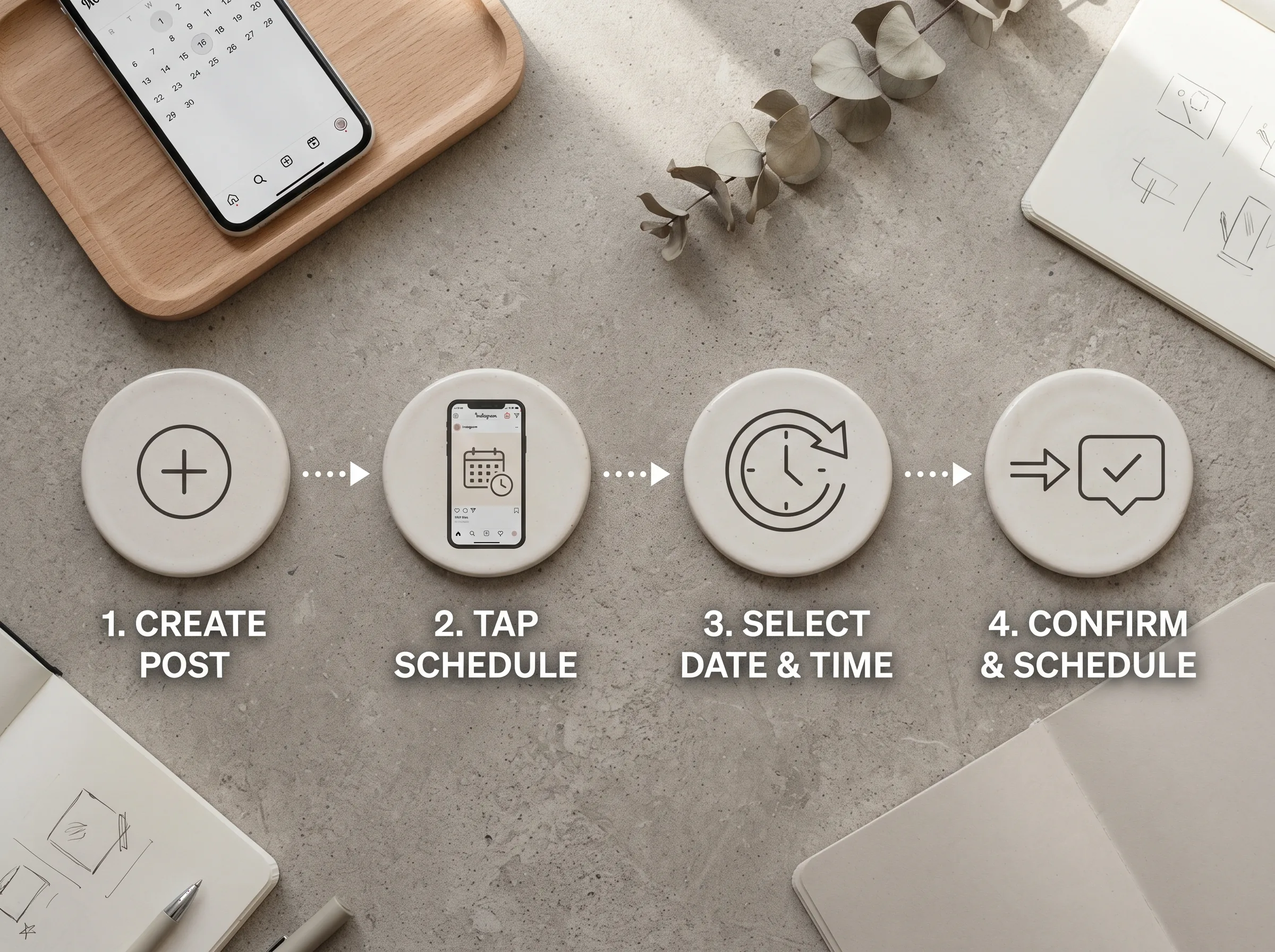
How to schedule an Instagram post in the app (step-by-step)
This is the fastest route for most salons, boutiques, and home businesses posting from a phone between customers, and it's confirmed tap-for-tap against a walkthrough of the feature in action:
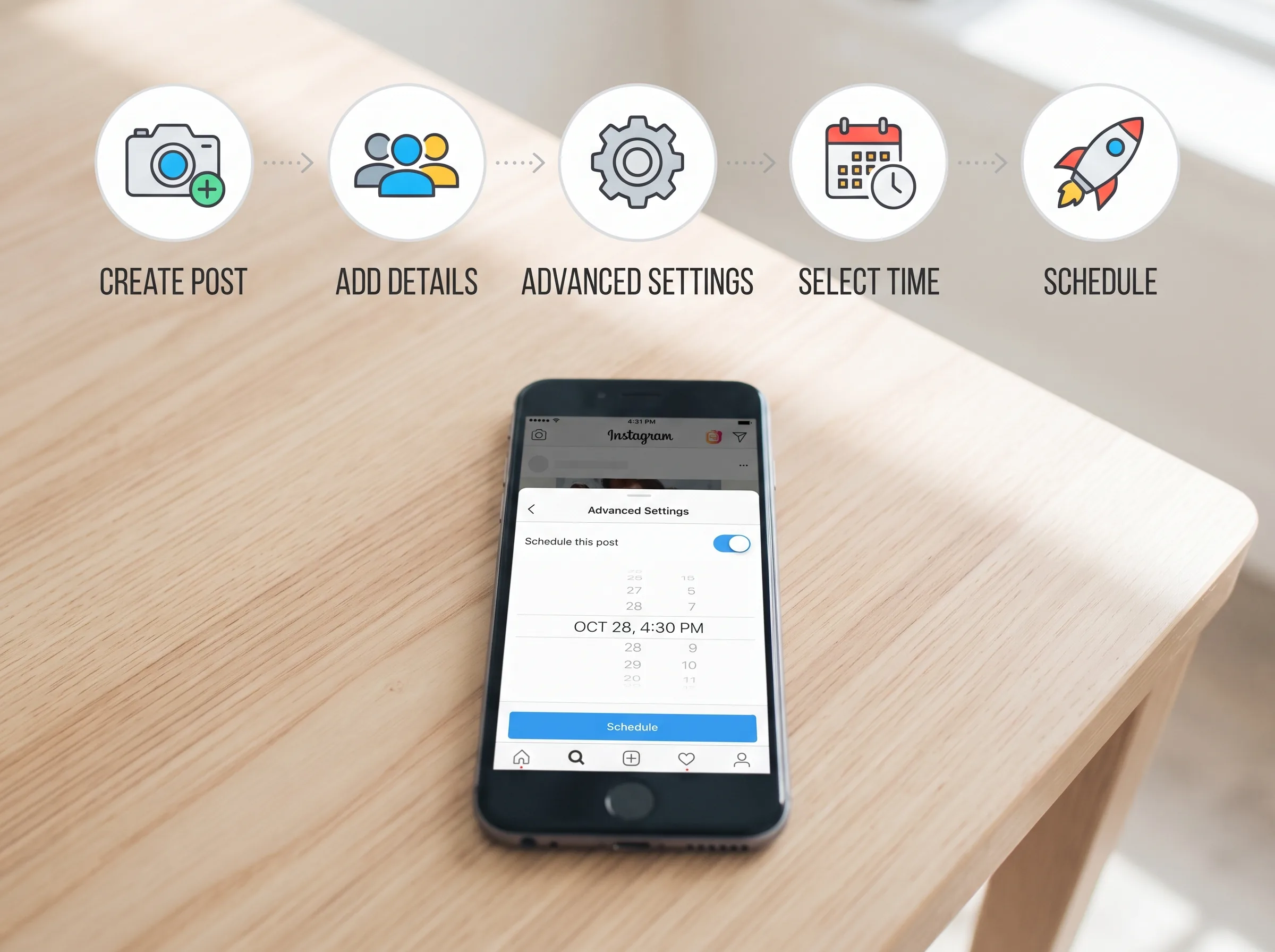
- Open Instagram and tap the + icon to start a new post or Reel, then upload or shoot your content as usual
- Add your caption, hashtags, and tags the way you normally would
- Scroll down to Advanced settings
- At the top of that screen, toggle on Schedule this post
- Set your date and time, then go back
- Confirm, the post moves into your scheduled queue instead of publishing right away
To check what's queued, go to your profile, open the menu, and look under Content for your scheduled posts. From there you can reschedule, delete, or push a post live immediately, none of it locks in until the moment it actually publishes.
What you can and can't schedule natively
The native scheduler covers feed posts, carousels, and Reels. It does not cover Stories, a structural gap, not an oversight: a Story's 24-hour expiry timer starts the moment it publishes, and interactive stickers like polls and question boxes create server-side state only at that moment, which a pending scheduled queue isn't built to hold.
A handful of other formats are also excluded from in-app scheduling: product-tagged posts, collaborative posts (co-authored with another account), sponsored or paid-partnership posts, and fundraisers all have to be published live (SocialBee).
How to schedule Instagram posts using Meta Business Suite
Meta Business Suite still earns its place in two specific situations: you'd rather schedule from a desktop or laptop than a phone, or you specifically need to schedule a Story, which the native app still can't do but Business Suite's mobile app can.
One requirement first: your Instagram professional account needs to be linked to a Facebook Page to use Business Suite's scheduling tools.
On desktop:
- Log into business.facebook.com and open Meta Business Suite
- Click Create post or Create reel, and pick which Instagram account you're posting to
- Upload your media, then write your caption, mentions, hashtags, and location tag all work here
- Under Scheduling options, toggle on Set date and time
- Pick your slot, Business Suite shows an active-times panel with a snapshot of when your audience is typically online if you want a data-backed suggestion instead of guessing
- Click Schedule to confirm
On the Business Suite mobile app the flow is nearly identical, tap Schedule for later, pick your date and time, then tap Schedule, and this path is the one that includes Story scheduling.
When Business Suite beats the native app
Business Suite schedules the same core formats as the app itself, single images, carousels, and Reels, plus Stories, which is its real advantage. The trade-off: polls, quizzes, question stickers, and emoji sliders only exist in Instagram's native Story editor, so a Story scheduled through Business Suite publishes without those interactive elements.
Third-party Instagram schedulers: when you actually need one
For a single account posting a handful of times a week, native scheduling or Business Suite covers almost everything. Third-party tools like Buffer, Later, Hootsuite, and Metricool earn their subscription once you're managing multiple accounts, need a visual grid preview of your feed before you commit to it, want a team approval workflow, or need analytics deeper than Instagram's own Insights.
- Later is built around a drag-and-drop grid planner, useful if you're mentally arranging your feed's visual layout before you post
- Buffer has the simplest interface, a common starting point for a single small-business account
- Hootsuite is built for managing several accounts or platforms at once, with heavier analytics
- Metricool leans into performance data and best-time recommendations
These connect through Meta's official publishing API, the same permission system Business Suite uses, which is why they all share one requirement: your Instagram account needs to be a Business or Creator account linked to a Facebook Page before a third-party scheduler can even connect to it. That's not a workaround-able step, it's how the underlying API access works for every one of these tools. The real differentiator between them is the planning layer around the schedule, not the mechanics of an instagram post scheduler free tier versus a paid one.
One small thing worth a preview check the first time you use any of them: pasted captions with line breaks sometimes collapse into one paragraph, a known quirk with how a few tools and Instagram's API handle formatting.
Quick check: do you need one?
Run this before paying for anything. If you post to one Instagram account a handful of times a week and mostly care whether it went out on time, native scheduling or Business Suite already does the job for free. If you're juggling two or three business accounts, need someone else on the team to approve captions before they go live, or want your whole month's grid laid out visually before committing, that's when a monthly fee starts paying for itself. Most single-location salons and boutiques fall in the first group, check native scheduling first before adding a subscription on top.
The limits and gotchas nobody mentions upfront
A few numbers worth actually working around, not skimming past:
| What | Limit |
|---|---|
| Posts scheduled per day | 25 (native app + Business Suite) |
| How far ahead you can schedule | 75 days |
| Stories | Not schedulable in native app; possible via Business Suite mobile, without interactive stickers |
| Product tags, collabs, sponsored posts, fundraisers | Cannot be scheduled, must post live |
| Account requirement | Public account (private accounts can't schedule); professional account + linked Facebook Page needed for Business Suite and third-party tools |
Key insight: the 25-post daily cap sounds generous until you sit down to schedule a full month in one go. Batch a week at a time instead of trying to load all 75 days on day one, so you're not fighting the ceiling before you've even started.
Scheduling only works if there's something worth scheduling
Here's the part that trips up most small business owners: they fix "I keep forgetting to post" with a scheduler, then sit down on a Sunday with an empty queue and no plan for what actually goes in it. A scheduling tool moves posting off your plate, it doesn't decide what a boutique in Jaipur should post on a Tuesday versus what a salon in Bangalore should post on a Thursday. That's a content-planning problem, and it's usually the one that eats the actual time.
A queue full of "I'll figure this slot out later" placeholders isn't a content calendar, it's a to-do list with dates attached. What a scheduler actually needs from you is a finished photo, a caption, and a decided time, and for most local businesses, the bottleneck was never the decided time, it's having the finished photo and caption ready at all, week after week, without hiring someone to shoot and write it.
Scheduling mechanics are a two-minute fix once you know where the toggle is. The harder problem for most ICP3 businesses is never running out of things worth scheduling. Scalio turns a product photo and a short brand brief into model-wearing photos and Reels in minutes, plus a ready content calendar, so you're queuing a real week of content instead of scrambling to fill an empty scheduler. From ₹999/month against a ₹10,000+/month agency retainer. See how it works →
Once your calendar's full, pair it with the best time to post on Instagram so the right post also lands in the right slot, and if you're still hunting for what to actually put in that queue, this list of social media content ideas is built to be grabbed from, not read once and forgotten.
Frequently Asked Questions
Can you schedule Instagram posts for free?
Yes. Scheduling directly in the Instagram app and through Meta Business Suite are both free, no subscription required, since they're Meta's own tools. Third-party schedulers like Buffer or Later add features like multi-account management and visual grid planning but usually charge a monthly fee past a free tier.
How far in advance can you schedule an Instagram post?
Up to 75 days ahead, whether you're using the native in-app scheduler or Meta Business Suite. The 25-posts-per-day cap applies across both, so scheduling a full 75 days in one sitting isn't realistic, plan in weekly or monthly batches instead.
Why can't I schedule my Instagram Story?
Stories still can't be scheduled from the native Instagram app. The format's 24-hour expiry and interactive stickers (polls, quizzes, sliders) require publish-time processing that a queued post isn't built to hold. Meta Business Suite's mobile app can schedule Stories, but without those interactive stickers.
Do scheduled Instagram posts perform worse than posting live?
No published Meta or independent data shows scheduled posts getting deprioritized versus live posts, the algorithm treats a scheduled post as a normal publish once it goes live. What actually affects reach is timing and content quality, not whether it was scheduled or posted manually.
Can I schedule Reels the same way as regular posts?
Yes. Reels are included in both the native in-app scheduler and Meta Business Suite, alongside single-image posts and carousels, with the same 75-day and 25-per-day limits applying.