Amazon Product Photography Requirements & How AI Helps (2026)
| TL;DR Amazon enforces the strictest product image requirements of any marketplace — non-compliance triggers automatic listing suppression. Main image: pure white background (RGB 255,255,255), product fills 85%+ of frame, minimum 1,000px (2,000px+ recommended), no text, no logos, no props. Amazon allows up to 9 images per listing — using all slots with the right image types significantly improves conversion. The #1 suppression trigger is a background that isn't true RGB 255,255,255 — it looks white to the eye but Amazon's scanner catches it. AI photography tools like Scalio's Amazon Catalog feature auto-generated images that are compliant by default — correct background, resolution, framing, and category rules baked in. |
|---|
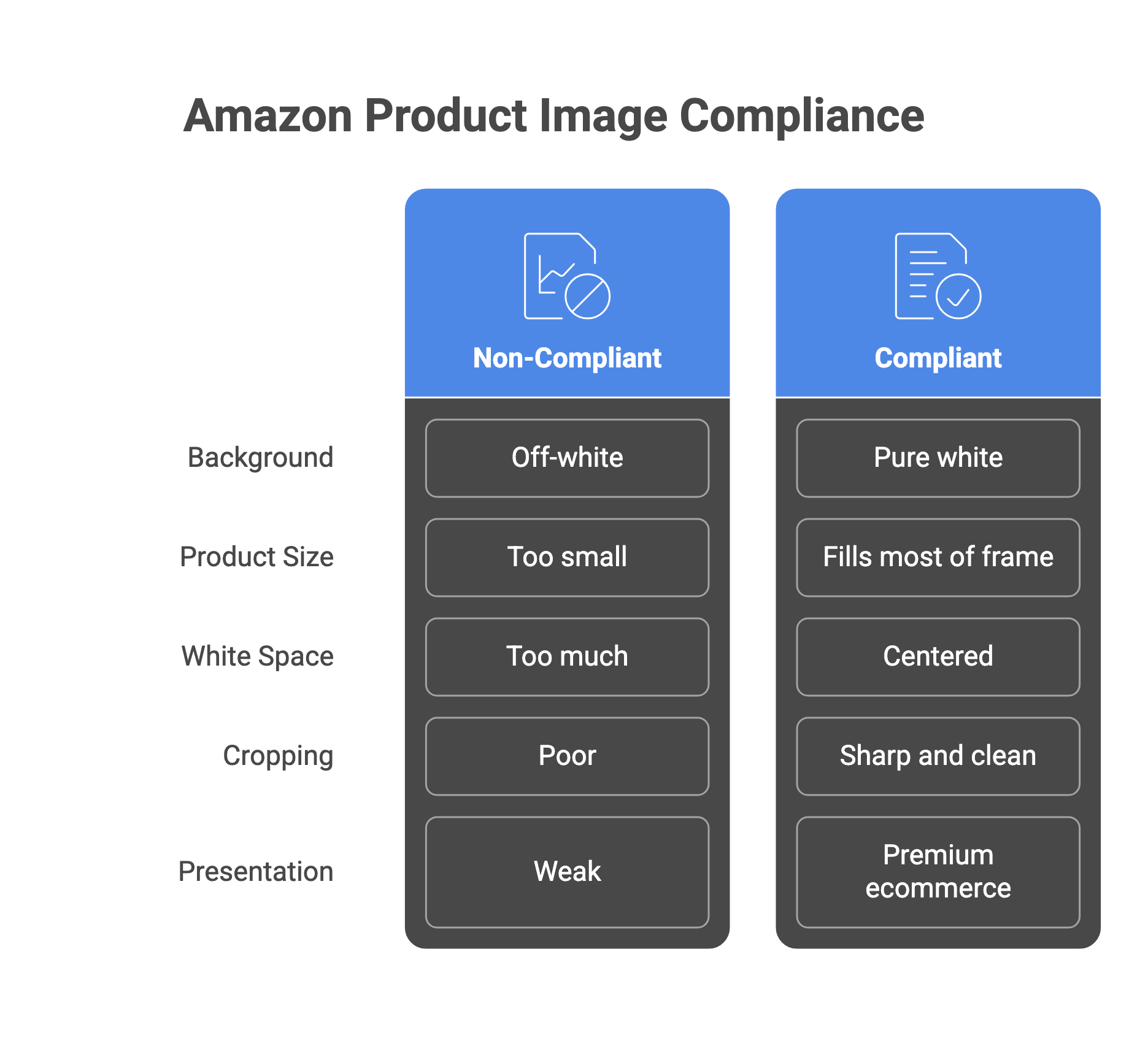
Amazon's image requirements are strict, automated, and actively enforced. A listing can be suppressed from search results — with no warning — for a background that fails by a few RGB values, a product that fills 84% instead of 85% of the frame, or a category rule the seller didn't know existed. This guide covers every requirement, the most common violations, and how AI makes compliance automatic.
Why Amazon Image Compliance Matters More Than Ever
- In 2025, Amazon rolled out AI-based image scanning that detects non-compliant images faster and more accurately than before — violations that previously slipped through are now caught automatically.
- Non-compliant main images result in listing suppression: your product is removed from search results entirely until the image is fixed.
- Repeated violations can trigger account health warnings and restrict your ability to add new listings.
- 67% of online shoppers say product image quality is the most important factor in their purchase decision, compliance isn't just about not getting suppressed, it's about winning the click.
- Listings that meet Amazon's recommended image specifications see up to 35% higher engagement and click-through rates compared with under-spec listings.
The Technical Requirements: Every Spec You Need
| Spec | Requirement | What Happens If You Miss It |
|---|
| Background colour (main image) | Pure white — RGB 255,255,255 | Listing image may be rejected or suppressed |
| Minimum resolution | 500px minimum on the longest side for upload; 1,000px+ recommended for zoom | Below 500px may fail requirements; below 1,000px may disable zoom |
| Recommended resolution | 1,600px+ on the longest side; square images often perform best | Lower zoom clarity and weaker product detail presentation |
| Maximum resolution | 10,000px on the longest side | Image may fail upload or processing |
| Accepted file formats | JPEG (preferred), PNG, TIFF, non-animated GIF | Unsupported formats may be rejected |
| Product fill — main image | Product should occupy at least 85% of the frame | Listing may be suppressed; weaker visual impact |
| Product in frame | Full product should be clearly visible and not unintentionally cropped | Important product details may be lost or image may fail review |
| Text, logos, watermarks | Not permitted on the main image | Listing image may be rejected or suppressed |
| Props / accessories | Only items included in the purchase should appear in the main image | Can mislead customers or trigger image rejection |
| Aspect ratio | Square strongly recommended, especially for the main image | Images may display less consistently across placements |
| Number of images | Use all available image slots where possible | Fewer images can reduce product clarity and buyer confidence |
| Spec | Requirement | What Happens If You Miss It |
Main Image Rules: What Is and Isn't Allowed
What the Main Image MUST Have
- The actual product being sold — not a graphic, illustration, or placeholder
- Pure white background — RGB 255,255,255
- Product occupying at least 85% of the image frame
- Product clearly visible and not unintentionally cropped
- Professional photography quality — sharp, in focus, accurate colour, no pixelation
| ❌ What Is NOT Permitted on the Main Image Text of any kind — including feature callouts, size labels, or overlays Logos, watermarks, or borders Amazon-associated badges: Best Seller, Amazon’s Choice, Top Rated, etc. Props, accessories, or products not included in the purchase Multiple views of the same product in one frame Packaging-only images (unless the packaging itself is the product) Non-compliant model usage (must follow category-specific guidelines) Mannequins were restricted by category guidelines |
|---|
How to Use Your 8 Secondary Image Slots
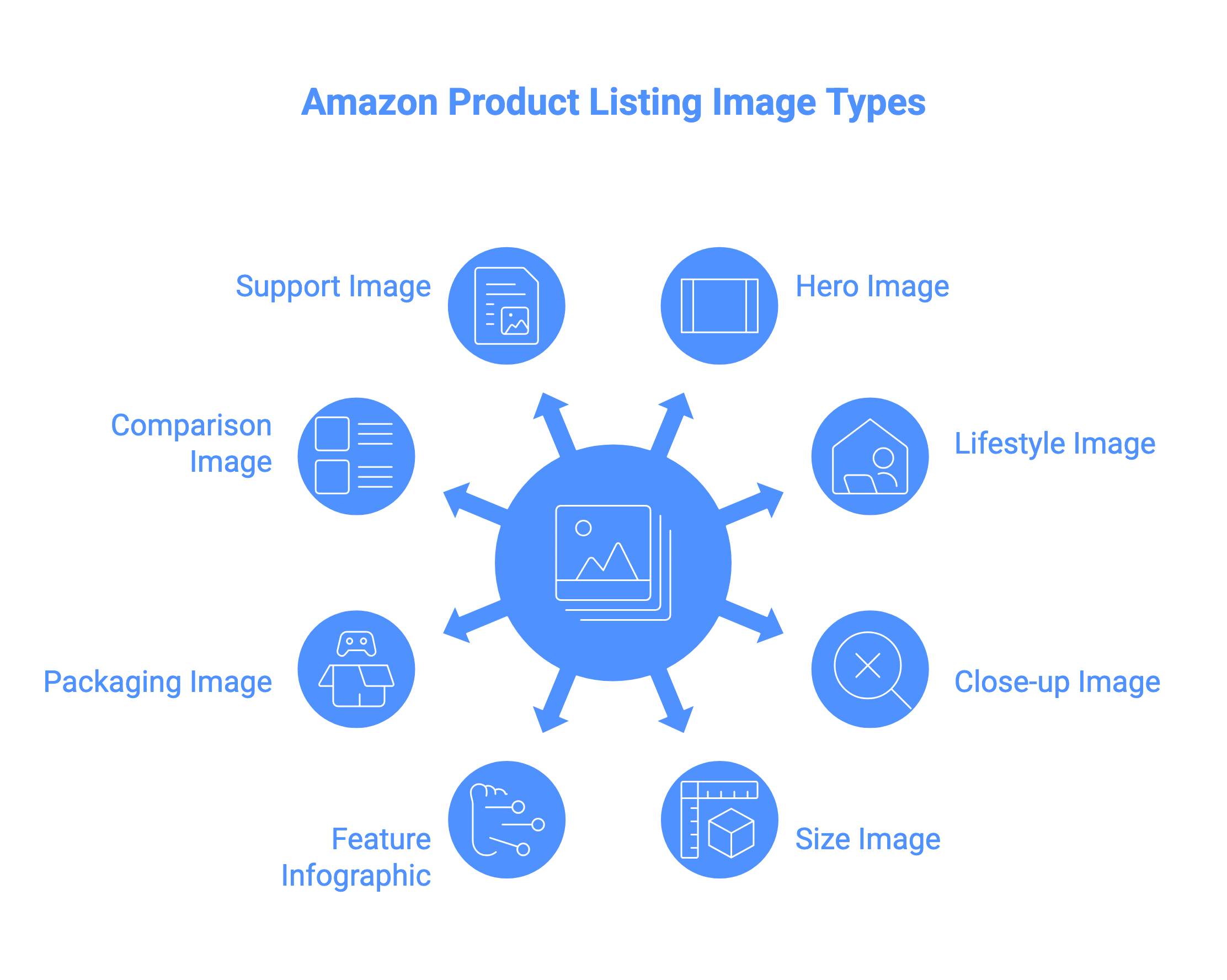
Most Amazon listings support a main image plus multiple secondary media slots, and many also support video. Most sellers underuse this. The smarter approach is to treat each image as a specific sales job, not just another angle of the same product.
| Slot | Image Type | Sales Job |
|---|
| Main (Slot 1) | White-background hero | Get the click from search results — must be compliant |
| Slot 2 | Feature infographic | Show top benefits visually using compliant callouts and icons |
| Slot 3 | Lifestyle / in-use scene | Help customers visualise the product in real life |
| Slot 4 | Close-up / detail shot | Show texture, material, stitching, finish, or craftsmanship |
| Slot 5 | Scale / in-hand shot | Show true size and reduce uncertainty |
| Slot 6 | Dimensions / specifications | Add exact measurements or key specs in infographic form |
| Slot 7 | Comparison / variant overview | Show colour options, bundle contents, or product differences |
| Slot 8 | Packaging / what’s included | Set expectations and reduce post-purchase disappointment |
| Additional media slot (if enabled) | Video or extra lifestyle image | Add motion, demonstration, or extra purchase context |
The 5 Most Common Violations That Suppress Listings
| ⚠️ Violation #1 — Background Not True White The background may look white to the eye, but if it isn’t true white (RGB 255,255,255), the image can still fail Amazon’s requirements. Amazon's automated scanner detects the difference and flags the listing. Fix: always replace the background using photo editing software and verify with a colour picker before uploading. |
|---|
| ⚠️ Violation #2 — Text or Badges on the Main Image Sellers add callouts like 'Best Value' or 'Size Guide' to the main image — this is a policy violation even if the text seems helpful. Using promotional text, badges, or Amazon-style labels on the main image can lead to rejection or suppression. Fix: move all text and callouts to secondary images (Slots 2–9), where they are permitted. |
|---|
| ⚠️ Violation #3 — Product Fills Less Than 85% of the Frame Images with the product sitting small in the centre — surrounded by white space — fail the 85% fill requirement. Fix: crop the image so the product occupies at least 85% of the frame while remaining fully visible. |
|---|
| ⚠️ Violation #4 — Props or Accessories Not Included in the Sale Showing a camera next to a microphone, or a bottle next to a glass, implies those items are included — triggering suppression and misleading customers. Fix: remove everything from the frame except the exact product being sold. |
|---|
| ⚠️ Violation #5 — Category Rule Violations (Apparel / Footwear) Using mannequins or non-compliant styling in apparel categories can violate category-specific image rules. Showing a pair of shoes instead of a single shoe at a 45-degree angle. Using on-model images for kids'/baby clothing (must be flat-lay). Fix: check the Amazon category style guide in Seller Central for your specific product category. |
|---|
How AI Product Photography Handles Amazon Compliance Automatically
The problem with manual compliance is that every step in the photography workflow introduces risk: a slightly off-white background after editing, a product that fills 84% not 85%, a secondary image with the wrong resolution. Purpose-built AI photography tools eliminate this entirely by building compliance into the output, not adding it as a manual step at the end.
What Scalio's Amazon Catalog Feature Does Automatically
| Requirement | What Scalio Does |
|---|
| Background — RGB 255,255,255 | AI removes original background and generates pure white — verified programmatically, not visually |
| Product fills 85%+ of frame | Smart framing auto-centres and scales the product to meet the fill requirement |
| Resolution — 3,000×3,000px | All exports default to 3,000×3,000 — well above Amazon's 2,000px recommendation |
| Main image — no text or graphics | Template enforces a clean main image; text elements only appear in secondary image templates |
| On-model for apparel categories | Model Studio generates human models wearing the garment — Amazon-compliant for men's/women's clothing |
| Full secondary image set | Single upload generates hero + lifestyle + infographic + detail — all sized and formatted for Amazon slots |
| Bulk processing | Run the entire catalog through the same pipeline — consistent compliance at scale |
The Complete Amazon Image Workflow with AI
- Take a clean source photo. Smartphone cameras are sufficient — natural window light, white or neutral background, front + back + side angles. This is the reference image the AI builds from.
- Upload to Scalio's Product Studio. Select the 'AI for Amazon Catalog' template — background, margins, and resolution are pre-configured to Amazon specifications.
- Generate the full image set. Hero main image + 3–4 secondary images (lifestyle, infographic, detail close-up) in one upload. All sized for Amazon's slots.
- Review and QA. Check the main image against the compliance rules above — especially for category-specific requirements. Scalio's output passes Amazon's scanner by default, but apparel category rules require the correct model type.
- Upload directly to Seller Central. Export at 3,000×3,000px JPEG, named descriptively (product-name-angle.jpg), and upload to the Manage Images section for each ASIN.
Frequently Asked Questions
What resolution should Amazon product images be?
Amazon images should be at least 1,000px on the longest side to support zoom. For better quality, 1,600px+ is recommended. A 1:1 square format like 2,000×2,000px works best for most listings. Scalio exports at 3,000×3,000px by default.
What is the exact white background requirement for Amazon?
The main image background should be pure white (RGB 255,255,255). Off-white or grey backgrounds can cause compliance issues. The safest option is to use clean background removal and verify the final image before upload.
Can I use AI-generated images on Amazon?
Yes, as long as the image accurately represents the product being sold. AI-generated secondary images are commonly used for infographics, lifestyle scenes, and visual enhancements. Main images should remain realistic, product-accurate, and category-compliant.
Do men's and women's clothing need to be on a model for Amazon?
For many apparel categories, adult clothing main images are expected to follow category-specific model rules, while kids’ and baby clothing often must be shown flat / off-model. Always check Amazon’s category style guide before uploading.
How many images should I use on an Amazon listing?
Most Amazon listings support a main image plus multiple secondary image slots, and many also support video. Best practice is to use as many as possible with purpose-built visuals like hero shots, infographics, close-ups, dimensions, and lifestyle images.
What happens if my Amazon image doesn't meet the requirements?
Non-compliant images can cause the listing image to be rejected or suppressed, which may reduce visibility until the image is fixed. You can usually review image-related issues inside Seller Central → Fix Your Products.
Does Scalio produce Amazon-compliant images for Indian sellers on Amazon India?
Yes. Scalio’s Amazon templates are designed around Amazon-compliant image standards, including white background, clean framing, and high-resolution export suitable for Amazon India and other marketplaces.
Amazon Image Compliance Checklist (Copy for Your Team)
| Before uploading any Amazon product image, check: The background is pure white (RGB 255,255,255) Product fills at least 85% of the image frame Product is fully visible and not unintentionally cropped No text, logos, watermarks, or promotional badges on the main image No props or accessories not included in the sale Resolution is at least 1,000px on the longest side (1,600px+ recommended for better zoom quality) Use a supported file format (JPEG preferred) and keep the file optimized for upload Category-specific image rules are followed (apparel, footwear, kids, etc.) Secondary image slots are filled with feature, lifestyle, detail, dimension, and scale visuals Avoid Amazon-style badges or misleading promotional overlays in supporting creatives |
|---|