
TL;DR
- Meesho has different image rules from Flipkart and Amazon — white or plain light backgrounds are strongly recommended but lifestyle backgrounds are acceptable and often perform well.
- Images must be uploaded via the Meesho Supplier Panel image uploader — Google Drive links are explicitly not accepted and cause QC failure.
- Minimum 1 front image per SKU; recommended: multiple images including back, side, and detail shots. Fashion listings with 4–7 images typically show stronger buyer engagement, and model images work particularly well for fashion on Meesho.
- Meesho's buyer base — largely Tier-2 and Tier-3 cities — responds to authentic, realistic presentation over over-styled studio imagery.
- Primary image must be a solo product shot with no watermarks, text overlays, price/brand logos, or distorted/partial views.
Meesho reaches 18.7+ crore customers across India — and unlike Flipkart or Amazon, it has its own visual logic. The platform's buyers, primarily in Tier-2 and Tier-3 cities, respond to authenticity over studio perfection. Images that look too polished can backfire. This guide covers every Meesho image requirement, the photography style that actually converts on the platform, category-specific best practices, and how AI Meesho product photography eliminates the most common QC rejection triggers — so your catalog goes live clean and performs from day one.
Why Meesho Image Rules Are Different from Flipkart and Amazon
Meesho occupies a distinct position in Indian ecommerce. Its buyers are value-conscious, mobile-first, and largely in non-metro India — and many sellers on the platform are small businesses, boutiques, and home-based entrepreneurs with limited studio access. The platform's image rules reflect this:
| Aspect | Meesho | Flipkart / Amazon India |
|---|---|---|
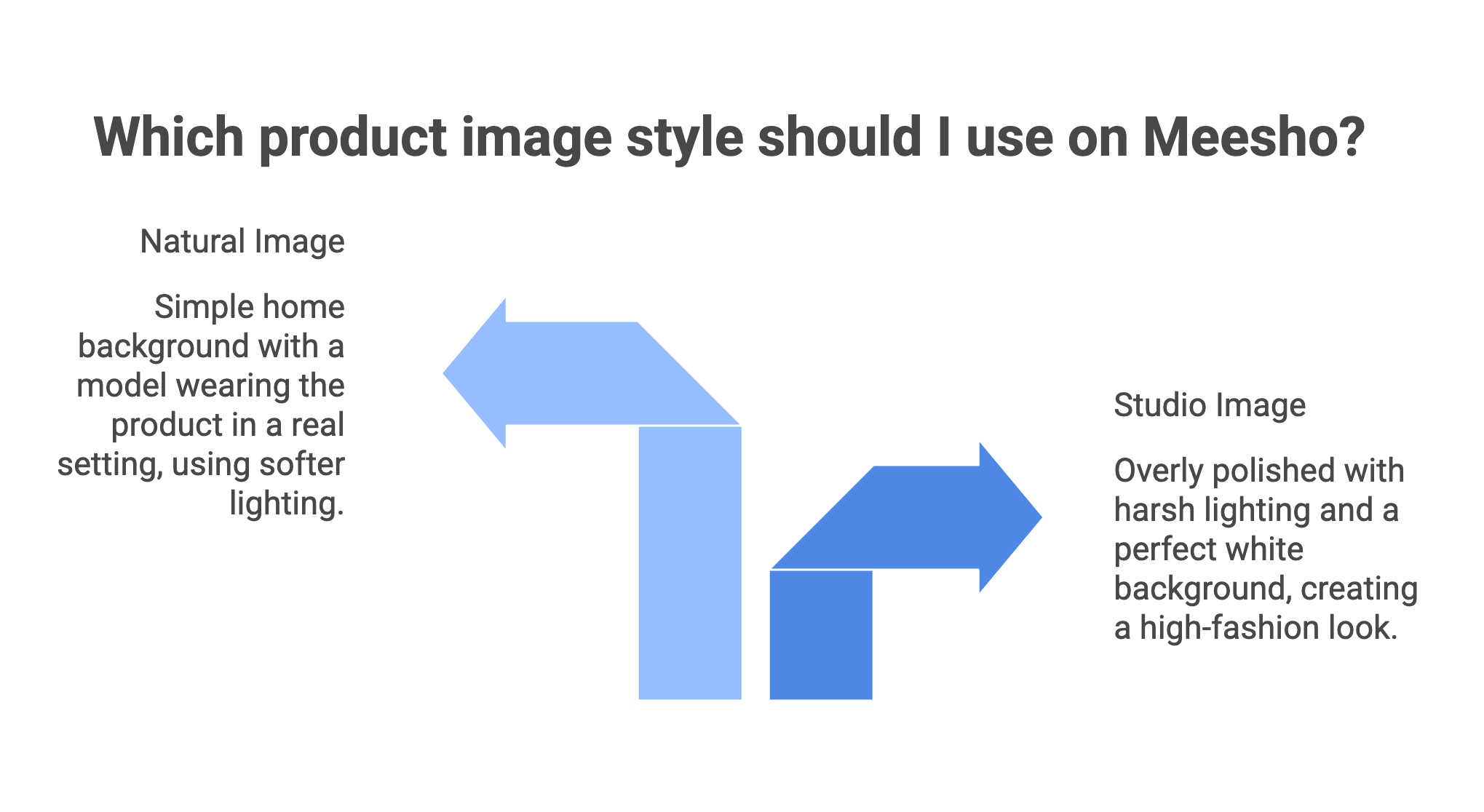
| Background — primary image | White or plain light background strongly recommended; lifestyle backgrounds acceptable | Strict white background required for primary image |
| Authenticity tone | Realistic, authentic presentation — overly polished images can reduce buyer trust | Professional studio look expected |
| Model images | Work very well for fashion; Meesho buyers prefer seeing how garments drape on a real person | Required for fashion on Myntra; recommended on others |
| Flat-lay photography | Performs well, especially for sarees (pallu and border focus) | Accepted as secondary format |
| Image upload method | Only via Meesho Supplier Panel image uploader — Google Drive links not accepted | Upload directly through seller portal |
| Image count | Minimum 1 front image per SKU; uploading more is recommended | Minimum 2 images (Flipkart), more recommended |
| Commission | 0% commission (seller keeps full sale price) | Commission-based structure |
Meesho Image Technical Requirements
These are the confirmed technical specifications drawn from official Meesho template documents and Supplier Panel guidelines. Every image you upload must meet these before the catalog is reviewed:
| Spec | Requirement | Notes |
|---|---|---|
| Minimum image size | 500×500 pixels | This is the minimum accepted by the platform; images below this are rejected |
| Recommended image size | 1,000×1,000px | Recommended across Meesho listing guides; square 1:1 aspect ratio |
| Optimal for feed display | 1,080×1,080px | Cited by practitioners as ideal for Meesho app feed and WhatsApp sharing |
| Aspect ratio | 1:1 (square) | Square images display natively without cropping on the Meesho app and during WhatsApp sharing |
| Accepted file formats | JPEG, PNG | JPEG preferred for file size efficiency |
| Watermarks / text overlays | Not acceptable on primary images | No watermarks, text, price labels, or brand logos on the primary product image |
| Google Drive image links | Explicitly not accepted | Must use Meesho Supplier Panel image uploader to generate valid image links |
| Graphic/distorted images | Not accepted | No pixelated, inverted, stretched, shrunk, or partial product images |
| Blurry / cluttered images | Not accepted | Image must be clear, well-lit, and product must be visible without clutter |
| Offensive content | Not accepted | All images pass Meesho's decency review before going live |
| Minimum images per SKU | 1 front image per SKU (mandatory) | Uploading more than one image is explicitly recommended by Meesho |
What Your Primary (First) Image Must Show
The primary image is the one that appears in search results and category feeds. It is the single most important image in your catalog. Based on verified Meesho template requirements and Supplier Panel image criteria:
| ✅ Primary Image — What It Must Be A solo product image — the product alone, without props or unrelated items. Clear and well-lit — natural daylight or softbox lighting; no yellow tube-light photography (causes colour shift). On a white or plain light background — Meesho strongly recommends this for primary images even though lifestyle backgrounds are permitted in secondary slots. Complete product visible — no partial product images; nothing cropped out of frame. Accurate representation — the image must match what is delivered to the buyer. Uploaded via Meesho Supplier Panel only — not via Google Drive or any external link. |
|---|
| ❌ Primary Image — Not Allowed Watermarks, logos, text, or price/brand labels anywhere on the image. Graphic, pixelated, inverted, stretched, or shrunk images. Multiple products in one image if only one is being sold. Products shown in packaging (for most categories) — the item itself must be visible. Blurry or underexposed images. Placeholder or 'Image Coming Soon' graphics. |
|---|
How Many Images to Upload and What Each Should Show
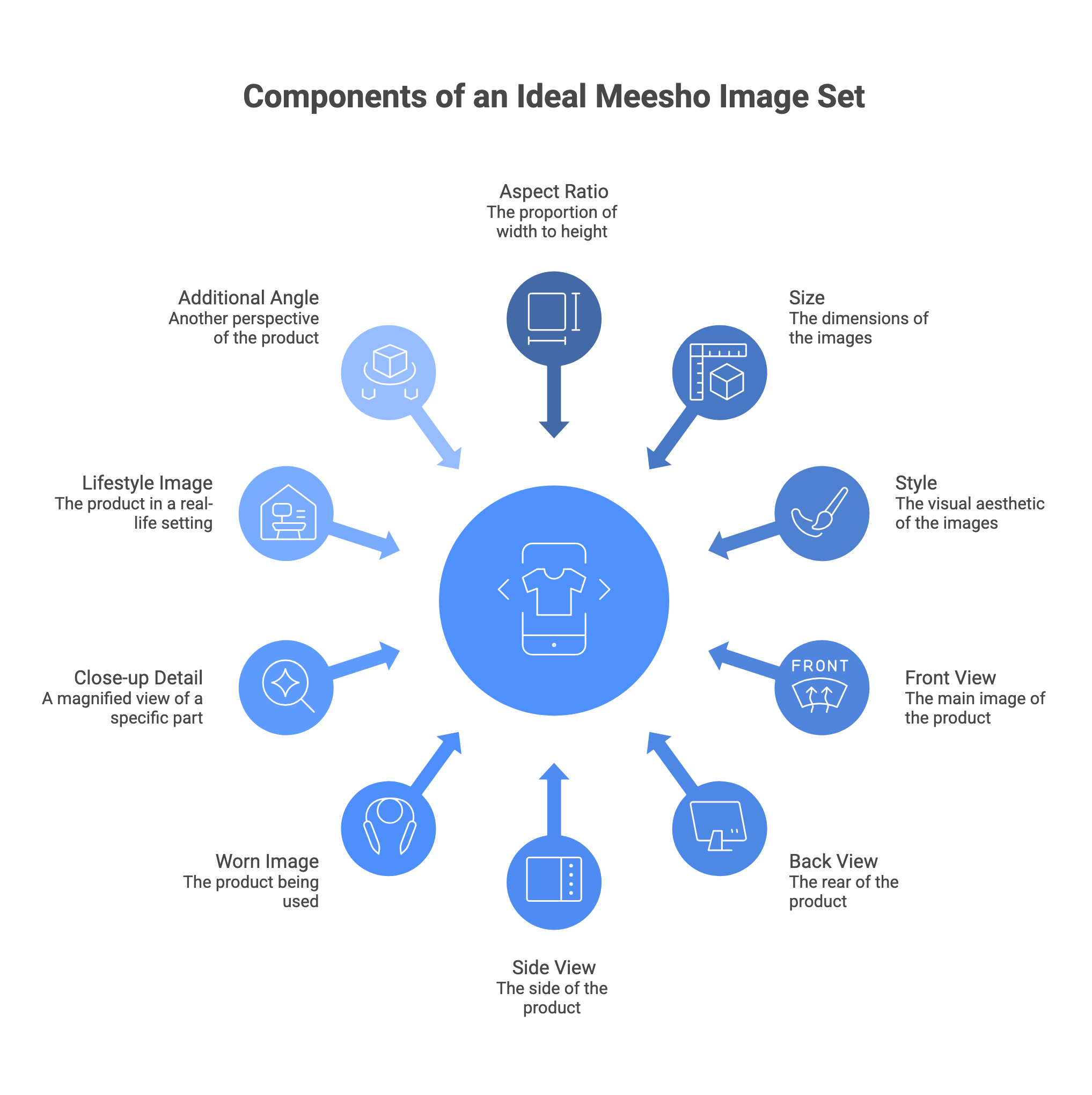
Meesho requires a minimum of 1 front image per SKU and explicitly recommends uploading more than one image to give buyers a better view. Fashion listings typically perform better with 4–7 images. Here is how to use each slot:
| Image Slot | What to Show | Why It Matters |
|---|---|---|
| Image 1 (mandatory) | Front view, solo product on plain or white background, product fills most of the frame | This appears in search and directly impacts clicks |
| Image 2 | Back view, rear design, stitching, label placement | Helps buyers see the full product and reduces returns |
| Image 3 | Model shot for fashion or side angle for other products | Shows fit, drape, or real world appearance |
| Image 4 | Close up details such as fabric texture, embroidery, print, stitching | Builds trust in quality and craftsmanship |
| Image 5 | Lifestyle image showing real use or setting | Helps buyers visualize usage and context |
| Image 6 | Size reference or size chart | Reduces confusion and return rates |
Photography Style That Works on Meesho (vs Other Marketplaces)
Meesho's visual culture is distinct from Myntra or Flipkart. What works on other marketplaces can actively underperform here. The platform's buyer base values authenticity — imagery that looks too studio-perfect can make buyers suspect the actual delivered product will not match.
For Fashion and Apparel
- Model images work well — Meesho buyers prefer seeing how a garment drapes on a real person, especially for ethnic wear like sarees, kurtis, and salwar suits. A family member or friend modelling the garment in good light often outperforms a ghost mannequin shot.
- Flat-lay photography is a strong alternative — works particularly well for sarees. Lay the garment on a clean white sheet and photograph from directly above using natural window light.
- For sarees specifically: prioritise the pallu and border in your detail shots — these are the primary purchase decision elements for most buyers.
- Avoid sitting poses and ensure garments are fully steamed before shooting — wrinkled garments signal poor quality before the buyer even reads the description.
- Always shoot in natural daylight near a window — yellow tube-light photography causes severe colour shift (pinks appear orange) and is a common reason buyers report product colour mismatch.
For Jewellery and Accessories
- Show the product worn — jewellery performs significantly better on a wrist or neck than in isolation on a flat surface.
- Close-up detail shots are essential — show craftsmanship, clasp design, stone settings.
- Plain or very subtle lifestyle backgrounds work — buyers want to see the product clearly, not be distracted by props.
For Home Decor and Utility Products
- Show the product in actual use — a kitchen container shown filled on a shelf, a bedsheet on a made bed.
- Include a size reference shot — place the product next to a common household item so buyers can gauge dimensions.
- Show the product from multiple angles including top-down where relevant.
| 💡 WhatsApp Optimisation Note — Image File Size Since Meesho heavily relies on social sharing, product images are frequently forwarded via WhatsApp by resellers and buyers. Large image files can load slowly on budget Android devices and weaker mobile networks. To improve shareability and loading speed, compress JPEG images before uploading while maintaining visual clarity. Aim for approximately 300KB to 400KB per image where possible. Avoid excessive compression that reduces sharpness, especially for detail shots. |
|---|
| ✦ Generate Meesho-Ready Product Images with Scalio — Free → ✦ Clean backgrounds · Multiple poses · Ethnic wear support · try for free |
|---|
Common Meesho Image Rejection Triggers
These rejection triggers come from the official Meesho catalog template image criteria, the Supplier Panel QC guidance, and seller learning hub documentation:
| ⚠️ Rejection Trigger 1 — Google Drive Image Links This is explicitly flagged in every Meesho official catalog template: 'Google Drive links will not be accepted'. Fix: upload images via the 'Images Bulk Upload' tool in the Meesho Supplier Panel. Copy-paste the generated links into your catalog template. |
|---|
| ⚠️ Rejection Trigger 2 — Blurry or Low-Quality Images Blurry, pixelated, or underexposed images fail Meesho's quality check before the catalog goes live. Fix: shoot in natural daylight; use phone camera burst mode and select the sharpest frame; AI upscaling can rescue slightly soft images before upload. |
|---|
| ⚠️ Rejection Trigger 3 — Watermarks, Text, or Price/Brand Logos on the Primary Image Meesho's official image criteria explicitly states: 'Images with text/Watermark are not acceptable in primary images'. Fix: remove all text overlays; do not display price, MRP, brand logo, or promotional labels on any image. |
|---|
| ⚠️ Rejection Trigger 4 — Incorrect Image Links or Blank Mandatory Fields Blank mandatory fields and incorrect image link mapping cause catalog-level rejection regardless of image quality. Fix: use the error file downloaded from the Supplier Panel QC Error page — it shows exactly which fields and which SKUs have issues. |
|---|
| ⚠️ Rejection Trigger 5 — Partial Product Images Images where part of the product is outside the frame — or where the product is so small it barely registers — are rejected. Fix: ensure the full product is visible and reasonably prominent in the frame; crop tightly to the product. |
|---|
| ⚠️ Rejection Trigger 6 — Images with Products Not Matching the Listing Meesho's QC process checks whether the product in the image matches the description. Colour differences, wrong variants, or missing product components cause rejection. Fix: photograph the exact product being listed; do not use generic stock imagery or images from another colour variant. |
|---|
How to Find and Fix QC Errors in the Meesho Supplier Panel
- Log in to the Meesho Supplier Panel. Navigate to the Catalog section and look for catalogs marked with a QC error status.
- For bulk catalog uploads: download the error file from the QC Error page. Open it — all errors appear in the Error Tab under the Error Status and Error Message columns.
- Make corrections to your original Excel file based on the error messages. For image-related errors, re-upload images via the Images Bulk Upload tool and generate new valid links.
- Re-upload the corrected file from the same QC Error page. The catalog will be reviewed again and go live once it passes.
- For single catalog uploads: the correction process is similar but done directly in the Catalog Upload section of the Supplier Panel.
- If you cannot resolve an error, raise a support ticket from the 'Raise a Ticket' option in the Support section of the panel.
How AI Product Photography Handles Meesho Compliance Automatically
The most common Meesho image rejection causes are mechanical: wrong background, low resolution, watermarks, blurry output. These happen at the preparation stage, not during the shoot. AI Meesho product photography tools eliminate them by building compliance into the output by default.
| Meesho Requirement | What Scalio Does Automatically |
|---|---|
| White or plain background on primary image | AI removes the original background and replaces it with clean white — no manual editing required |
| Minimum 500×500px; recommended 1,000×1,000px | All exports produced at 1,500×2,000px and 1,080×1,440px — both well above Meesho's minimum |
| No watermarks or text overlays | Scalio outputs are clean by default — no overlays, stamps, or brand text on product images |
| Front, back, and detail views per SKU | Multiple pose generation from a single garment upload — front, back, side, close-up |
| Ethnic wear accuracy (sarees, kurtis, lehengas) | Scalio is built for Indian ethnic wear categories — drape, embroidery, and colour preserved |
| Multiple SKUs at catalog scale | Bulk processing handles entire seasonal catalogs with consistent style across all images |
| Lifestyle secondary images | AI lifestyle background generation produces contextual secondary shots alongside the clean primary |
Bulk Product Photography AI →
Meesho Image Compliance Checklist (Before Every Upload)
| Run through this before submitting any Meesho catalog: Image uploaded via Meesho Supplier Panel — not a Google Drive link. The primary image is 1,000×1,000px or larger (minimum 500×500px accepted). The aspect ratio is 1:1 (square). The format is JPEG or PNG. Primary image: white or plain light background; solo product; complete product in frame. No watermarks, text, price labels, or brand logos on any image. The image is not blurry, pixelated, stretched, inverted, or partial. Image matches the exact product being listed (correct colour, pattern, variant). At least 1 front image per SKU uploaded (mandatory). Additional images uploaded: back view, detail/close-up, lifestyle — aim for 4–7 for fashion. Image file size ideally under ~400KB for WhatsApp sharing performance. All mandatory catalog fields completed — blank mandatory fields cause QC failure regardless of image quality. |
|---|
Frequently Asked Questions
What is the recommended image size for Meesho product listings?
The minimum accepted image size is 500×500 pixels. Meesho's listing guides consistently recommend 1,000×1,000px square images (1:1 aspect ratio).
Does Meesho require a white background?
White or plain light backgrounds are strongly recommended for the primary (first) image, but unlike Flipkart and Amazon India, Meesho accepts lifestyle backgrounds on secondary images and in some cases on the primary.
Can I use Google Drive links for Meesho images?
No. Meesho explicitly does not accept Google Drive links.
How many images should I upload per Meesho listing?
The mandatory minimum is 1 front image per SKU. Meesho's own Supplier guidance explicitly states that 'uploading more than one image is recommended to give customers a better view.'
What are the most common reasons Meesho catalog images get rejected?
The six most common image rejection triggers are: Google Drive image links (not accepted); blurry or pixelated images; watermarks, text, or price/brand logos on the primary image; blank mandatory fields in the catalog template; partial product images where the product is cropped or too small; and images that do not match the listed product (wrong colour, wrong variant, or generic stock imagery.
Does Scalio produce images that meet Meesho's image specifications?
Yes. Scalio's fashion photography pipeline is built specifically for Indian ethnic wear, accurately handling sarees, lehengas, kurtis, and fusion fits.
How does Meesho work for sellers — commission, payments, and catalog live time?
Meesho follows a low, category-based fee structure. Payments are typically settled within 7 days after delivery, including COD orders. Catalogs usually go live within 24 to 72 hours after QC checks. Meesho delivers to 28,000+ pin codes across India. There are no direct cancellation penalties, but high cancellations can affect seller performance and visibility.
| ✦ Generate Meesho-Compliant Product Images with Scalio — Try Free → ✦ try for free · White background · Ethnic wear support · Front, back, lifestyle — all from one upload |
|---|