

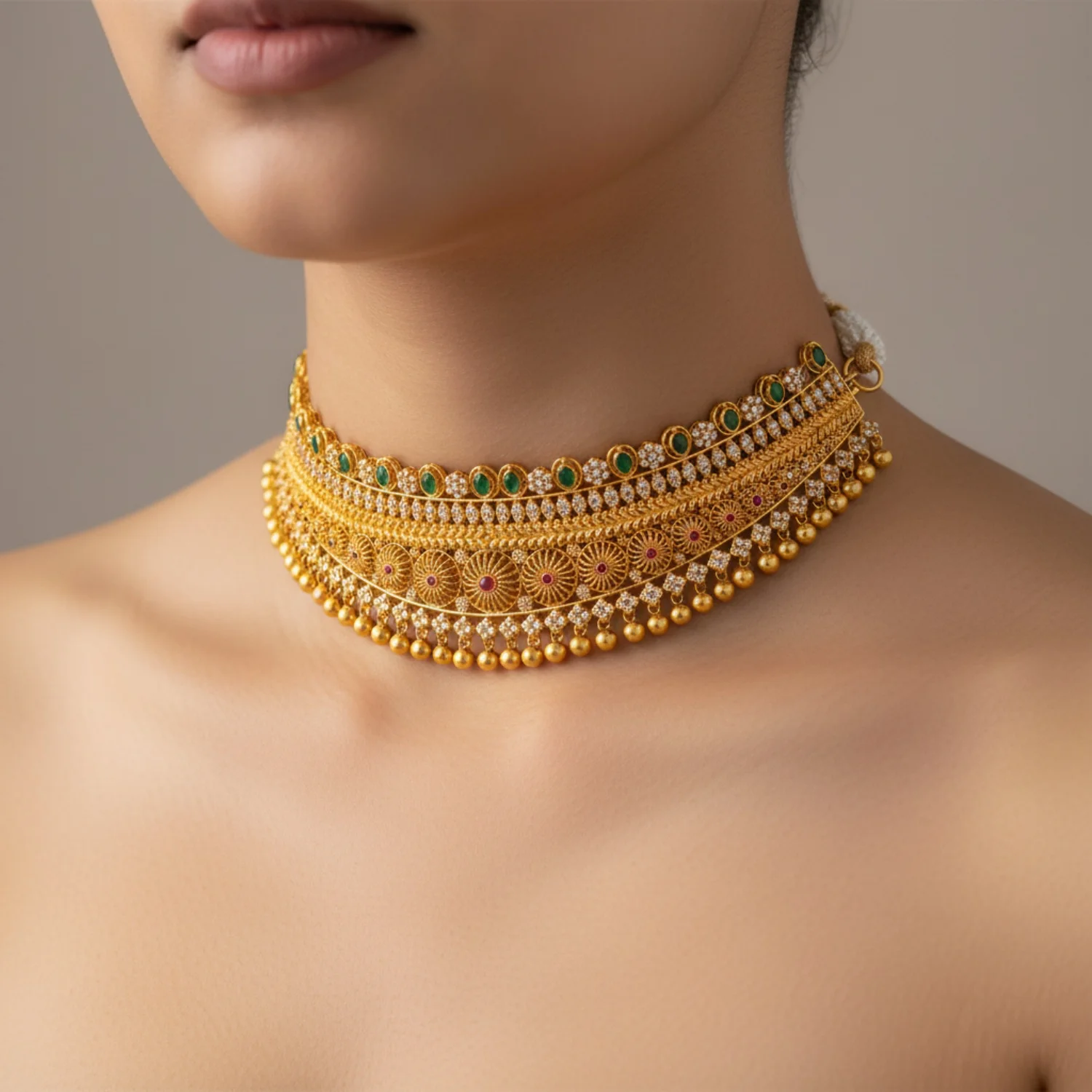
The Complete Guide to E-commerce Product Photography in 2024
Product photography can make or break your e-commerce business. Studies show that 75% of online shoppers rely on product photos when making purchasing decisions.
In this comprehensive guide, we'll cover everything from traditional photography techniques to cutting-edge AI solutions.
Why Product Photography Matters
Great product photography:
- Increases conversion rates by up to 30%
- Reduces return rates by setting accurate expectations
- Builds brand trust through professional presentation
- Improves SEO with optimized images
- Enhances social media engagement
Traditional Photography Setup
Essential Equipment
Camera Options:
- DSLR/Mirrorless: Canon EOS R, Sony A7 III ($1,500-$2,500)
- Mid-range: Canon T7i, Nikon D5600 ($600-$800)
- Budget: Modern smartphones with good cameras ($400+)
Lighting:
- Softbox lights (2-3 units)
- Ring light for close-ups
- Reflectors and diffusers
- Light tent for small products
Accessories:
- Tripod (essential for consistency)
- White backdrop or sweep
- Props and styling materials
- Photo editing software
Photography Techniques
1. Lighting Setup
- Use three-point lighting (key, fill, back)
- Soft, diffused light prevents harsh shadows
- Consistent lighting across all products
2. Composition
- Fill 80-90% of frame with product
- Use rule of thirds for lifestyle shots
- Maintain consistent angles across catalog
3. Background
- Pure white (#FFFFFF) for marketplaces
- Lifestyle backgrounds for brand storytelling
- Consistent style across product line
The AI Revolution
Why AI Photography is Changing Everything
Traditional photography challenges:
- Cost: $50-200 per product
- Time: Days or weeks for full catalog
- Consistency: Hard to maintain across shoots
- Flexibility: Expensive to make changes
AI photography solutions:
- Cost: $0.30-2 per image
- Time: Seconds to generate
- Consistency: Perfect every time
- Flexibility: Unlimited variations instantly
How AI Photography Works
- Upload: Simple product photo (even smartphone quality)
- Select: Choose from templates (models, backgrounds, styles)
- Generate: AI creates professional images in seconds
- Download: Use across all channels
Best Use Cases for AI
✅ Perfect for:
- Fashion and apparel
- Accessories and jewelry
- Home decor
- Beauty products
- Consumer electronics
⚠️ Consider traditional for:
- Food photography (texture crucial)
- Luxury items requiring specific lighting
- Products with complex materials
Optimization Best Practices
Image Specifications
File Format:
- JPEG for photos (smaller file size)
- PNG for graphics/transparency
- WebP for modern browsers
Dimensions:
- Minimum: 1000x1000px
- Recommended: 2000x2000px
- Maximum: 4000x4000px
File Size:
- Target: 100-200KB per image
- Maximum: 500KB
- Use compression tools
SEO Optimization
File Naming:
product-name-color-angle.jpg
✅ blue-cotton-tshirt-front.jpg
❌ IMG_1234.jpg
Alt Text:
"Blue cotton t-shirt front view on white background"
Image Sitemap: Include all product images in XML sitemap
Multi-Channel Strategy
Amazon/Marketplace Requirements
- Main image: White background (#FFFFFF)
- Minimum: 1000px on longest side
- Zoom: 1600px+ for zoom feature
- Lifestyle: Additional angles and context
Social Media
Instagram:
- Square: 1080x1080px
- Portrait: 1080x1350px
- Stories: 1080x1920px
Pinterest:
- Vertical: 1000x1500px (2:3 ratio)
- Square: 1000x1000px
Facebook:
- Landscape: 1200x630px
- Square: 1080x1080px
Your Website
- Hero images: High resolution, optimized
- Thumbnails: Consistent sizing
- Zoom functionality: 2000px+ originals
- Mobile optimization: Responsive images
Workflow Comparison
Traditional Workflow
- Planning: 1-2 days
- Setup: Half day
- Shooting: 1-2 days
- Editing: 2-3 days
- Revisions: 1-2 days
Total: 1-2 weeks per batch
AI Workflow
- Upload products: 10 minutes
- Select templates: 5 minutes
- Generate images: Instant
- Review & download: 15 minutes
Total: 30 minutes per batch
Cost Analysis
Traditional Photography
Per Product:
- Photographer: $50-200
- Studio rental: $20-50
- Editing: $10-30
- Props/styling: $10-20
Total: $90-300 per product
AI Photography
Per Product:
- AI generation: $0.30-2
- No studio needed
- No editing required
- Unlimited variations
Total: $0.30-2 per product
Savings: 90-95% cost reduction
Getting Started with AI Photography
Step 1: Assess Your Needs
- How many products?
- Update frequency?
- Style requirements?
- Budget constraints?
Step 2: Prepare Your Products
- Clean, well-lit photos
- Multiple angles
- Consistent backgrounds
- High resolution
Step 3: Choose Your Platform
Look for:
- Template variety
- Quality output
- Ease of use
- Pricing model
- Support & training
Step 4: Test & Iterate
- Start with bestsellers
- A/B test results
- Gather customer feedback
- Refine your approach
Advanced Tips
Consistency is Key
- Use same angles across products
- Maintain color accuracy
- Consistent spacing/framing
- Unified brand aesthetic
Show Product in Use
- Lifestyle context
- Scale reference
- Multiple angles
- Detail shots
Mobile-First Thinking
- Test on mobile devices
- Ensure readability
- Fast loading times
- Touch-friendly galleries
Common Mistakes to Avoid
❌ Poor lighting - Creates shadows and color issues
❌ Inconsistent styling - Confuses customers
❌ Low resolution - Looks unprofessional
❌ Slow loading - Hurts conversions
❌ Missing angles - Increases returns
❌ Over-editing - Misrepresents product
The Future of Product Photography
Emerging trends:
- 3D/AR visualization - Try before you buy
- Video integration - Short product demos
- AI personalization - Custom images per customer
- Automated workflows - End-to-end automation
- Real-time generation - Instant variations
Conclusion
Product photography doesn't have to be expensive or time-consuming. Whether you choose traditional methods, AI solutions, or a hybrid approach, focus on:
- Consistency across your catalog
- Quality that builds trust
- Optimization for performance
- Testing to improve results
Ready to transform your product photography? Start with AI-powered solutions and see the difference professional images make.
Questions about product photography? Reach out to our team at hello@scalio.app