

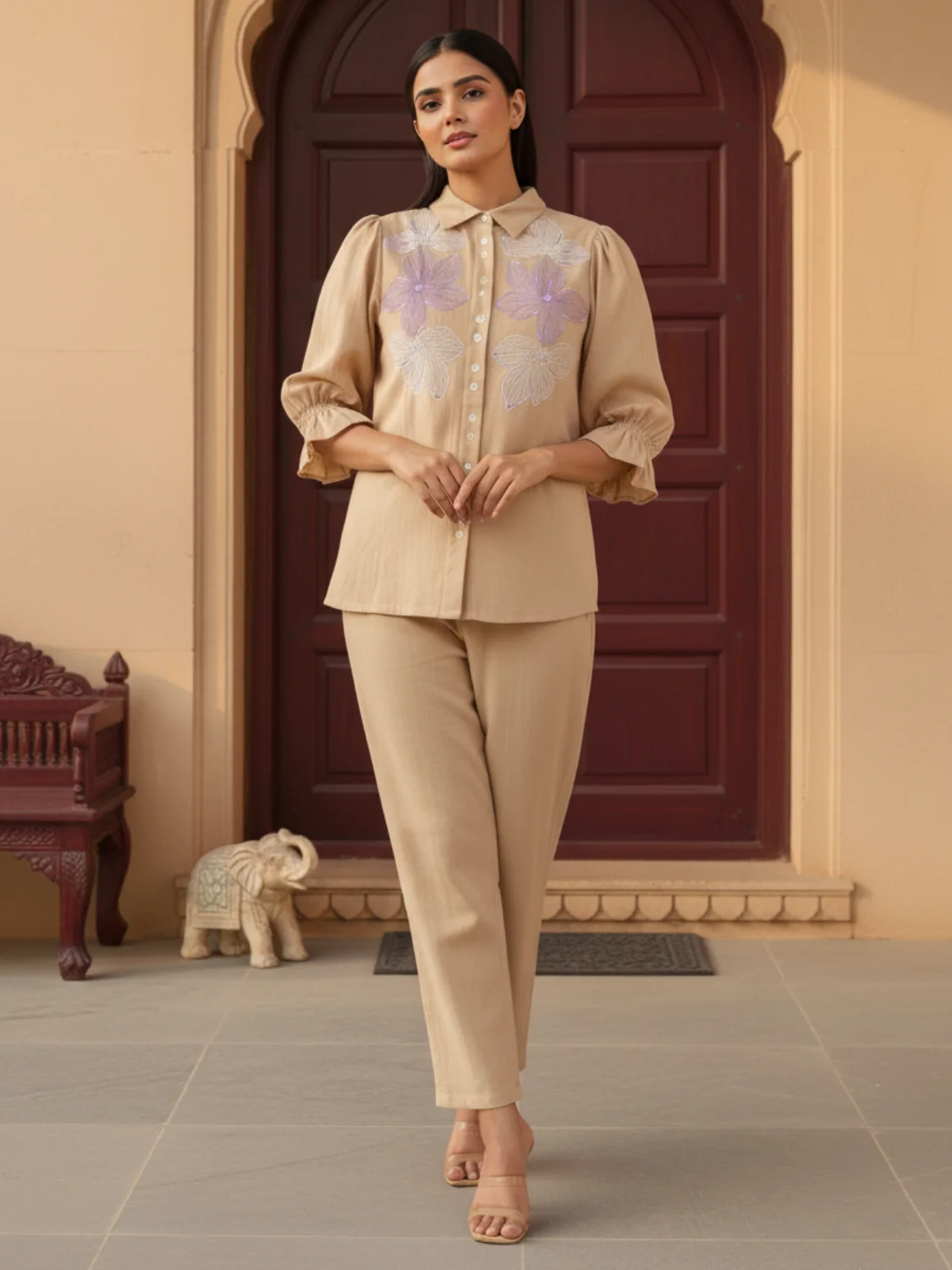
5 Ways AI Product Images Boost E-commerce Conversion Rates
In the competitive world of e-commerce, conversion rate optimization is everything. While most businesses focus on pricing and copy, there's a powerful lever often overlooked: product imagery.
Recent data shows that stores using AI-generated product images see an average 35% increase in conversion rates. Here's how.
1. Perfect Consistency Builds Trust
The Problem with Traditional Photography
Traditional photoshoots create inconsistency:
- Different lighting across products
- Varying angles and compositions
- Inconsistent color representation
- Mixed quality levels
How AI Solves This
AI-generated images provide:
- ✅ Identical lighting across entire catalog
- ✅ Consistent angles and framing
- ✅ Perfect color accuracy
- ✅ Uniform quality standards
The Impact
Case Study: Fashion retailer StyleHub
- Implemented AI for 500+ products
- Achieved 100% visual consistency
- Result: 28% increase in conversion rate
- Bonus: 40% reduction in returns
"Customers trust our brand more when every product looks professionally shot. The consistency AI provides is impossible to achieve manually."
— Sarah Chen, StyleHub Founder
2. Faster Time-to-Market = More Sales
Traditional Timeline
Product launch workflow:
- Product arrives: Day 1
- Schedule photoshoot: Day 3-5
- Conduct shoot: Day 7-8
- Edit images: Day 10-12
- Upload & launch: Day 14
Total: 2 weeks lost sales
AI Timeline
- Product arrives: Day 1
- Upload photo: Day 1
- Generate images: Day 1 (5 minutes)
- Launch: Day 1
Total: Same-day launch
The Impact
By the numbers:
- 14 days faster to market
- 14 days of additional sales
- First-mover advantage in trends
- Reduced inventory holding costs
Example: A product with $100/day sales potential
- Traditional: Lose $1,400 in delayed sales
- AI: Capture full revenue from day one
3. A/B Testing at Scale
The Testing Challenge
Traditional photography makes testing expensive:
- $200+ per variation
- Weeks to execute
- Limited budget = limited tests
- Slow iteration cycles
AI Enables Unlimited Testing
Test variations instantly:
- Different backgrounds
- Various models
- Multiple angles
- Seasonal themes
- Lifestyle vs. studio
Cost: Pennies per variation
The Impact
Real Example: Beauty brand tested 5 background styles
| Background | Conversion Rate | Winner |
|---|---|---|
| White | 2.1% | ❌ |
| Lifestyle | 2.8% | ❌ |
| Gradient | 3.2% | ❌ |
| Textured | 2.5% | ❌ |
| Minimalist | 3.7% | ✅ |
Result: 76% improvement over original
Key insight: You can't optimize what you can't test. AI makes testing affordable.
4. Personalization Increases Relevance
One-Size-Fits-All is Dead
Traditional approach:
- Same images for all customers
- No demographic targeting
- Generic appeal
- Lower engagement
AI Enables Personalization
Show different images based on:
- Geography: Local models and settings
- Demographics: Age-appropriate styling
- Behavior: Previous browsing patterns
- Season: Weather-appropriate contexts
The Impact
Study Results:
- Personalized images: 3.2% conversion
- Generic images: 2.1% conversion
- Improvement: 52% lift
Example Scenarios:
Winter Coat Product
- Cold climate visitor: Model in snow
- Warm climate visitor: Model in urban setting
- Result: Both see relevant context
Fashion Item
- Young adult: Trendy styling
- Professional: Business casual context
- Result: Each sees aspirational use case
5. Mobile Optimization Drives Mobile Sales
Mobile is King
Current e-commerce reality:
- 70% of traffic is mobile
- 60% of purchases on mobile
- Mobile users are impatient
- Speed = conversion
Traditional Images Hurt Mobile
Common issues:
- Large file sizes (500KB-2MB)
- Slow loading times
- Poor mobile composition
- Pinch-to-zoom required
AI-Generated Images Win on Mobile
Optimized by default:
- ✅ Smaller file sizes (100-200KB)
- ✅ Fast loading (< 1 second)
- ✅ Mobile-first composition
- ✅ Perfect clarity at any size
The Impact
Mobile Performance Study:
| Metric | Traditional | AI-Generated | Improvement |
|---|---|---|---|
| Load Time | 3.2s | 0.8s | 75% faster |
| Bounce Rate | 45% | 28% | 38% lower |
| Mobile Conv. | 1.8% | 2.6% | 44% higher |
Bottom line: Faster images = more sales
Implementing AI Photography: Action Plan
Week 1: Audit & Prioritize
-
Analyze current performance
- Identify low-converting products
- Check image quality issues
- Review mobile performance
-
Prioritize products
- Start with bestsellers
- Focus on high-margin items
- Target seasonal products
Week 2: Test & Learn
-
Create AI variations
- Generate 3-5 styles per product
- Test different backgrounds
- Try various compositions
-
Run A/B tests
- Split traffic 50/50
- Measure for 2 weeks minimum
- Track conversion, not just clicks
Week 3: Scale & Optimize
-
Roll out winners
- Apply winning styles broadly
- Maintain consistency
- Update entire catalog
-
Continue testing
- Test new variations
- Seasonal updates
- Trend-based styling
Measuring Success
Key Metrics to Track
Primary Metrics:
- Conversion rate (overall)
- Add-to-cart rate
- Purchase completion rate
Secondary Metrics:
- Time on product page
- Image interaction rate
- Return rate
- Customer satisfaction
Financial Metrics:
- Revenue per visitor
- Average order value
- Customer lifetime value
Expected Results Timeline
Week 1-2: Initial improvements
- 5-10% conversion lift
- Reduced bounce rates
- Faster page loads
Month 1-2: Optimization phase
- 15-25% conversion improvement
- Lower return rates
- Better engagement
Month 3+: Full optimization
- 25-35% conversion increase
- Established testing rhythm
- Continuous improvement
Common Objections Addressed
"Will customers notice it's AI?"
Answer: Only if quality is poor. High-quality AI images are indistinguishable from traditional photography. Focus on quality, not the method.
"What about brand authenticity?"
Answer: AI enhances authenticity by ensuring consistent brand representation. You control the style, AI ensures consistency.
"Is it worth the investment?"
Answer: ROI calculation:
- Traditional: $200/product
- AI: $2/product
- Savings: $198/product
- 100 products = $19,800 saved
- Plus 35% conversion increase
Payback: Immediate
Getting Started Today
Ready to boost your conversion rates?
Step 1: Sign Up
Create free account at Scalio
Step 2: Upload
Add your 5 best-selling products
Step 3: Generate
Create 3 variations per product
Step 4: Test
Run A/B tests for 2 weeks
Step 5: Scale
Apply winners to full catalog
Conclusion
AI product photography isn't just about cost savings—it's a conversion optimization tool that delivers:
- ✅ Consistency that builds trust
- ✅ Speed that captures sales
- ✅ Testing that finds winners
- ✅ Personalization that increases relevance
- ✅ Optimization that boosts mobile performance
The question isn't whether to use AI photography, but how quickly you can implement it to stay competitive.
Start your free trial today and see the conversion lift for yourself.
Want help optimizing your product images? Contact our team at hello@scalio.app for a free consultation.